Adds hotkeys to the Add Notes dialog for copying tags and fields from the last note in the same deck, plus a searchable history of recently used field values.
card-creationnote-managementshortcuts
Copies pre-formatted information from selected Anki Browser notes using customizable per-note-type templates, hotkeys, tag placeholders, and escaped HTML for Word/Excel compatibility.
exportformattingshortcutsfork-or-reupload
Adds a History-menu entry to the Add notes dialog that opens the Browser on the 'Added Today' view, with cards ordered by creation time, and includes a hotkey.
searchshortcuts
Lets you freeze or unfreeze note fields directly in the editor using snowflake icons or hotkeys, saving keystrokes when entering repetitive information.
card-creationnote-managementshortcutsfork-or-reupload
Enhances Anki's card browser with multi-select column menus, extra fields and tags, customizable column order, navigation history, card preview buttons, and translation support.
note-managementtaggingsearchshortcutsappearancefork-or-reuploadbeta
Performs complex batch card-field editing via configurable copy definitions, with optional automation when syncing, reviewing cards, or adding new notes.
card-creationnote-management
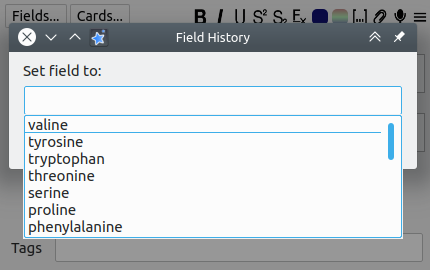 Default hotkeys
Windows
Ctrl + Alt + H - Invoke history window
Alt + Z - Copy over current field from last note
Ctrl + Alt + Z - Copy over a a number of user-defined fields (see below)
Ctrl + Alt + Shift + Z - Copy over all fields
Mac
Cmd + O - Invoke history window
Alt + Z - Copy over current field from last note
Ctrl + Alt + Z - Copy over a a number of user-defined fields (see below)
Cmd + Alt + Shift + Z - Copy over all fields
Configuration
Settings that may be customized include hotkey assignments and the list of selectively restored fields. Head to Tools → Add-ons, select the add-on in the list, and then click Config.
