Smart Study
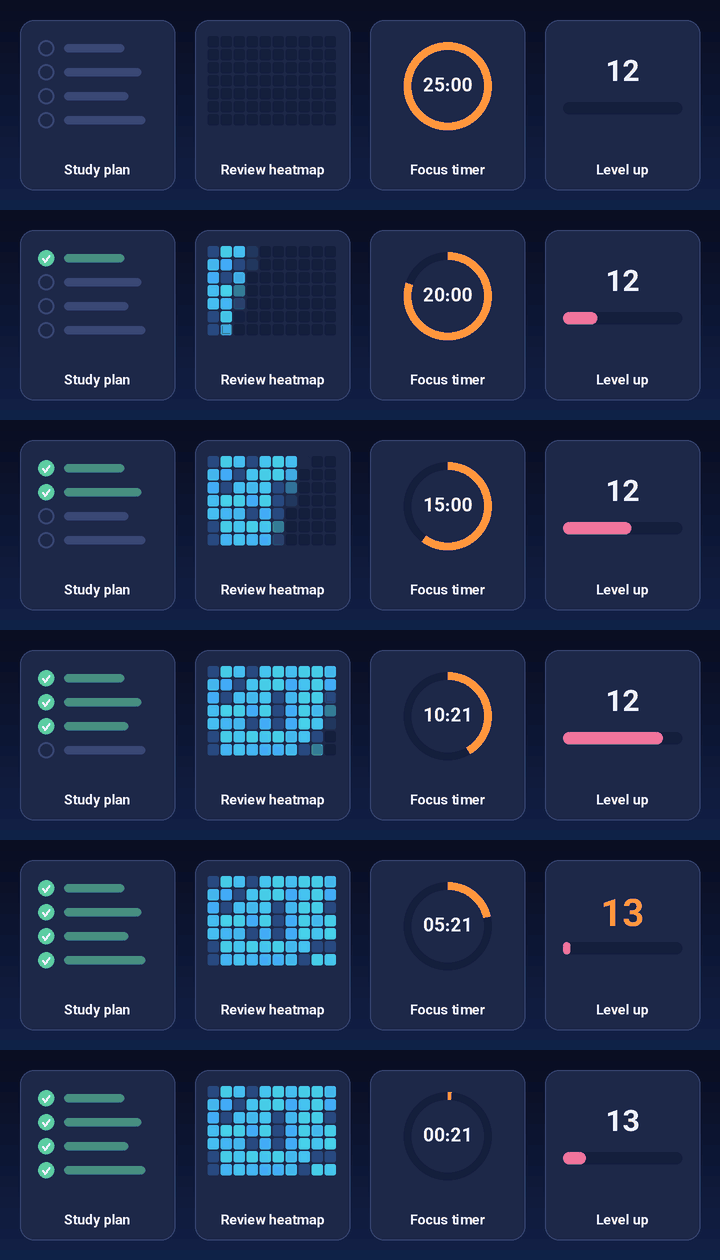
One Anki extension for your whole study workflow: study plans up to your exam, plus a full workspace with notebook, PDF viewer, mind maps, focus timer, music, AI assistant and motivation, all inside Anki.
Install
Smart Study needs Anki Desktop 25.09.4 or newer (developed and tested on 26.09).
From AnkiWeb (recommended): in Anki open Tools → Add-ons → Get Add-ons…, enter the code 1726163334 and restart Anki. Add-on page: https://ankiweb.net/shared/info/1726163334
From a release: download smart_study.ankiaddon from the latest release and open it with Anki (or Tools → Add-ons → Install from file…), then restart Anki.
From source:
git clone https://github.com/TruckDrive/smart-study.git
ln -s "$PWD/smart-study/addon" ~/.local/share/Anki2/addons21/smart_study   # Linux; on macOS/Windows copy the folder
Updating from an older version (0.x): uninstall it first, otherwise Anki shows two Study Plan links. Your plans come back by themselves through the Anki collection.
What's new in 2.4
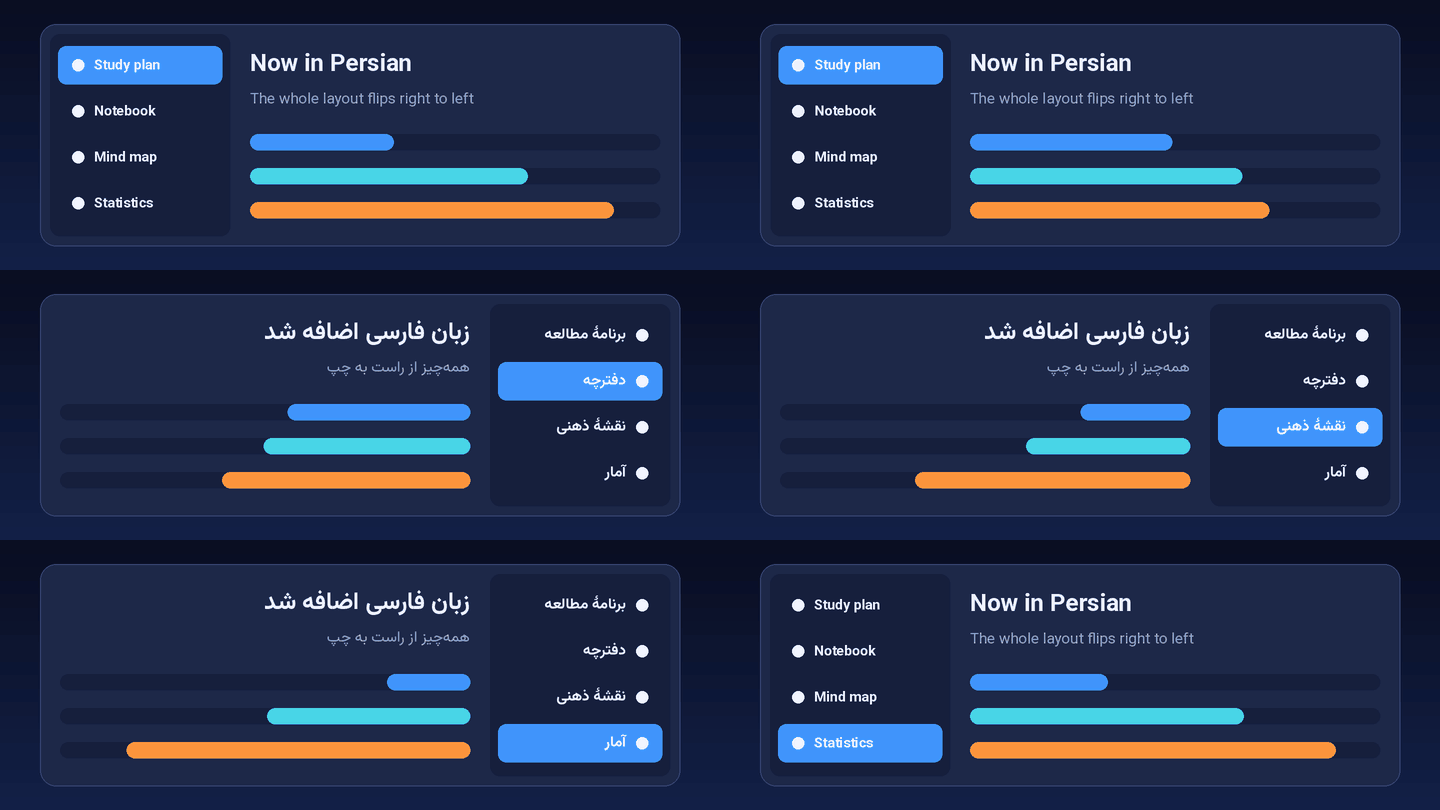
- Persian (فارسی): all of Smart Study in Persian, right to left, including the study plan and the built-in add-ons
- Anki itself in Persian: Smart Study repairs Anki's Persian translation, which otherwise falls back to English (text from Anki's backend stays English)
- AI assistant can answer in Persian
What's new in 2.3
- Same add-ons on all your devices: Smart Study asks once whether to sync your AnkiWeb add-ons; other devices then offer to install what is missing
- Install add-ons by code under Settings → Add-ons
- New color Orange and the Orange Pixel Wallpaper example background
- Your own text color for the "Studied … today" line on custom backgrounds
- The leftover "Study Plan" decks from early versions are now called Smart Study system data
What's new in 2.2
- Settings sync between your devices: Smart Study's settings and the switches for the built-in add-ons are kept in the Anki collection, so your normal AnkiWeb sync takes them to your other computers (like the study plans). Of two copies, the newer one wins
- Built-in add-ons in the settings: a new Add-ons page in the Smart Study settings switches each built-in add-on on or off at any time
- Progress bar removed: the built-in progress bar is gone. If you want it back, install Progress bar from AnkiWeb
What's new in 2.1
- Built-in add-ons: copy selections with pictures as an image, review heatmap, controller support and Life Drain come with Smart Study. Switch each one on or off under Tools → Smart Study → Built-in add-ons… (see Built-in add-ons)
- Already installed one of them? Smart Study asks once whether to keep yours or use the built-in one, and takes over your settings
- AI assistant with your own account: ChatGPT, Claude and Gemini as tabs next to the API chat – no API key needed
- Streaming: YouTube Music in a sidebar; Spotify opens in its app
- "What's new" after updates, with a switch next to everything that was switched on
- Fix: searching in the website sidebar no longer crashes Anki
| Built-in add-ons |
After an update |
 |
 |
What's new in 2.0
Smart Study 2.0 turns the study planner into one complete Anki extension:
- One add-on, one name. One menu (Tools → Smart Study), one settings window, one
.ankiaddon file
- A full workspace around your plan: notebook with PDF viewer, mind maps, focus timer, music, AI assistant, website sidebar, gamification, statistics and deadlines (see Features)
- The planner is the study plan. Tools → Smart Study → Study Plan… and the Study Plan link in the top bar open it; there is no second, simpler plan any more
- Private by design. No analytics, no remotely loaded banners or content, no update pings. The website sidebar starts on DuckDuckGo
- No Terms gate. The first-run setup only asks for language, study area and color theme
- New look. New logo, icons, rank badges, achievements, music covers and wallpapers, plus synthesized focus sounds and timer chimes, all made for Smart Study (
tools/make_assets.py generates them)
- The launcher no longer covers Anki. The left icon bar starts below Anki's top toolbar
Full list: CHANGELOG.md.
About
You tell Smart Study what you have to learn (book pages, videos, lists of tasks, Anki decks), when the exam is and how much time you have each day. It spreads everything over the days until the exam, topic by topic: first read, then watch the lecture, then do the cards. Anki items tick themselves off while you study. If you fall behind, one click replans the rest. Around that, Smart Study turns Anki into a workspace so you don't have to leave it.

An Anki add-on for Anki Desktop. No account. Nothing is sent anywhere unless you use an online feature yourself (see Privacy).
Features
Study plan
Planning
- Sources: books, scripts or slides (page ranges), videos and lectures (with duration and link), any list (online modules, past questions, exercises) and Anki decks
- Topics bundle what belongs together: pages + subdeck or tag + videos. Create them from a pasted table of contents or from subdecks, then let "Suggest links automatically" match subdecks, tags and videos to topics by name
- Smart scheduler: works through the topics in order, respects your study time per day, days off and single-day exceptions, the daily new-card limit and the reviews Anki will throw at you (from its real forecast, plus the new cards coming back)
- Milestones (partial tests, quizzes) get their material done first. Lab sessions are soft milestones: read and watch before, cards continue afterwards
- Reserve days before the exam: weak spots round → mock exam → light review
- Several plans at once, optionally sharing one daily time budget (
"budget": {"minutesPerDay": 360} in plan/user_files/profile.json): the nearest exam gets scheduled first, later ones get what's left
- Replan moves everything still open (and your own custom items) onto the remaining days. Finished items stay where they were
While studying
- Auto checkmarks: card and review items are checked off from your Anki activity, everything else with a click
- ▶ study opens the item's own deck. No filtered decks are created, so your cards always stay in their normal decks. 📖 open opens the PDF at the right page (Okular/Evince)
- Weak spots round: finds the topics with the most mistakes and schedules the pages, video and weak cards for them again
- Weak cards open in Anki's browser with a search, nothing gets moved
- Mock exam runs in the plan window: random studied cards against the clock, show the answer, mark it right or wrong, with a per-topic result
Afterwards
- Retrospective: planned vs. done, on time vs. late, per source, time spent in Anki and your measured pace, which becomes the default for your next plan
- Maintenance mode: keeps the decks running without new cards and with capped reviews (restores your old deck options when switched off)
- Archive and next plan in one click, plus a study streak and a 6-month heatmap on the overview
- Plans sync between devices through your Anki collection (AnkiWeb sync)
Workspace
- Launcher bar on the left with keyboard shortcuts for every tool
- Notebook with nested pages, task lists and a built-in PDF viewer (PDF.js bundled, nothing loaded from a CDN), plus a PDF card creator for basic, reversed and cloze cards
- Mind maps and FreeMap diagrams with images, icons and links to Anki cards
- Pomodoro and session timers with study-time analytics by deck
- Music player for local audio, optional SoundCloud, plus a Streaming sidebar with YouTube Music (Spotify opens in its app)
- AI assistant (optional): ChatGPT, Claude or Gemini with your own account, or an API key for OpenAI, Gemini, Anthropic, OpenRouter, DeepSeek, or local Ollama / llama.cpp. Requests go directly to the provider you choose, keys stay in your Anki profile
- Website sidebar for your own study sites
- Motivation: XP, ranks, streaks, daily challenges, celebrations
- Dashboard: statistics, deadlines and countdowns, daily facts, custom deck overview
- Light and dark mode, color themes, custom backgrounds, eleven interface languages
Built-in add-ons
| Add-on |
What it does |
Default |
| Copy selections with pictures as an image |
Select part of a card with pictures (mouse, Ctrl+A, Shift+arrows): it is copied as one image, so ChatGPT, Claude or a chat get the pictures when you paste. Text-only selections are not touched |
on |
| Review heatmap |
Calendar of your reviews and your streak on the deck list, deck overview and statistics |
on |
| Controller support |
Study with a gamepad such as the 8BitDo Zero 2; buttons for every screen. If a controller cannot be recognised reliably (e.g. any X-Input pad on Windows), you are asked once which one it is |
on |
| Life Drain |
A life bar that drains while you think and refills when you answer |
off |
Switch them on or off under Tools → Smart Study → Settings → Add-ons or Tools → Smart Study → Built-in add-ons…. Changes take effect after restarting Anki, and the switches sync to your other devices with AnkiWeb. Settings are kept in user_files/integrations/ (the heatmap and Life Drain also in the collection, like the originals), so updates do not reset them.

| AI assistant with your own ChatGPT/Claude/Gemini account |
Controller that cannot be told apart |
 |
 |
Good to know
- Google does not allow signing in inside apps such as Anki (“This browser or app may not be secure”). Sign in to ChatGPT and Claude with your e-mail address; Gemini and YouTube Music also work without signing in.
- Spotify's web player needs the Widevine copy protection, which Anki's built-in browser does not include, so Spotify plays in its own app or your normal browser.
Screenshots
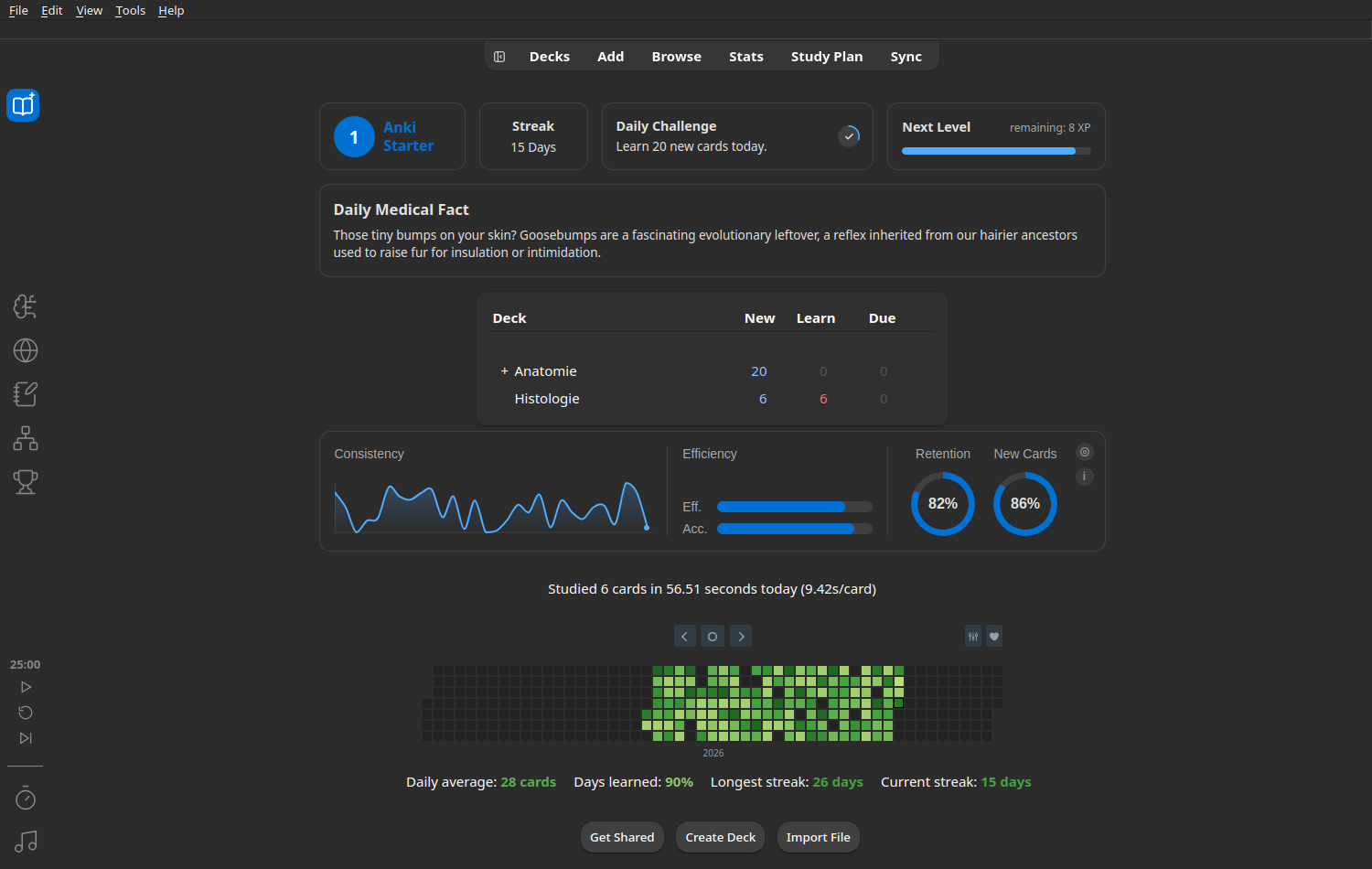
| Overview: streak, heatmap, plans |
Dark mode |
 |
 |
| Basics, milestones and single days |
Sources |
 |
 |
| Topics with linked pages, lectures and subdecks |
Tools: weak spots, study ahead, mock exam |
 |
 |
Retrospective: what worked, and your real pace for the next plan

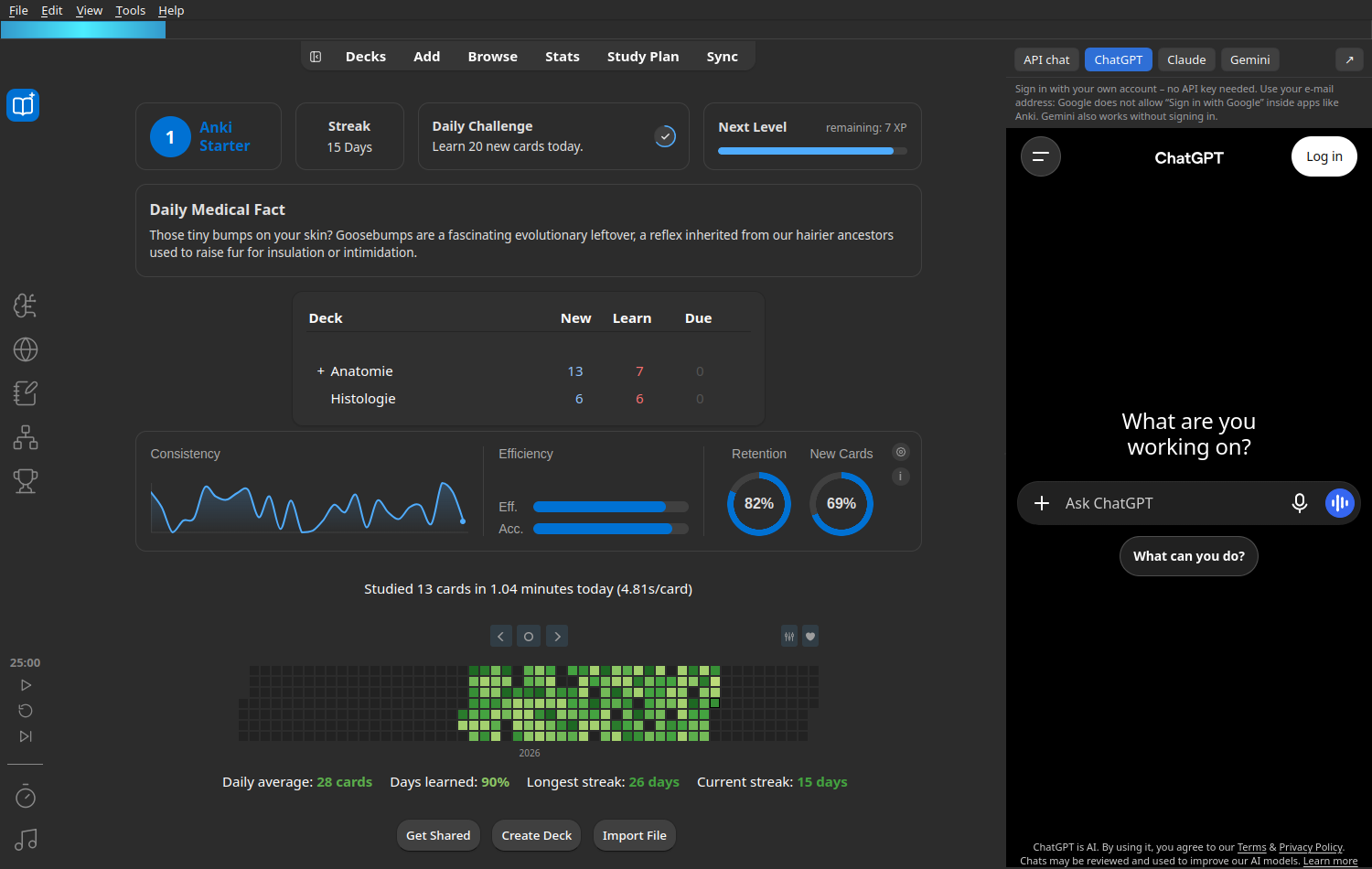
Workspace: notebook with PDF viewer, mind maps, AI assistant and website sidebar, all next to your Anki cards
| Notebook with PDF viewer |
Mind maps |
 |
 |
| AI assistant |
Website sidebar (DuckDuckGo) |
 |
 |
Study plan window: all your plans, streak and activity at a glance

Usage
- Open the planner via Tools → Smart Study → Study Plan… or the Study Plan link in Anki's top bar.
- + New plan: name and exam date (you can leave the date empty for a draft).
- Basics: study time per day, days off, milestones, single days (e.g. 0 minutes on a busy day).
- Sources: add your book (pace in minutes per page, optional PDF), your lectures (one per line:
Name | 25 | https://…), lists and Anki decks (search, or pick from the suggestions matching your plan name).
- Topics: paste the table of contents (
Peritoneum ...... 78) or create topics from subdecks, then Suggest links automatically and check the ★ suggestions.
- Create plan. From then on, study in Anki as usual; the plan keeps up.
- The workspace tools are on the launcher bar on the left; settings are under Tools → Smart Study → Settings….
Plans are stored as JSON under plan/user_files/plans/ in the add-on folder and also in your Anki collection, so AnkiWeb sync brings them to your other devices. If you change a plan on two devices without syncing in between, the newer copy wins.
Privacy
Smart Study sends nothing on its own: no analytics, no remote banner, no update pings. Online connections happen only when you use a feature that needs them: the AI assistant (to the provider or website you picked), the website sidebar, SoundCloud, YouTube Music, or a link you click. Details: PRIVACY.md.
Development
python -I tests/test_planner.py               # scheduler, no Anki needed
python -I tests/test_ankidata.py <empty dir>  # Anki queries on a throwaway collection
python -I tests/test_store.py <empty dir>     # plan sync between two devices
./build.sh                                     # → dist/smart_study.ankiaddon
addon/__init__.py: entry point, menu, launcher, dashboard and hooksaddon/plan/: the study planner (planner.py scheduler in plain Python, ankidata.py collection queries, store.py storage and sync, web/ interface)addon/*.py, addon/web_*, addon/settings_web/: the workspace tools
License
GNU AGPL v3.
Credits for the built-in add-ons
All bundled add-ons are licensed under the GNU AGPL v3 and were modified for Smart Study (config storage, loading as part of Smart Study, and for Contanki the controller detection). Their license files are kept in addon/integrations/<name>/.
The workspace is based on Synapse by MobesaMedia (MIT License). Synapse's branding, images and sounds are not used; Smart Study's own are generated by tools/make_assets.py. The MIT notice is kept in addon/LICENSE-MIT.txt. Bundled third-party libraries are listed in addon/THIRD_PARTY_NOTICES.md. The Lucide icons are under the ISC License (addon/web_roadmap/icons/LICENSE.txt).