Anki Garden
Grow a garden while you study.
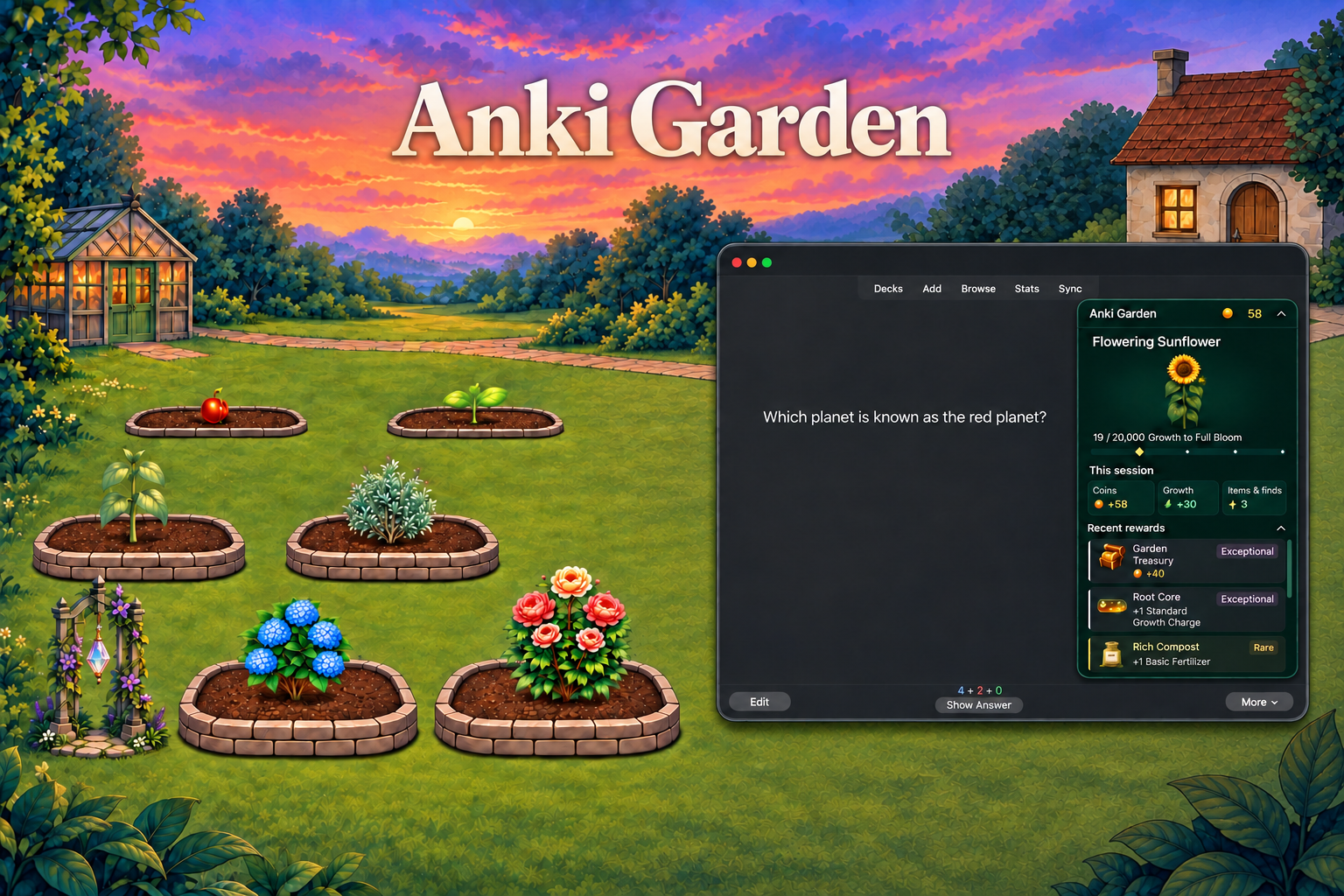
Anki Garden is a free, open-source gamification add-on for desktop Anki. As you answer cards, grow plants, earn Garden Coins, receive random drops, and unlock more of your garden.
Version 2.2.3 | Watch the demo | Install | How it works | Report an issue
See what changed in 2.2.3.

A little progress while you study
Keep Garden as a small progress tile during reviews, or expand the reviewer panel to see your plant and recent rewards. Open the full garden after a study session to see what grew, check what you earned, and decide what to unlock next.
- Grow ten plant species through six stages, from Seed to Full Bloom, and unlock more garden beds.
- Collect scenery, decorations, supplies, achievements, and Gardening Trophies.
- Earn Garden Coins and random drops as you study; some rare finds unlock powerful rewards.
- Adjust animations, reviewer panels, and reward summaries in Garden settings.

This showcase demonstrates several reward states, not their typical frequency.
Install
AnkiWeb: Install Anki Garden
Add-on code: 1888718775
- Install with the add-on code and restart Anki.
- Select Choose a plant on Anki's home screen. Your first starter is free.
- Place it in a bed and choose Nurture.
- Study as usual. Select Open garden on Anki's dashboard, or use the reviewer panel, to see your progress.
If installing from a GitHub release instead, use its .ankiaddon asset through Tools → Add-ons → Install from file. GitHub's source-code ZIP is not the add-on package.
How it works
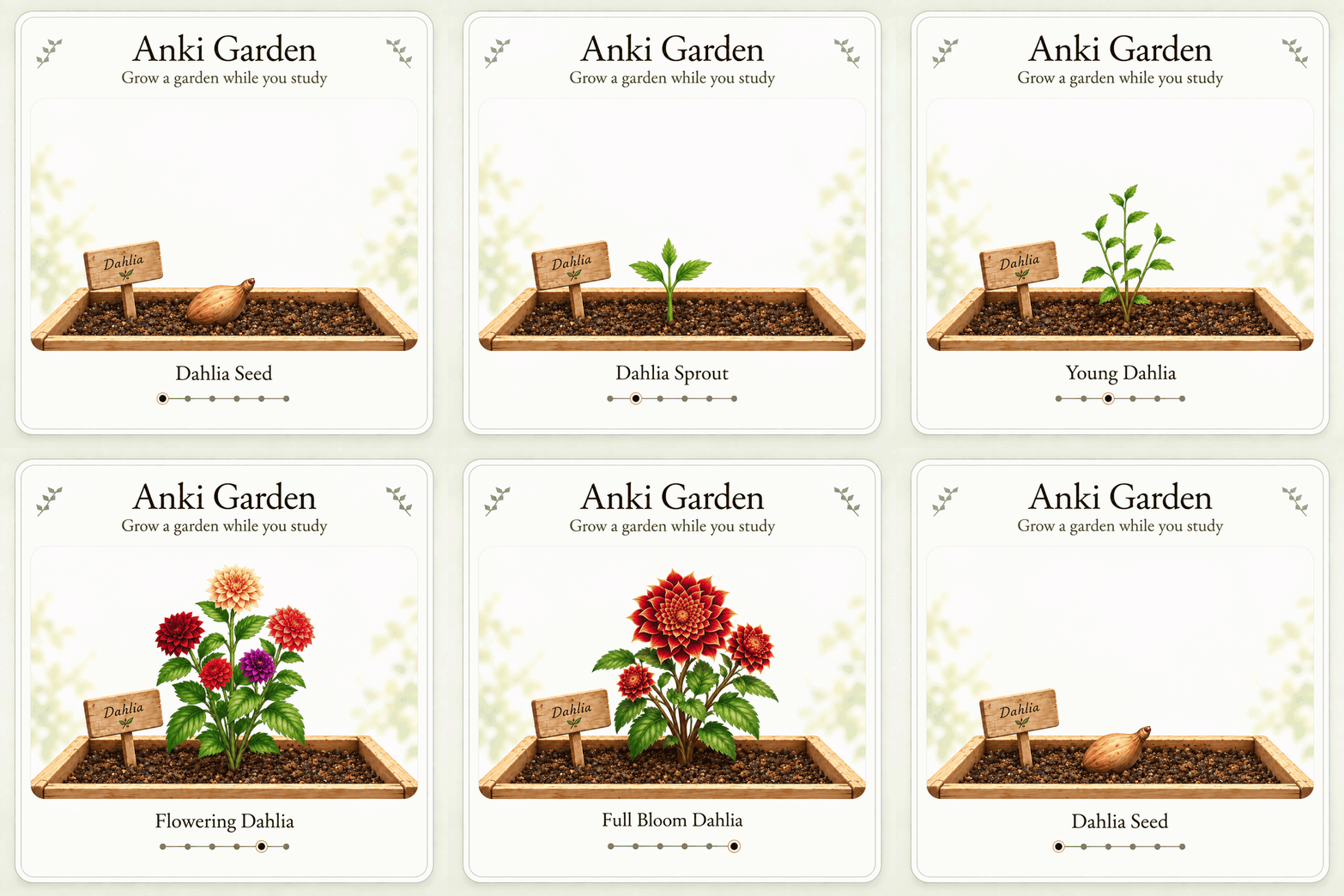
Answer cards to earn Growth. Hard, Good, and Easy give the same base Growth, so choose the answer that reflects your recall. Plants grow through six stages:
Seed → Sprout → Young → Mature → Flowering → Full Bloom.

Dahlia stage showcase.
|
Earn Coins and collect items. Studying, milestones, and Garden Finds award in-game currency and rewards. Spend Coins in the Shop on plants, supplies, scenery, and decorations. Buying adds an item to your collection; equipping applies its artwork and effect. Previews are free and leave your saved equipment unchanged.
Use supplies for a boost. Fertilizer and Potions add bonus Growth for a set number of card answers. Growth Charges add a fixed amount immediately.
Keep your earned streak bonuses. Your longest Anki streak unlocks permanent Growth bonuses. Ending a streak does not remove the highest bonus you've earned.
See the progression and rewards guide for full rules, item effects, and unlock requirements.
Find your way around
| Tab |
What you can do |
| Garden |
View, nurture, and move plants, or use supplies. |
| Collection |
Browse plant stages and change scenery and decorations. |
| Shop |
Buy plants, supplies, scenery, and decorations. |
| Progress |
View activity, Study rewards, achievements, plant beds, and the Trophy Room. |
Finish all cards due today is the daily completion milestone in Progress → Activity. Session summaries show session earnings; your Coin balance shows what you have available to spend.
Compatibility and limitations
The package declares compatibility with desktop Anki 26.09.2 and newer. The 2.2.0 release was last natively tested in Anki 26.08.1 on macOS; native verification of 2.2.3 on 26.09.2+ remains pending. Linux and physical Intel/AMD Windows remain unverified. Anki Garden's interface does not run in AnkiMobile, AnkiDroid, or the AnkiWeb website.
Garden inventory and settings are stored locally and do not sync between computers. Reviews completed on another device can earn Garden rewards after their review history syncs to desktop Anki.
Compatibility with other add-ons may vary. See the add-on interaction audit for the scope and limits of existing checks.
After Full Bloom, extra Growth goes to other unfinished planted plants, then into Stored Growth. Stored Growth is saved but cannot be spent in this version.
Help and feedback
Open an issue to report a bug or suggest an improvement. Include your Garden version, Anki version, operating system, and what happened versus what you expected.
For troubleshooting, use Copy support report in Garden settings. Review it before sharing. Screenshots and error messages are helpful, but remove private information first. Do not upload collections, private card content, patient information, or personal file paths.
Development and maintenance
Developed and maintained by Caleb Meadows (caleblee789), a medical student and Anki add-on maintainer.
Current maintenance priorities are keeping pace with Anki compatibility, expanding durable regression coverage, and resolving user-reported bugs.
See the development guide for setup and contribution details.
License and acknowledgments
Code: AGPL-3.0-or-later.
Project artwork: CC BY 4.0, to the extent of rights held by the project. Artwork includes AI-generated assets. Third-party material retains its original terms. See licensing and credits for attribution, scope, and exceptions.
Anki Garden is an independent add-on, not an official Anki product.