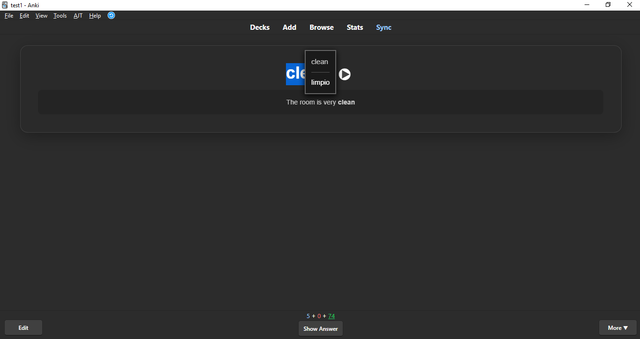
TranslateLookup is an Anki add-on that lets you instantly translate any selected text
right from the card review screen. With a simple keyboard shortcut (Shift+R by default,
fully customizable), you get on-the-spot translations without interrupting your study flow.
Key Features:
• Instant translations of selected text
• Supports a wide range of languages via an unofficial Google Translate API
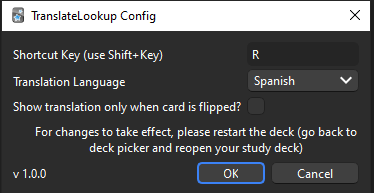
• Fully configurable: choose your trigger key and target language
• Clean and minimal interface, compatible with both light and dark Anki themes
Installation:
- In Anki, go to Tools > Add-ons
- Click "Get Add-ons..."
- Enter the add-on code: 1982080551
- Restart Anki
Usage:
- During card review, highlight the text you want to translate
- Press Shift+R (or your configured shortcut)
- A popup shows the translation
Configuration:
• Tools > Add-ons > TranslateLookup > Config
• Adjust the trigger key, target language, and backside-only option
Need help or have feedback?
Visit the repository for more details or to report issues:
TranslateLookup on Bitbucket