Miscellaneous Anki Add-ons
This repository contains most of the smaller Anki add-ons I have written over the years. For more information on each add-on please take a look at the comments in the respective source file, or at its AnkiWeb description.
Generic Installation Instructions
Installation from AnkiWeb
Most add-ons in this repository have been published on AnkiWeb and may be comfortably installed via Anki's own add-on management system. To correlate each source file with its listing on AnkiWeb please refer to the add-on titles in their AnkiWeb descriptions.
Manual Installation
-
Open Anki's add-on folder by navigating to Tools -> Add-ons -> Open add-ons folder from Anki's main screen
-
Download a copy of the full repository zip archive
-
Locate the add-ons you want to install in the src/ directory
-
Copy the add-on files to Anki's add-on directory
- in case of Anki 2.0: For each of the add-ons, copy all files its folder aside from
__init__.py into the top-most level of Anki's add-on directory (e.g. for reviewer_auto_rate_hotkey you would only copy reviewer_auto_rate_hotkey.py)
- in case of Anki 2.1: For each of the add-ons, copy the entire add-on folder into the top-most level of Anki's add-on directory (e.g. for
reviewer_auto_rate_hotkey you would copy the entire reviewer_auto_rate_hotkey folder). Note: Not all add-ons in this repository have been transitioned to Anki 2.1, yet. To learn more about the compatibility status of each add-on please see here.
-
Restart Anki to see the changes
Naming Scheme
The source file naming describes which part of Anki each add-on interacts with. As such, the names do not always correspond with their listings on AnkiWeb.
Add-on file names also have an impact on their loading order. Files with a leading special character are designed to be imported after most other add-ons have been loaded, as they might interact with them.
Credits
Some of the add-ons found in this repository were either adopted from earlier works by other authors or simply constitute re-uploads of add-ons that disappeared from AnkiWeb, with no original code repository to be found. I have tried to document the development history of each of these add-ons in their source code header, but more detailed information may also be found here.
License
Most of the add-ons in this repository are licensed under the same license as Anki, the GNU AGPL, version 3 or later. Please check the source code comments for more details on the licensing of each add-on.
Other Anki-related Projects
Make sure to also check out my larger Anki projects:
 CHANGELOG
2022-12-25 – Updated for modern Anki versions (2.1.55 included)
2017-12-21 – Initial release
SUPPORT
Please do not report issues or bugs in the review section below, as I will not be able to reply to them nor help you. Instead, please report all issues you encounter either on GitHub, or by posting a new thread on the Anki add-on support forums while mentioning the name of the affected add-on in your thread title.
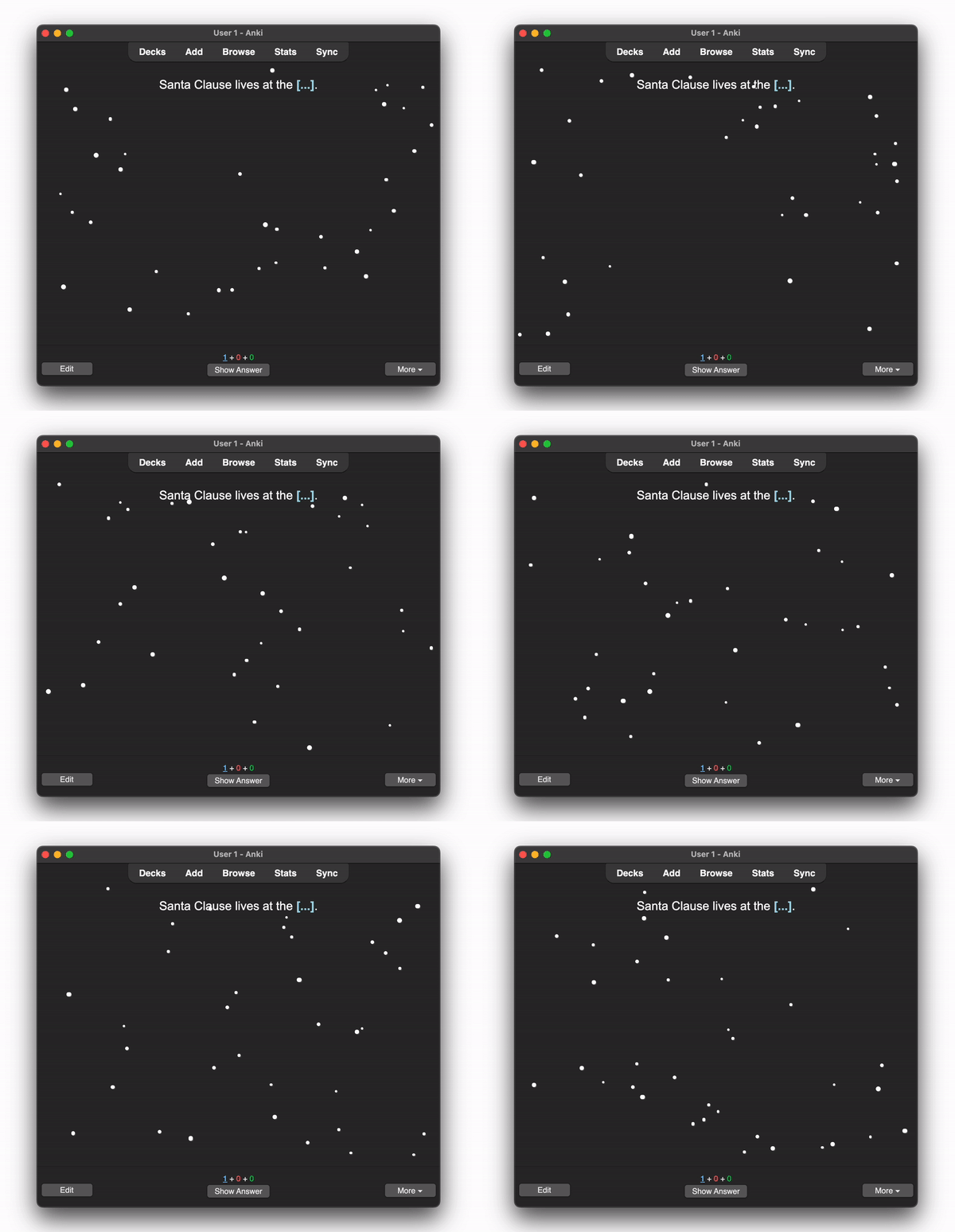
Seriously, though, this is a just a fun little project I threw together in an hour so. It probably has a few bugs, so don't sweat it!
CREDITS AND LICENSE
Copyright © 2017-2022 Glutanimate
Ships with the following javascript libraries:
 GitHub.
MORE RESOURCES
Want to stay up-to-date with my latest add-on releases and updates? Feel free to follow me on Twitter:
 @Glutanimate
New to Anki? Make sure to check out my YouTube channel where I post weekly tutorials on Anki add-ons and related topics:
 / Glutanimate