DirectEdit

AnkiWeb addon 448738467

Enables direct in-reviewer flashcard text editing with formatting, cloze and list tools, a medical spellchecker, and image resizing, avoiding the browser or edit window.
AI-generated summary; may contain mistakes.

note-managementformattingshortcutscloze

Open on AnkiWeb Find alternatives

AnkiWeb

Votes
3 (๐Ÿ‘ 2 ยท ๐Ÿ‘Ž 1)
Updated
2026-10-25
Anki versions
2.1.1~
License
Not found (this does not mean that the addon has no license)
Virus scan
No ClamAV match A match does not prove malware. No match does not prove that the code is safe.
Languages
Python, JavaScript, JSON, CSS, HTML
Description language
en

Maintenance

active

  • Last update or commit: 2026-10-25 (7 days before the snapshot).

GitHub

No GitHub repository linked.

Will it work on my Anki?

Version branches
Min AnkiMax AnkiUpdated
2.1.1+2026-10-25
History across monthly snapshots

Loadingโ€ฆ

Similar addons

Anki-Coder

Adds a CodeMirror code editor to Anki flashcards with syntax highlighting, themes, live preview, double-click editing, configurable languages and note types, and mobile and cloze-card support.

formattingappearancemobile-compatible
9 votes 45% approval ๐Ÿ‘ 7 ยท ๐Ÿ‘Ž 2 โญ 4 Anki 25.07.6~ Updated 2026-04-22

Description

DirectEdit lets you edit flashcard text directly while studyingโ€”no need to open the card browser or edit window. Built to save time during high-volume study, it combines quick in-reviewer text editing, smart cloze tools, simple formatting, and real-time medical spellchecking.

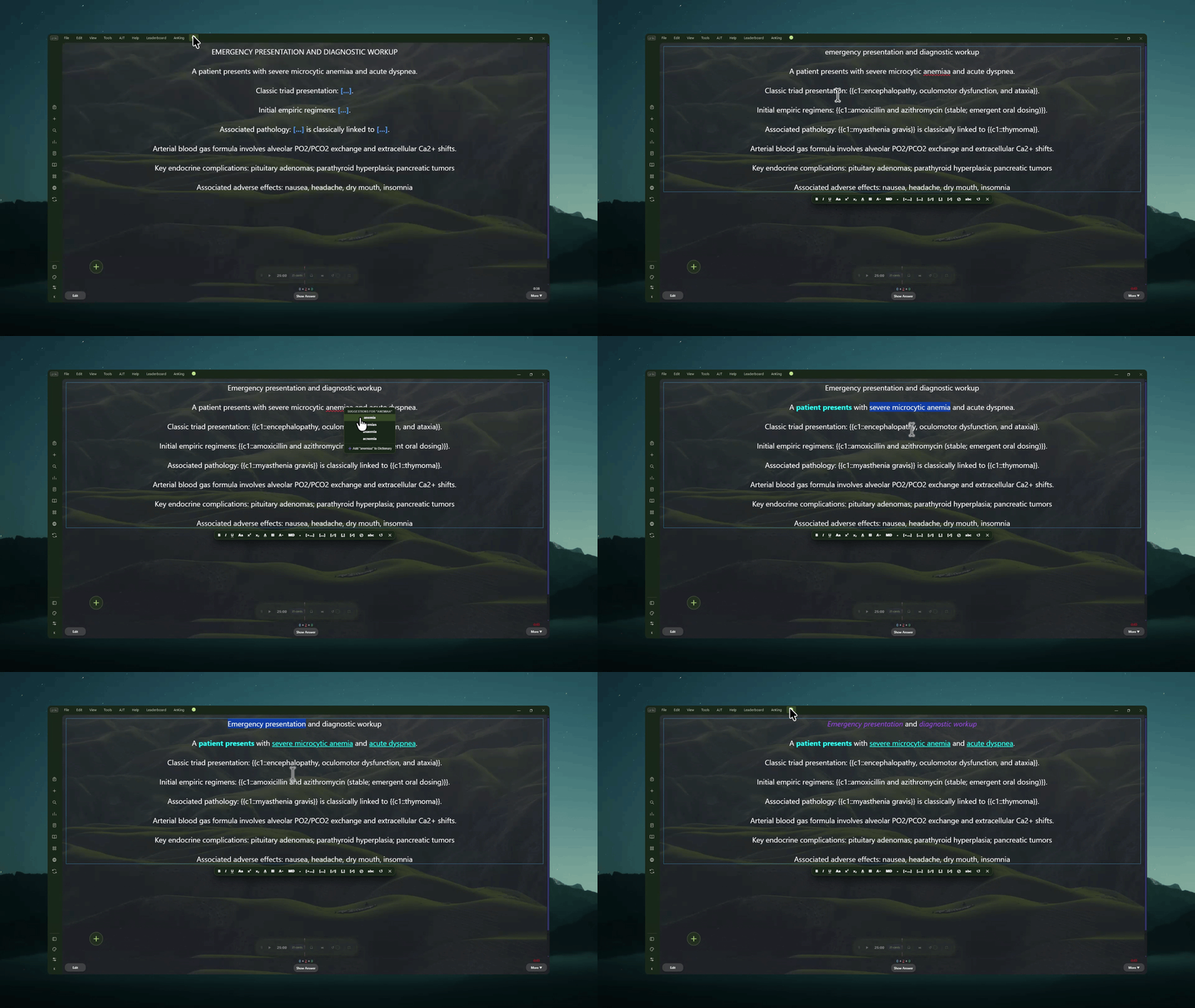
DirectEdit Formatting Toolbar Demo

โœจ Main Features

1. Edit Cards While Reviewing

  • Direct Edit: Ctrl + Click (or Cmd + Click on Mac) on any field while studying to start typing.
  • Choose Whatโ€™s Editable: Pick exactly which note types and card fields can be edited via Tools > DirectEdit > Settings....
  • Auto-Save: Click outside the text box or press Esc to save changes to your collection.

2. Quick Formatting Toolbar

A simple toolbar appears right under your text while editing:

  • Basic Styling: Bold, italic, underline, superscript, and subscript.
  • Colors: Preset color swatches, recent color memory, or pick a custom color.
  • Change Case: Easily switch words between lowercase and Title Case.
  • Font Size: Quickly make text bigger or smaller.

3. Smart Cloze & List Tools

  • Bullet to Cloze: Turn regular lists into vertical bullet points wrapped in clozes.
  • Cloze Shortcuts: Add new sequential cloze blanks or duplicate an existing one.
  • Split "And / Or": Automatically splits one cloze into two around and or or (e.g., {{c1::fever and chills}} โž” {{c1::fever}} and {{c1::chills}}).
  • Comma & Semicolon Splits: Break comma-separated words into clozes, or turn semicolons into clean line breaks.
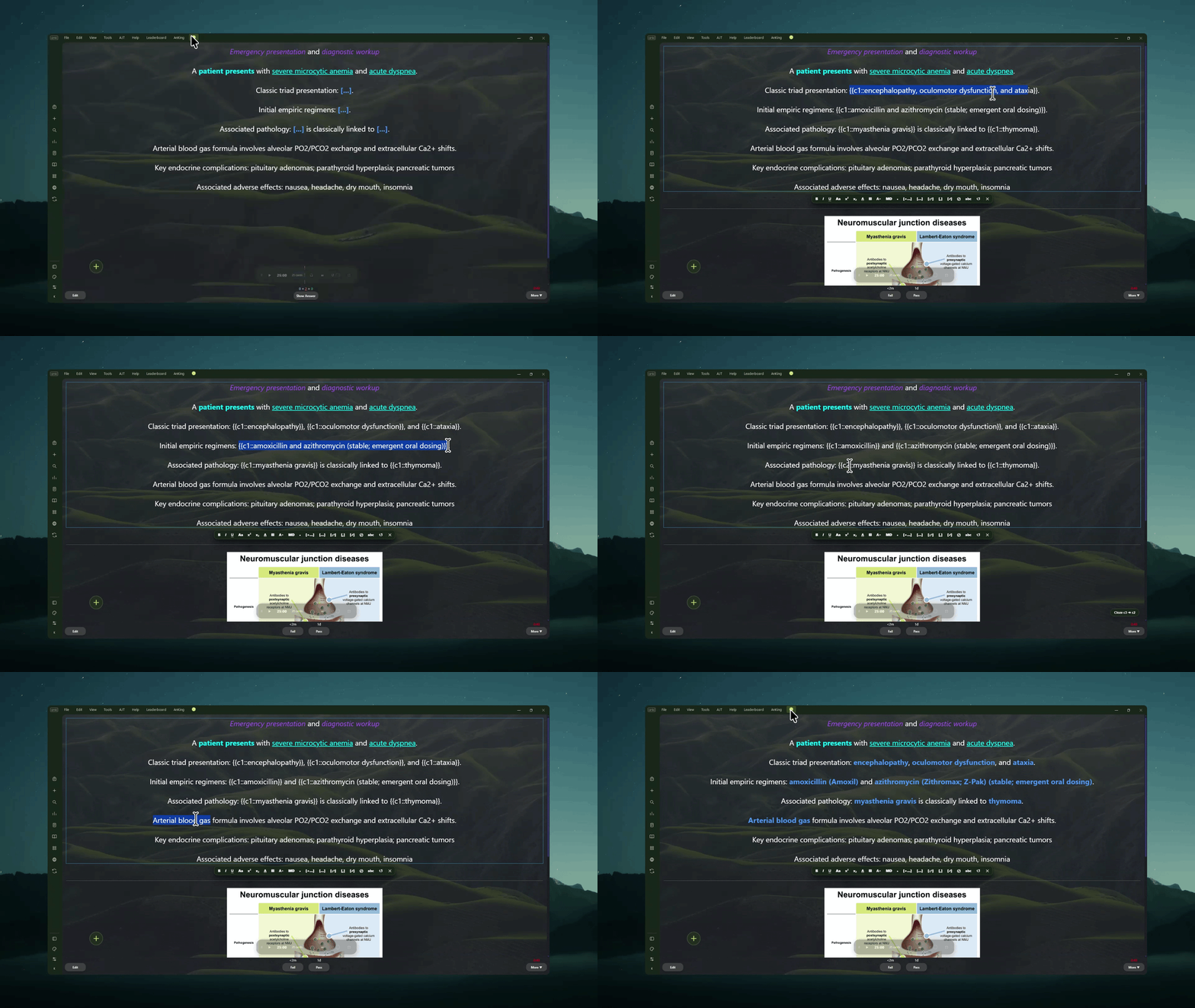
  • Change Cloze Numbers with Your Mouse: Hover over any {{c1::...}} and use Shift + Scroll Wheel (or Shift + Up/Down) to change the cloze number without highlighting.

DirectEdit Cloze Manipulation and Scroll Wheel Demo

4. Built-in Medical Spellchecker

  • Live Underlining: Shows red wavy lines under typos as you type.
  • Right-Click Fixes: Right-click misspelled words to pick suggested spellings or add terms to your dictionary.
  • Custom Dictionary: Add or remove custom medical terms in Settings > Dictionary.

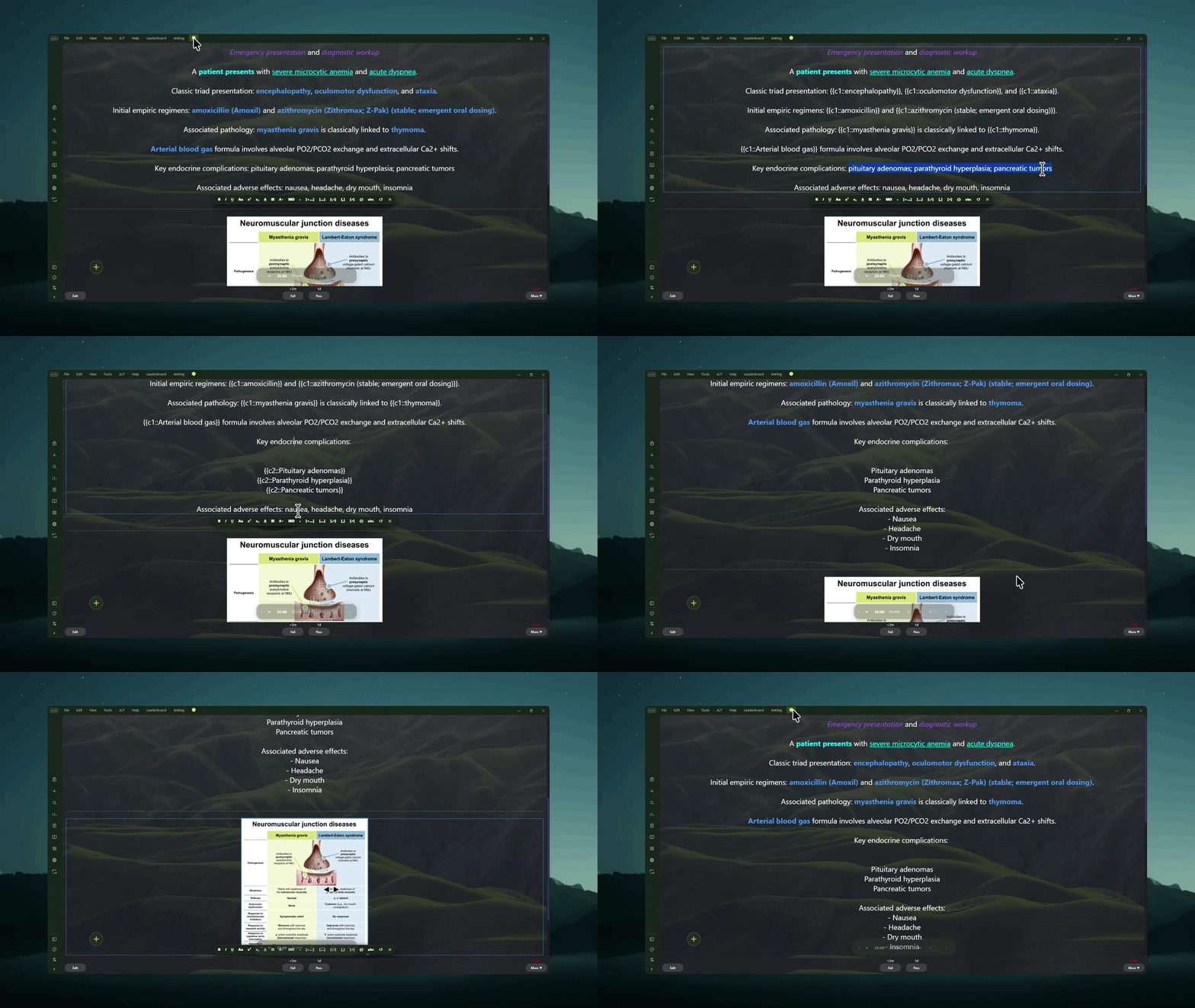
5. Resize Images & Tidy Lists

  • Drag image corners to resize pictures directly inside the reviewer.
  • Quickly reformat lists into clean bulleted cards.

DirectEdit Image Resizing and Bullet Demo

๐Ÿ“– How to Use

  1. Go to Tools > DirectEdit > Settings.
  2. Under the Fields tab, check the fields you want to be able to edit.
  3. Review your cards normally.
  4. Ctrl + Click (or Cmd + Click) on an enabled field to edit it.
  5. Format text, tweak clozes, check spelling, or change cloze numbers, then click outside the box to save!

Check Out My Other Add-ons

  • ๐ŸŽจ The Widget Addon (Add-on #515663681): Personalize your study space with coordinated themes, custom backgrounds, and aesthetic study widgets.
  • ๐ŸŽง The Focus Addon (Add-on #2029118667): Built-in Pomodoro timer, offline ambient soundscapes, and smart card audio ducking.
  • ๐ŸชŸ The Frameless Addon (Add-on #534500054): A streamlined Anki interface with a collapsible navigation sidebar.
  • ๐Ÿ“ The Notes Addon (Add-on #585688497): AI study companion, private notebook, and crowdsourced cohort pearl notes.
  • ๐Ÿ’Š Generic to Brand Names (Add-on #1981082675): High-yield pharmacology recall for medical exams.
  • ๐ŸŽฎ Gamepad Controller (Add-on #1137651035): Seamless controller navigation and review shortcuts.
Buy Me a Coffee

Found a bug? Report it in-app for faster support

Before leaving a review about an issue, please submit a report through the in-app bug reporter. This allows me to troubleshoot the problem directly and coordinate with you to fix it much faster.