Standardized decks like AnKing are gold for Step and board prep, but they don't cover your school's specific lecture points, in-house exam quirks, or high-yield ward tips.
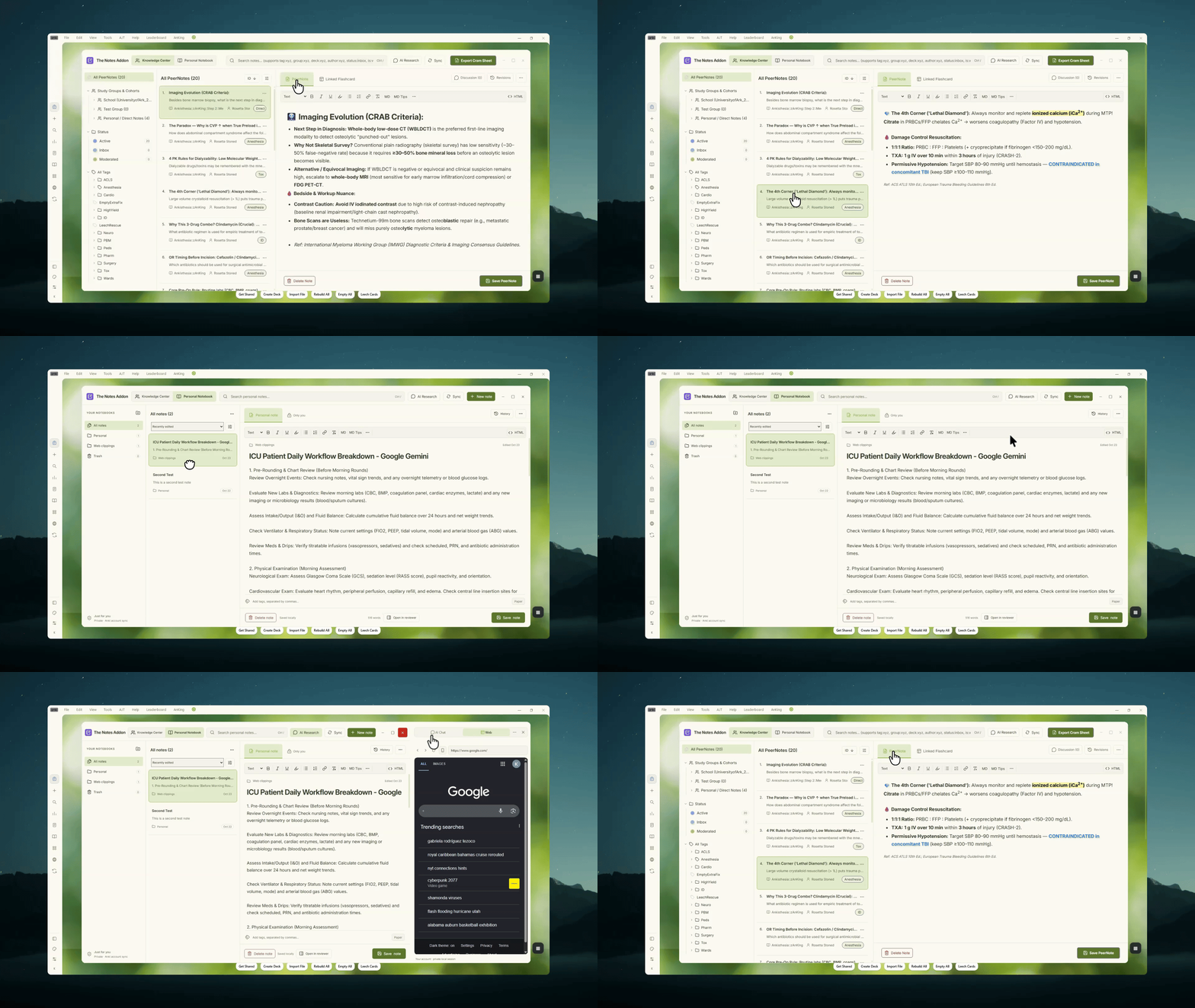
The Notes Addon (formerly PeerNotes) is a complete study workspace built right into Anki. It brings together PeerNotes (collaborative, crowdsourced cohort sticky notes), a private Personal Notebook for your own study outlines and clerkship prep, and an embedded AI Chat & Web Companion for instant clinical lookups during daily reviews.
What's New in The Notes Addon
- Unified Workspace: Toggle seamlessly between your cohort’s shared Knowledge Center (PeerNotes) and your private Personal Notebook in one shared window.
- Side-by-Side AI Research Panel: Toggle an embedded research panel equipped with AI Chat (ChatGPT, Claude, Gemini, Copilot, Perplexity, DeepSeek—no API key required) and an in-app Web Viewer with instant actions like Explain note and Ask about selection.
- Markdown & Paper Mode in Personal Notebook: Write notes in clean Markdown with an included cheat sheet, reorder notes via drag-and-drop, toggle a distraction-free Paper view, and manage notebook folders and trash.
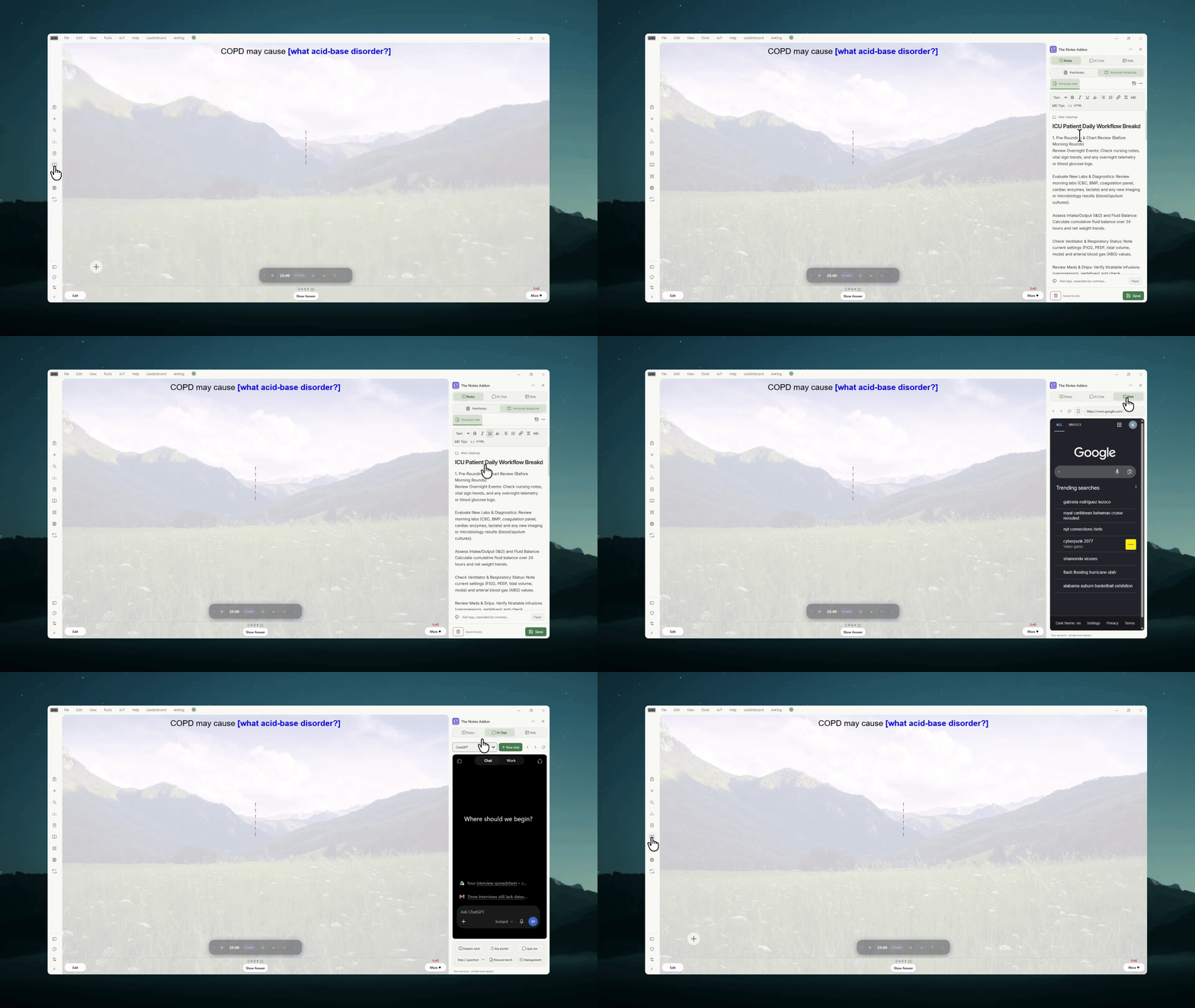
- Reviewer Companion Sidebar: A unified header while reviewing lets you jump between card PeerNotes, your Personal Notebook, AI Chat presets (explain card, practice questions, reword leech), and web search without leaving your cards.
- Encrypted Private Sync: Personal notes sync securely through your native Anki account, completely independent of cohort sharing.
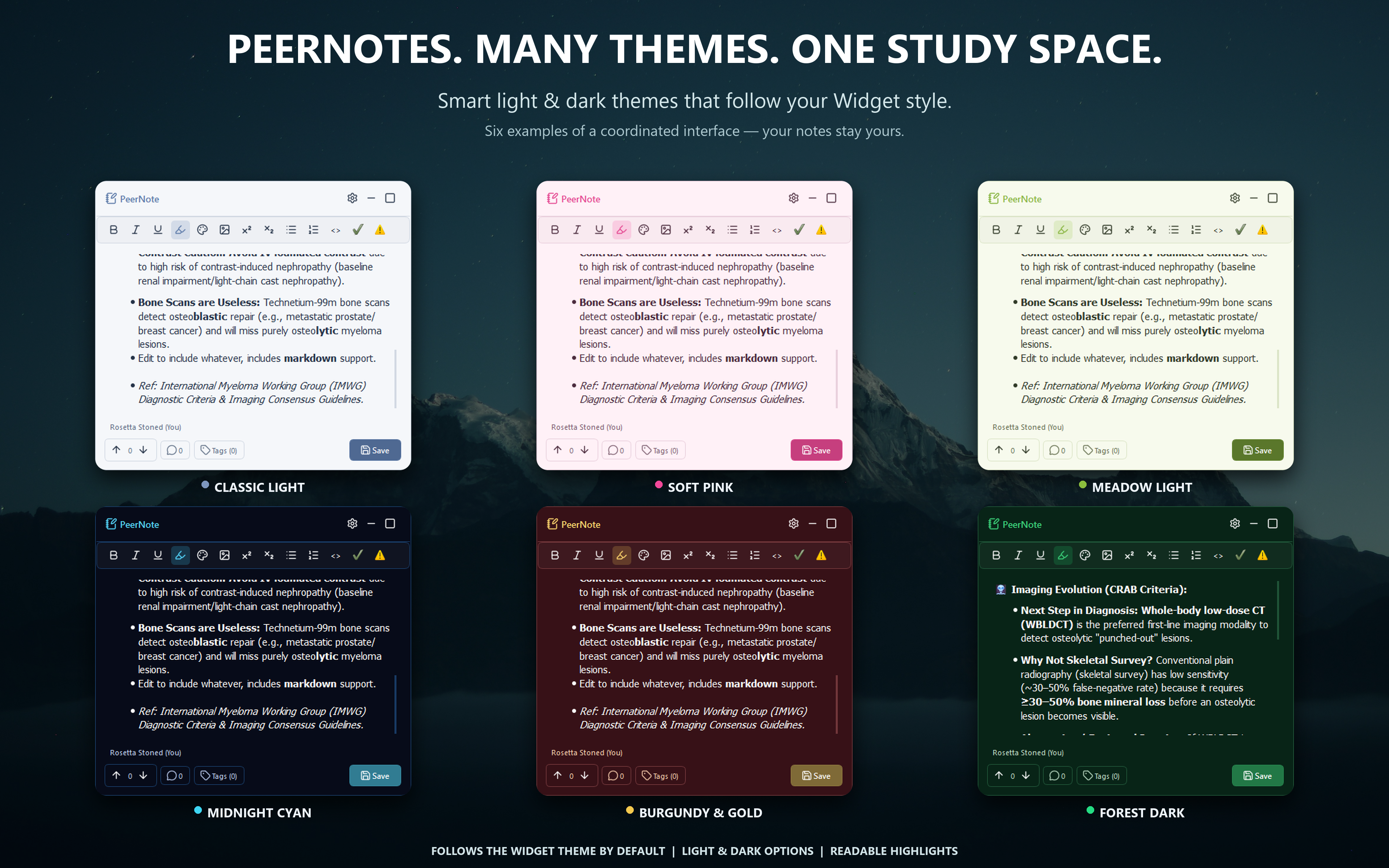
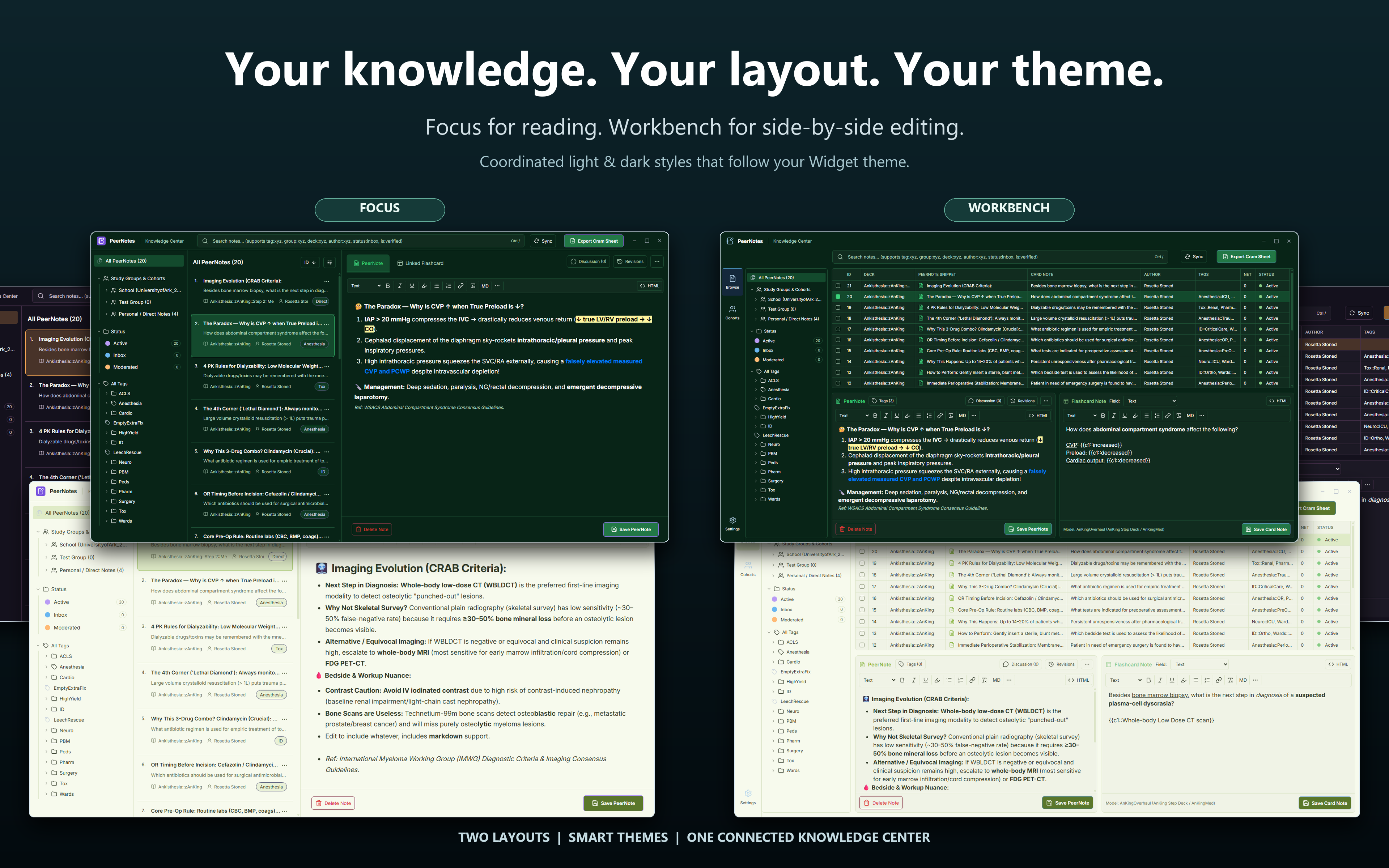
- Theme Matching & Polish: Coordinated dark and light themes that match The Widget Addon automatically, eliminating native gray bleed-through.
PeerNotes & Reviewer Companion: High-yield tips right where you review
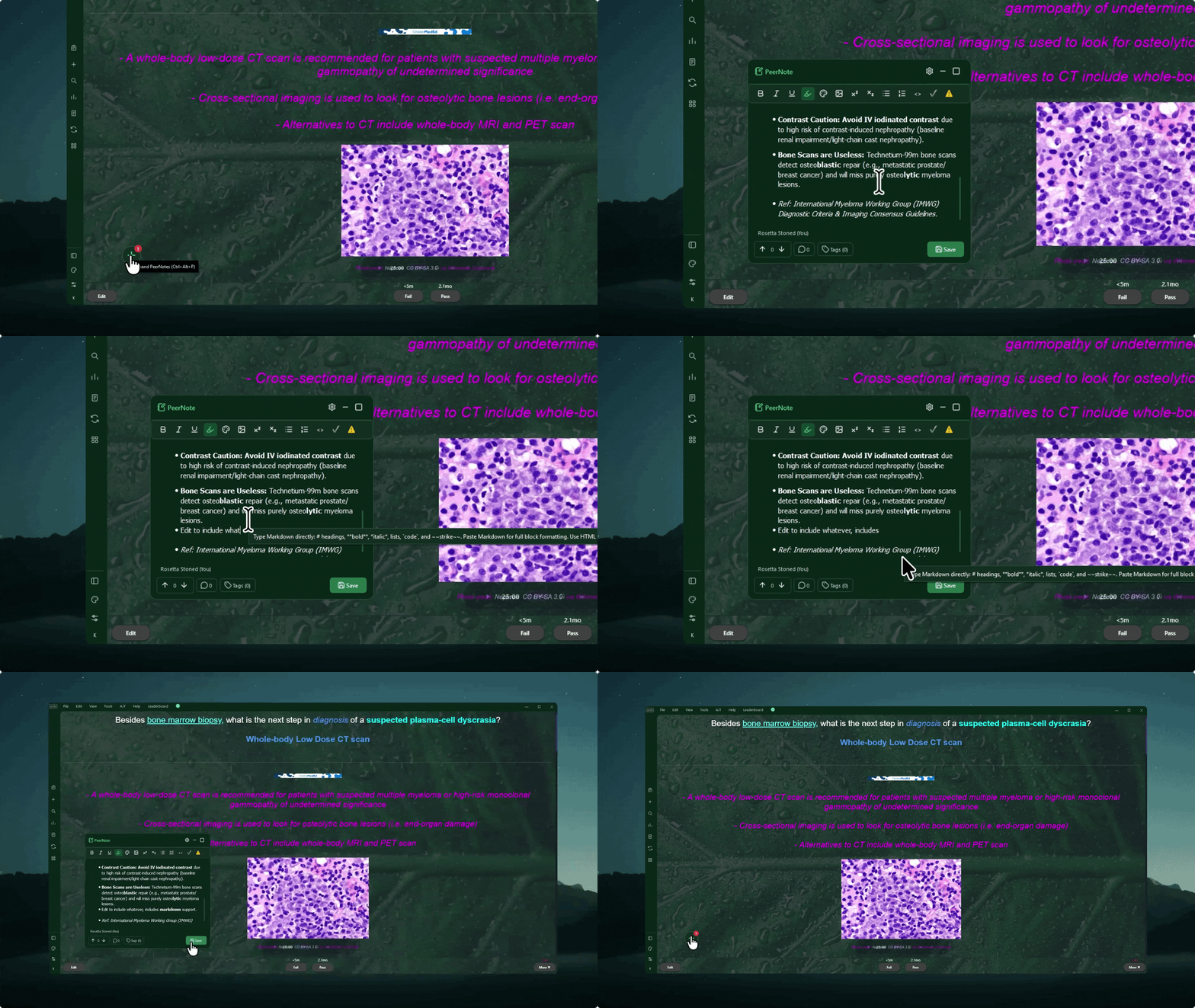
A subtle, unobtrusive indicator lets you know when classmates have left notes on a card. Click it or hit a hotkey whenever you want to read tips, vote on helpful pearls, or add your own. Need to dive deeper? Slide open the full companion panel to view your personal notebook, consult web references, or query AI models without breaking your study flow.
Clean, customizable themes
Whether you prefer a bright study setup or an eye-friendly dark mode, The Notes Addon blends right in. If you use The Widget Addon, it adapts to your theme automatically with improved contrast-aware tooltips and borders.
Knowledge Center: Shared Cohort Wisdom & Personal Notebook
Need to review before an exam? Open the Knowledge Center to search notes across your decks, organize by tags, inspect edit histories, or export a quick cram sheet. Toggle directly over to your Personal Notebook to organize private folders, drag-and-drop study outlines, and clip high-yield web snippets.
Key Features
- Collaborative PeerNotes: Share mnemonics and clinical pearls with classmates. A discreet bubble alerts you to peer notes on your active card. Upvoting brings the highest-yield pearls to the top so you spend time reading good insights rather than noise.
- Dedicated Personal Notebook: Keep private, encrypted notes organized into notebooks with trash recovery, drag-and-drop manual ordering, Markdown support, and a distraction-free Paper view.
- Integrated AI Companion (No API Key Required): Access ChatGPT, Claude, Gemini, Copilot, Perplexity, or DeepSeek through your existing web logins. Use one-click presets like Explain card, Practice question (Step 1/2/3), Key points, and Reword leech with automatic cloze context.
- Embedded Web Viewer: Look up clinical guidelines and medical references directly inside Anki. Includes zoom, mobile/desktop view toggles, full right-click context menus, and one-click clipping into your Personal Notebook. (Note: In-app YouTube playback depends on system media codecs; an external "Watch in browser" button is provided).
- Floating Sticky Notes & Quick Add: Click the indicator bubble or press
Ctrl + Alt + P to expand. When minimized, a floating + button lets you jot down a new note instantly.
- Attach Notes to Single Cards or Entire Topics: Pin a specific note to an individual card (it automatically shows across all of that card's cloze deletions), or attach it to a tag to share a tip across an entire topic.
- Rich Text & Formatting: Add bold, italics, highlights, bullet/numbered lists, superscripts, code snippets, or drop in lecture screenshots with ease.
- School Cohorts & Private Groups: Connect with your medical school class directory or create password-protected study groups for your clinical rotation teams.
- Post Publicly or Anonymously: Share mnemonics under your display name or post anonymously without pressure.
- Searchable Library & Cram Sheet Export: Filter notes by tag, deck, classmate, or date, and export clean Markdown cram sheets before test day.
- Works Offline: Study on hospital Wi-Fi or on the go without interruption. Shared notes cache locally and sync when reconnected; personal notebook revisions sync securely through your native Anki profile.
Keyboard Shortcuts & Navigation
Ctrl + Alt + P: Open or close the sticky note / companion panel on your current card.Tools → The Notes Addon → Browse Notes: Open your unified Knowledge Center & Personal Notebook.Tools → The Notes Addon → Settings: Adjust study groups, privacy, sync, and appearance.Tools → The Notes Addon → Report a Bug / Feedback: Send feedback or report an issue directly from Anki.
Check Out My Other Add-ons
- 🎨 The Widget Addon (Add-on #515663681): Personalize your study space with coordinated themes that The Notes Addon can match automatically.
- 🎧 The Focus Addon (Add-on #2029118667): Built-in Pomodoro timer, offline ambient soundscapes, and smart card audio ducking.
- 🪟 The Frameless Addon (Add-on #534500054): A streamlined Anki interface with a collapsible navigation sidebar.
- 💊 Generic to Brand Names (Add-on #1981082675): High-yield pharmacology recall for medical exams.
- ✏️ DirectEdit (Add-on #448738467): Edit card fields inline without opening the full card editor window.
- 🎮 Gamepad Controller (Add-on #1137651035): Controller navigation and review shortcuts.

Found a bug? Report it in-app for faster support
Before leaving a review about an issue, please send a note through the in-app bug reporter (Tools → The Notes Addon → Report a Bug / Feedback). It helps me inspect logs and push a fix much faster!