The functionality of this add-on was built into Anki 2.1.55 which was released in 2022-12-16. So this add-on is no longer useful in Anki versions released since December 2022.
This add-on allows to move the editor from the bottom of to the right side of the table.
The default shortcut is "Ctrl+Alt+8" (on MacOS you use "Cmd" instead of "Ctrl"). You can adjust the shortcut in the add-on config (as well as if it's side-by-side by default).
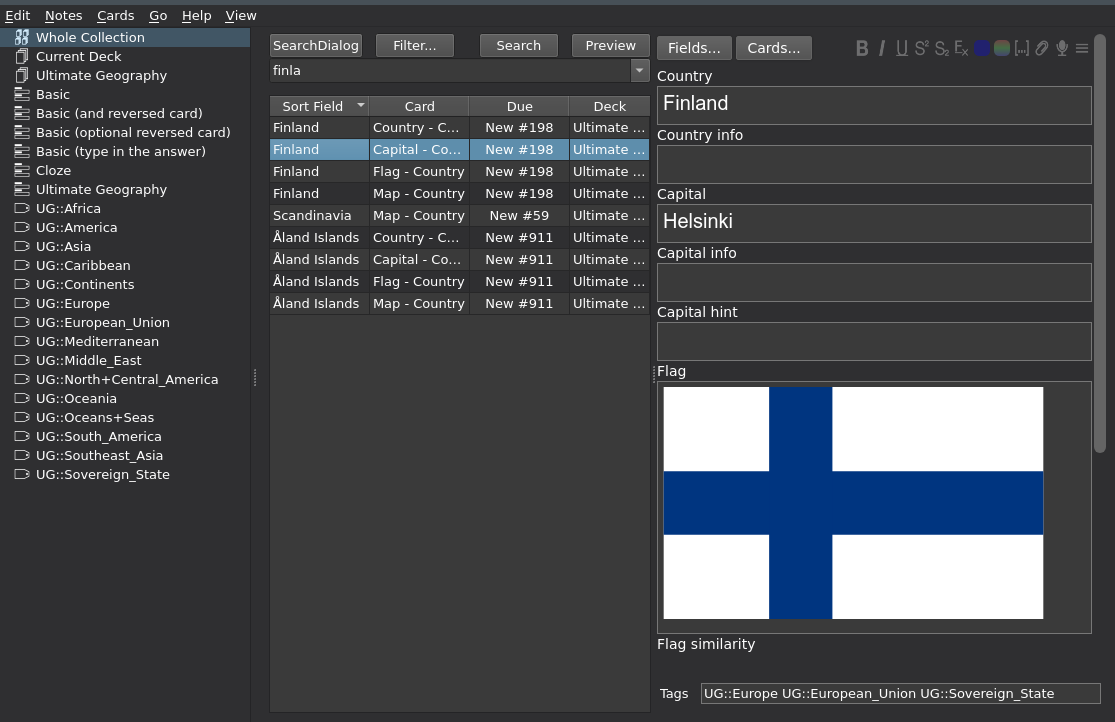 This screenshot shows the deck Ultimate Geography v3.2. The button "SearchDialog" is created by the add-on BetterSearch.
# known limitations, problems, incompatibilities
# bugs, feedback, etc
Use this at your own risk.
Please do not use reviews for bug reports or support requests. Properly troubleshooting an issue through a review is nearly impossible because the formatting is limited and I can't reply multiple times.
If you find a bug let me know in the official anki support forum or on github.
# versions
- 2022-01-26 different menuView detection for better compatibility with other add-ons
- 2021-12-05 fix for 2.1.50 - thanks @kleinerpirat helping.
- 2021-05-27 fix for 2.1.45 - I deleted the functionality to move the searchbar (searchEdit) for 41+ because since this version the wide buttons Search, Preview, etc. have been removed so that the search area is wide enough.
- 2020-07-08 disable for latest version of BetterSearch (because BetterSearch already moves the search bar)
- 2020-07-03 option "when narrow move search bar to extra line" (default is true),
- 2020-01-13 in the add-on config you can enable that if the browser window gets too narrow the orientation automatically toggles to vertical (and back if you make the window wider). To enable this function set "toggle to vertical if editor narrower than" to a number like 300.
- 2019-12-25 prevent Anki from saving modified splitter so that it's not side by side after uninstalling; night-mode compatibility
- 2019-12-22 initial release