
Study in Anki. Stay connected to MedMatrix.
Bring your MedMatrix flashcards into Anki and keep your review activity reflected in MedMatrix. Your decks sync automatically, Anki handles scheduling, and your cards stay ready for offline study.
Requires a MedMatrix member account and Anki desktop.
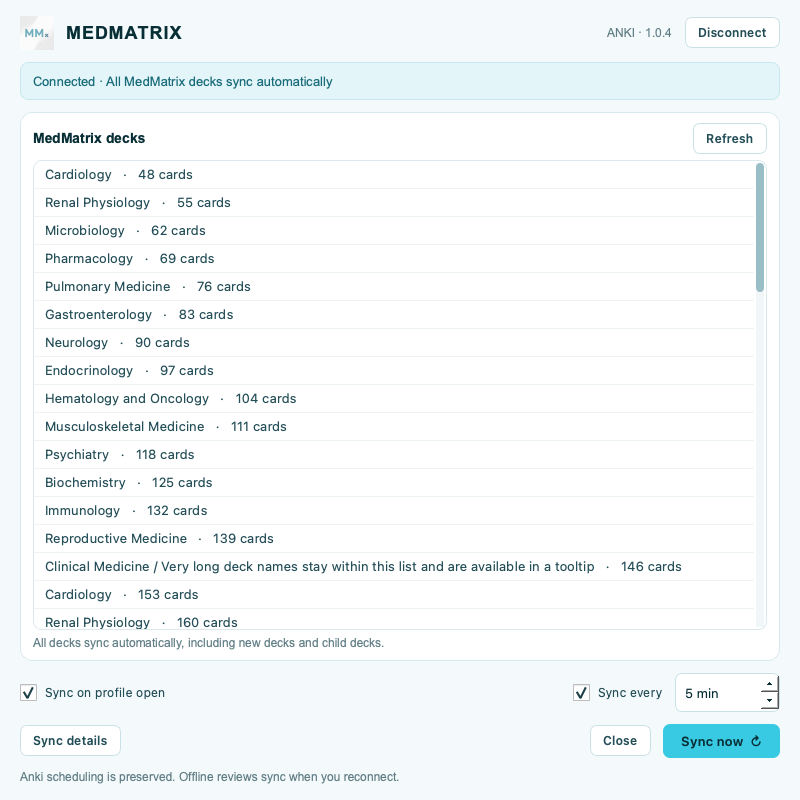
What syncs
- All your decks: Connect once to sync every MedMatrix deck, including child decks and new decks added later. Sync runs on profile open and at your chosen interval; Sync now refreshes immediately.
- Native Anki cards: Study Basic and Cloze cards with Anki's scheduler. Ordinary content updates preserve existing cards and scheduling.
- Reviews and study time: Anki review ratings and time flow back into your MedMatrix statistics. Offline reviews wait locally until your next successful sync.
- Your content choices: Card edits sync in both directions. If both copies changed, Sync details lets you choose which content to keep. Your local Extra field stays in Anki.
- Separate profiles: Each Anki profile has its own connection and sync settings. Connect with a one-time code and revoke a device from MedMatrix whenever needed.
Connect in three steps
- Install this add-on, then restart Anki.
- Open MedMatrix → Flash Cards, choose Connect Anki, and click Generate connection code.
- In Anki, open Tools → MedMatrix Sync…, paste the code, and click Connect. Your decks begin syncing immediately.
Keep the add-on up to date
MedMatrix checks for updates on launch and daily. Verified updates download in the background and install the next time Anki starts, preserving your connection, settings, cards, scheduling, and queued reviews.
Open Tools → MedMatrix updates… to turn Auto-update MedMatrix off or use Check for updates manually. MedMatrix's updater supports both AnkiWeb and direct installations. For AnkiWeb installations, Anki's normal add-on updates also remain available.
Compatibility and current limits
- Anki desktop 2.1.66 or later with Qt6, on macOS, Windows, or Linux. Tested with Anki 25.9.2.
- AnkiMobile and AnkiDroid do not run this desktop add-on.
- MedMatrix image cards are skipped and counted in Sync details. This release imports text, without external media or source HTML.
- Changing an existing card between Basic and Cloze requires a manual note-type change in Anki.
- Cards removed in MedMatrix remain in Anki until you choose how to handle them.
Help and support
Visit MedMatrix Support or email admin@themedmatrix.com.