Batch Notes Importer
Batch Notes Importer is an Anki add-on that streamlines a common workflow:
- import AI-generated notes from pasted text or a text file
- choose the target note type and deck
- apply tags
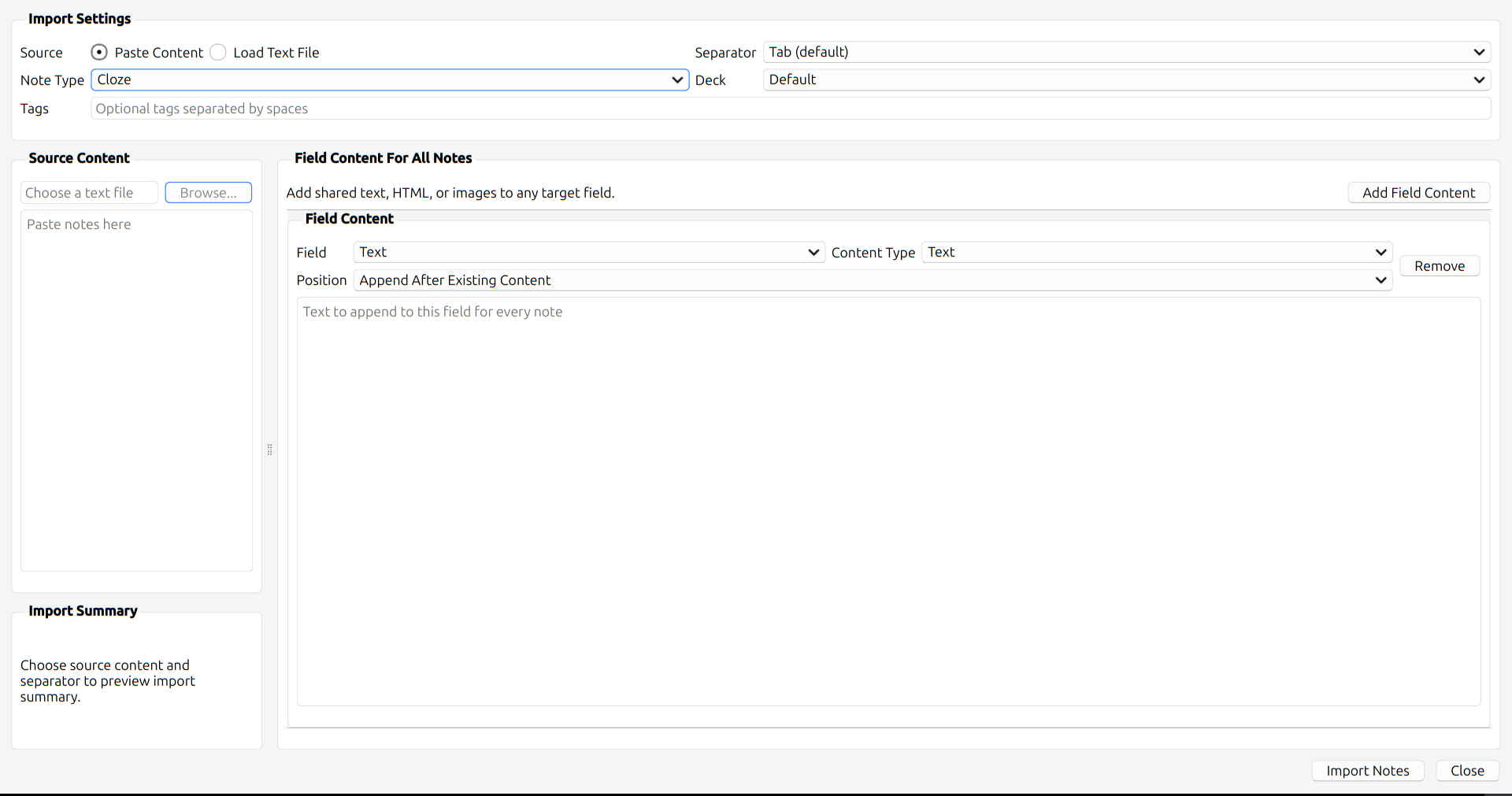
- batch-add shared content such as text, HTML, or images into a chosen field across all imported notes
It is designed to stay close to Anki's native Qt look and feel instead of introducing a custom visual style.
Screenshots
Empty State

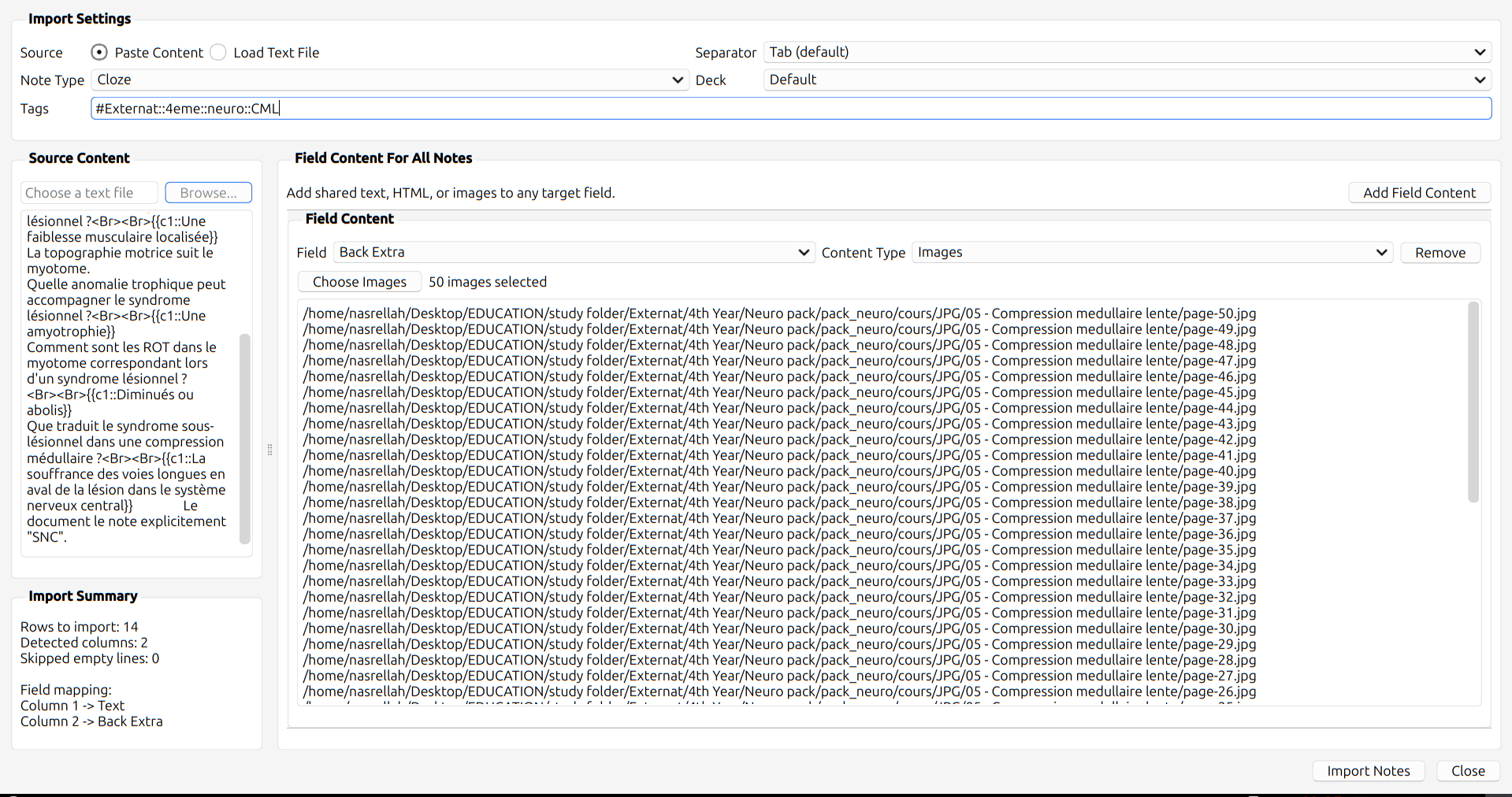
Image Batch Content

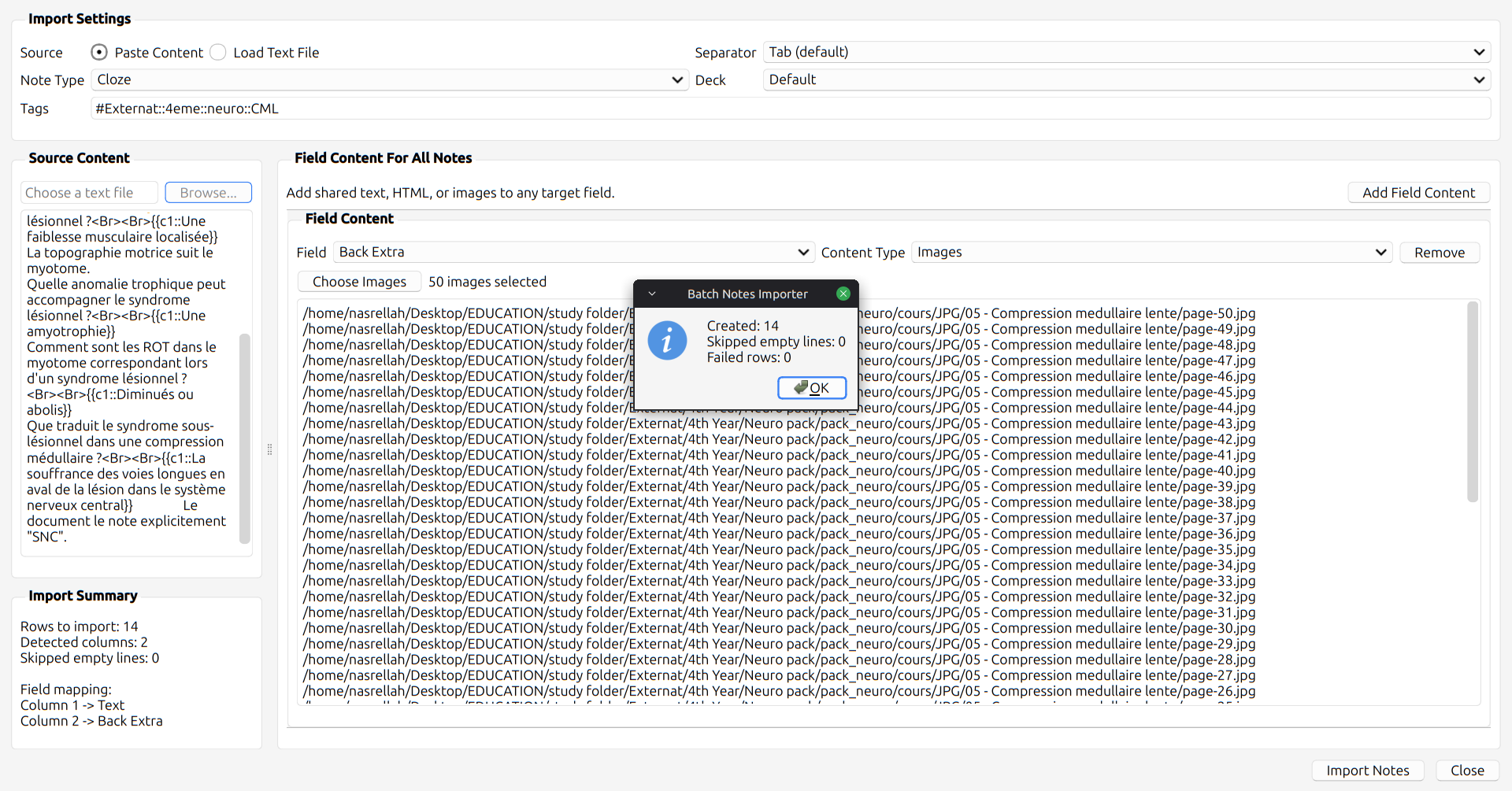
Import Result

Features
- Import notes from:
- pasted text
- a local
.txt file
- Choose a separator with user-friendly options:
- tab
- dash
- semicolon
- comma
- pipe
- custom separator
- Automatic field mapping by column order:
- column 1 -> field 1
- column 2 -> field 2
- and so on
- Choose note type and deck before import
- Add tags while importing
- Fast tag suggestions while typing in the tags field
- Add shared field content for all imported notes:
- Choose whether shared text or HTML is inserted:
- before existing imported content
- after existing imported content
- Progress bar during import
- Import summary after completion
Typical Use Case
If your generated note file looks like this:
Question 1<Tab>Explanation 1
Question 2<Tab>Explanation 2
you can:
- open
Tools > Batch Notes Importer
- paste the content or load the file
- choose the separator
- choose the note type and deck
- optionally add tags
- optionally add shared content such as lecture images or an HTML table into a field
- click
Import Notes
This replaces the older multi-step workflow of:
- importing notes first
- then opening another add-on
- then batch-editing a field afterward
Input Format
The add-on expects one note per line, with fields separated by the chosen separator.
Example using tab:
Front text<TAB>Back text
Another front<TAB>Another back
The selected note type controls how columns are mapped:
- first column goes to first field
- second column goes to second field
- extra columns beyond the available fields are ignored
Empty lines are skipped automatically.
Shared Field Content
In addition to imported columns, you can add one or more shared content blocks.
Each block targets a specific field and applies the same content to every created note.
Supported shared content types:
For text and HTML blocks, you can choose placement:
Append After Existing ContentInsert Before Existing Content
For image blocks, selected files are copied into Anki media and inserted as <img> tags.
Installation
Manual Installation
- Close Anki.
- Copy the add-on folder into your Anki add-ons directory.
- Start Anki.
From This Repository
Use the contents of the clean add-on folder directly:
__init__.pydialog.pyimporter.pyparser.pybatch_content.pytag_completion.py
Usage
Open the Add-on
In Anki:
Tools > Batch Notes Importer
Import Notes
- Choose
Paste Content or Load Text File.
- Select the separator.
- Choose the note type.
- Choose the deck.
- Optionally enter tags.
- Optionally add one or more field content blocks.
- Click
Import Notes.
Tag Suggestions
The tags field supports inline suggestions while typing.
- suggestions appear as you type
- clicking a suggestion inserts it into the current tag token
- suggestions work for both prefix and substring matches
Behavior Notes
- The add-on is create-only.
- It does not update existing notes.
- If Anki rejects a note, the import continues and reports failed rows afterward.
- If a field is empty, inserting before or after has the same result.
- For fields that already contain imported content, before/after placement matters.
Scope
This add-on is intentionally focused.
Included:
- delimited text import
- note type selection
- deck selection
- tag entry
- shared field content
Not included:
- duplicate updating
- spreadsheet import
- per-note custom media mapping
- non-Anki batch editing workflows
File Structure
batch-notes-importer-clean/
├── __init__.py
├── assets/
│   ├── image_1.png
│   ├── image_2.png
│   └── image_3.png
├── batch_content.py
├── dialog.py
├── importer.py
├── LICENSE
├── parser.py
├── tag_completion.py
└── README.md
Development Notes
- UI is implemented with Anki's Qt stack via
aqt.qt
- Menu entry is registered from
__init__.py
- Parsing is isolated in
parser.py
- Shared field merge logic is isolated in
batch_content.py
- Import note creation logic is isolated in
importer.py
- Tag token completion helpers live in
tag_completion.py
This separation is intended to keep behavior easier to reason about and easier to test.
Compatibility
Developed against modern Anki versions using Qt 6 / PyQt 6.
If behavior differs between Anki versions, the most likely areas are:
- tag completion internals
- collection API details
- Qt popup behavior
Troubleshooting
The add-on does not appear in Tools
Check:
- the folder is inside Anki's
addons21 directory
- the add-on files are directly inside that folder
- Anki was restarted after copying the files
Import feels wrong or notes fail
Check:
- chosen separator matches your input file
- note type has enough fields for your columns
- selected images still exist on disk before import
Tag suggestions feel incomplete
Tag suggestions are based on existing tags in the current collection.
If a tag does not exist yet, it will not appear in suggestions until it has been created.
Contributing
If you want to improve the add-on, keep these principles:
- preserve Anki-native UX
- avoid unnecessary visual complexity
- avoid slowing down import or typing
- keep import behavior predictable
License
Released under the MIT License.
See LICENSE.