hjp-linkmaster 是一个工具箱,致力于将无序卡片变得更加有序
hjp-linkmaster is a toolbox dedicated to make the disorganized card more organizable
以下内容有一部分是过时的,最新的内容更新在 这里
Part of the following content is outdated; the latest updates can be found here
中文用户请直接加QQ群沟通 762589661
你有没有觉得, 当你在用Anki复习一些具有较强的知识组织结构的卡片时, 会感到困难?因为Anki的复习队列会打乱卡片集原本应有的结构和顺序, 这会让这些卡片失去语境, 从而使你的记忆和理解变得更加困难.
Do you ever find it difficult to review cards with a strong knowledge structure with Anki? Because Anki's review queue disrupts the original structure and order of the card set, it takes the cards out of context and makes them more difficult to remember and understand.
当你的大脑沉浸在上一张卡片相关的知识网络中时, 但是下一张卡片却和上一张毫无关系, 你不得不强迫自己快速切换思维去适应新的卡片, 你会不会觉得这样很突兀不适应?
When your brain is immersed in the network of knowledge related to the previous card, but the next card has nothing to do with the previous one, you have to force yourself to quickly switch your thoughts to adapt to the new card, do you find this abrupt and uncomfortable?
你是否有过这样的体会, 在Anki复习的过程中, 你发现两张卡片具有特殊的联系, 但不知道怎么把他们链接起来?
Have you ever been in the process of Anki review and found two cards that have a special connection, but you don't know how to link them together?
通过设计一个情景, 将符合情景的卡片放入其中, 并且能自己指定卡片的组织形式, 按照不同的组织形式来推送要复习的卡片, 你有没有觉得这样的复习会更加高效?
By designing a scenario and putting the cards that fit the scenario into it, and being able to specify the organization of the cards, and pushing the cards to be reviewed according to the different organization, do you feel that the review will be more effective?
你是否厌倦了通过无序的标签和唯一独占的卡组的卡片组织形式? 他们无法表现卡片之间更细节的关系.
Are you tired of organizing your cards through unstructured tags and unique deck of cards? They don't show the more detailed relationships between the cards.
以上的问题, 都是hjp-bilink的目标
All of these issues are the goals of hjp-bilink
2.5.11
changeloghttps://vu2emlw0ia.feishu.cn/docx/GCl6djBtiouRumxbbB4cbfnHn4c
docshttps://vu2emlw0ia.feishu.cn/docx/R3OQdqopmoDTmpxZeH9cdL5bnNg
2.6.2b8
2.5.10
2.5.9
2.5.8
2.5.5 released
2.5.3 released
2.4.7 bugfixed
2.4.6 bugfixed
2.4.5 bugfixed
2.4.4
support 2.1.45~2.1.54+
新功能features
1通过点击PDF文件超链接在外部程序打开PDF并跳转到指定页面/Open PDF in an external program by clicking on the PDF file hyperlink and jump to the specified page
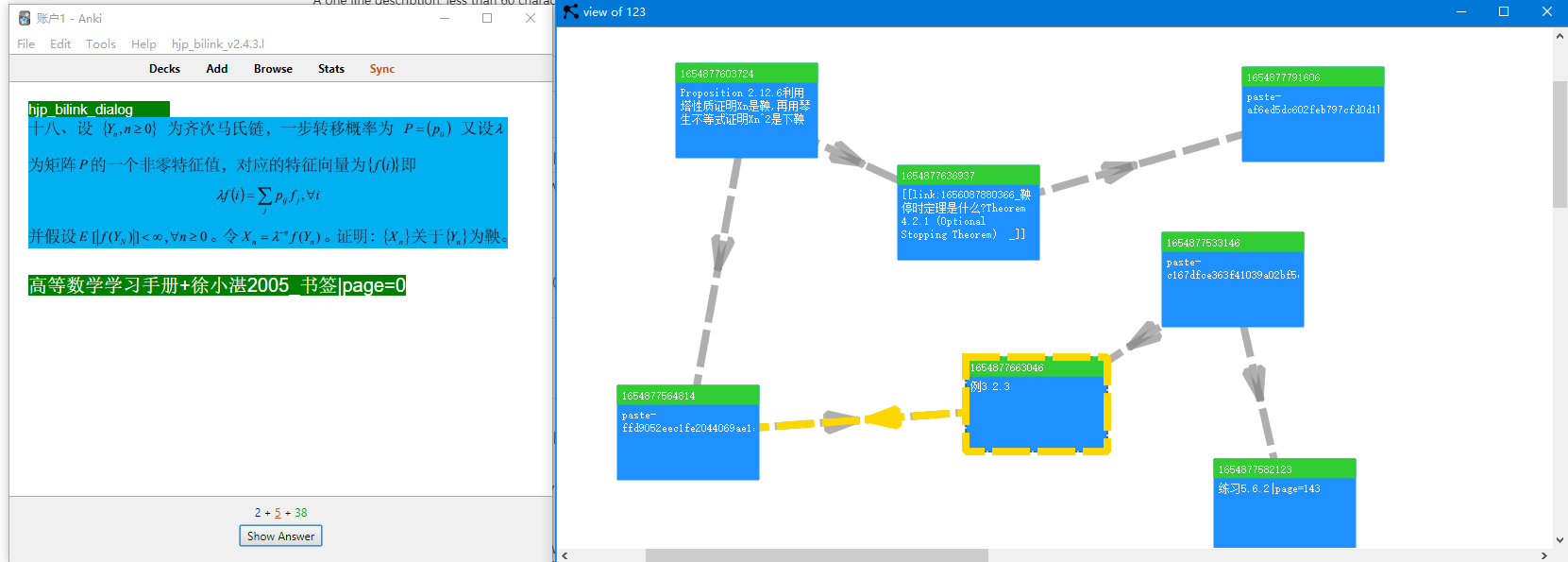
2 现在视图变成了有向图 The view now becomes a directed graph
 https://github.com/napretep/hjp-bilink
3 现在你可以更加精细地控制卡片描述自动提取的方式/Now you can control more finely the way card descriptions are automatically extracted
比如, 可以指定不同的卡片模板, 用不同的字段提取描述/For example, you can specify that different templates extract card descriptions from different fields
这个anki插件的介绍页面的使用体验太糟糕, 以后的使用说明我会更新到下面的文档
The anki plugin's introduction page is a terrible experience, and I will update the following document with instructions for future use
hjp-bilink-docs
中文用户请直接加QQ群沟通 891730352
 新功能new features:
1 视图 view
1.1 视图的使用 usage of the view
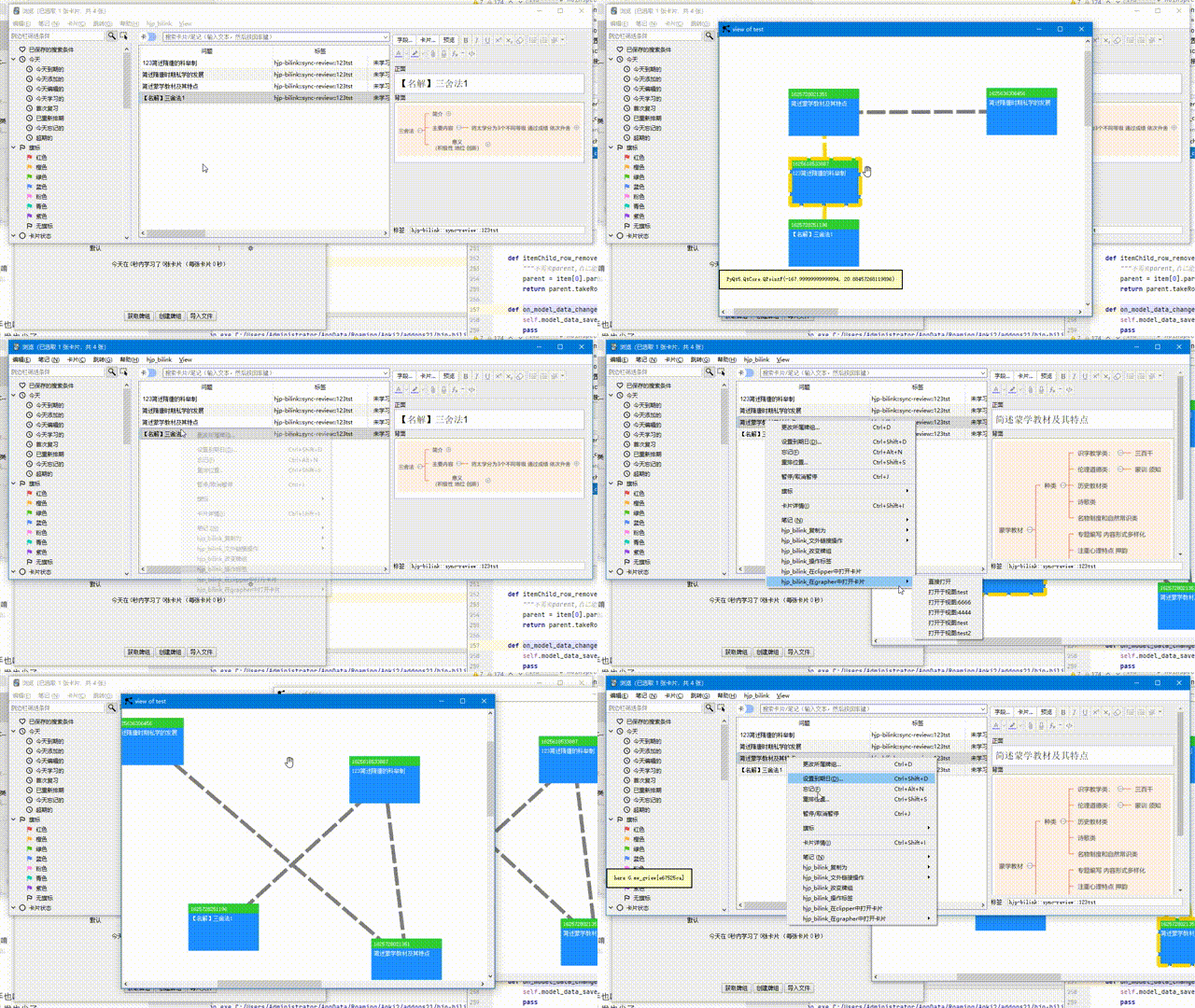 1.2 视图管理器 view manager
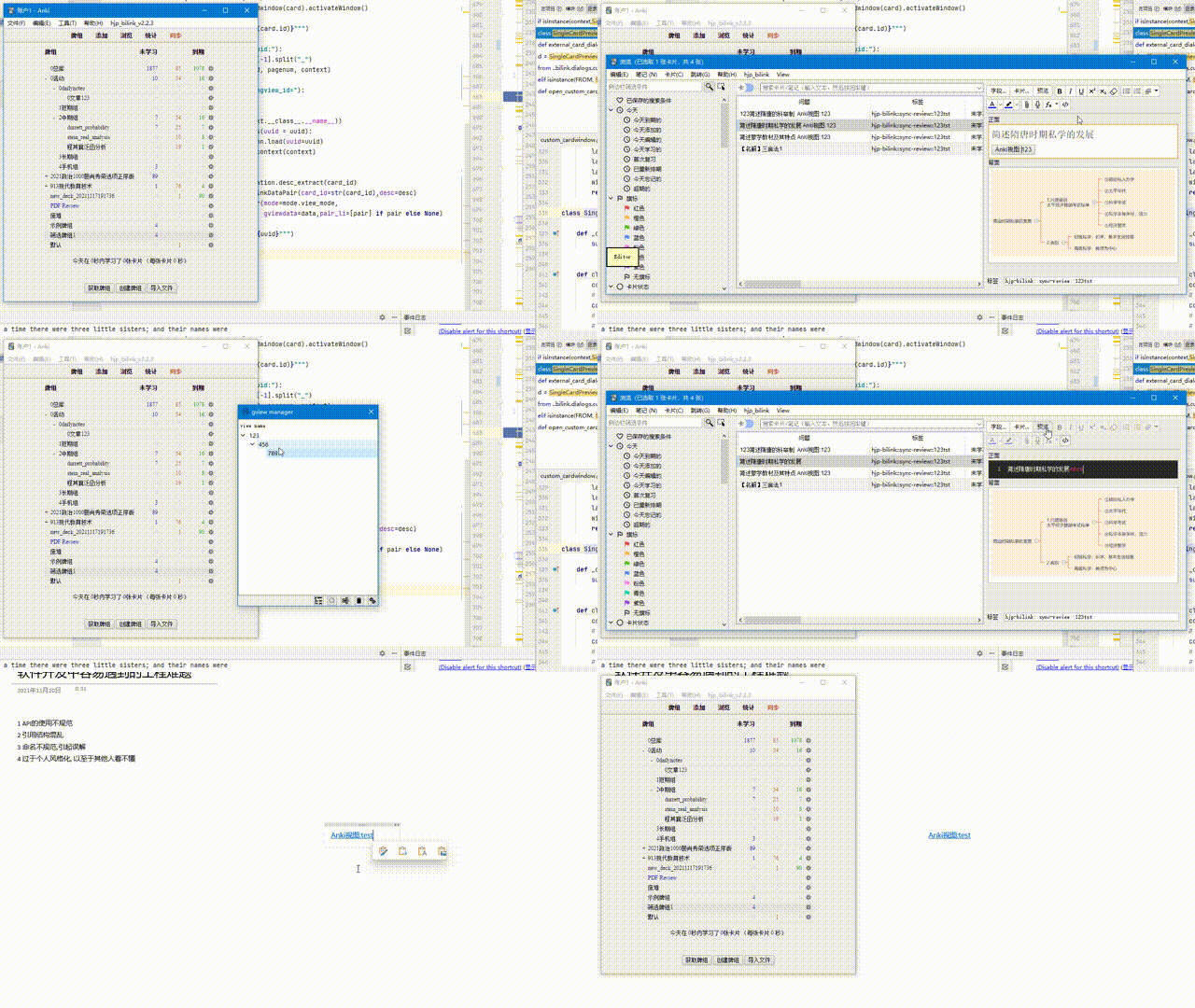 2 群组复习 group review
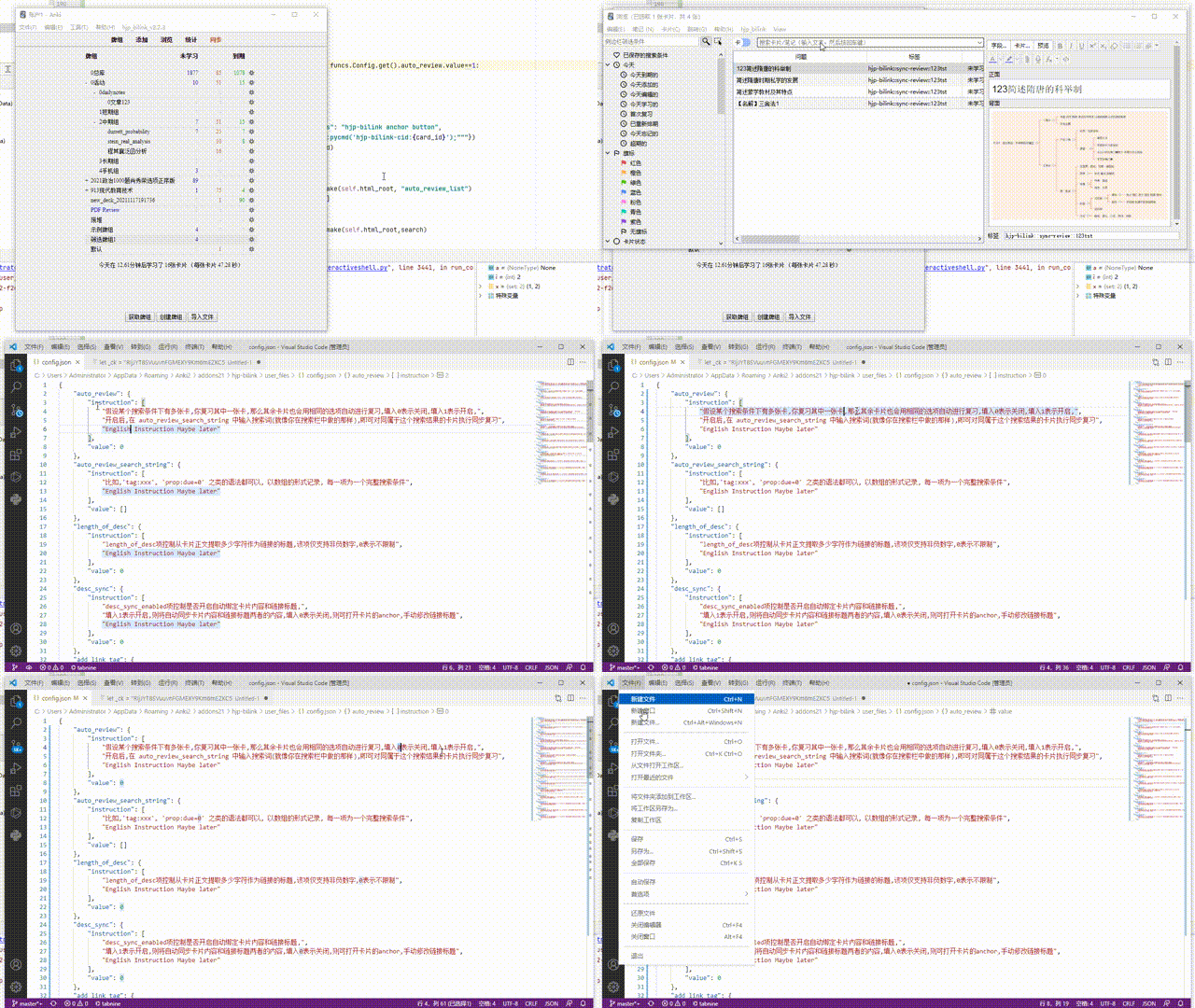 3 配置表 config file
4 快捷键 shortcuts
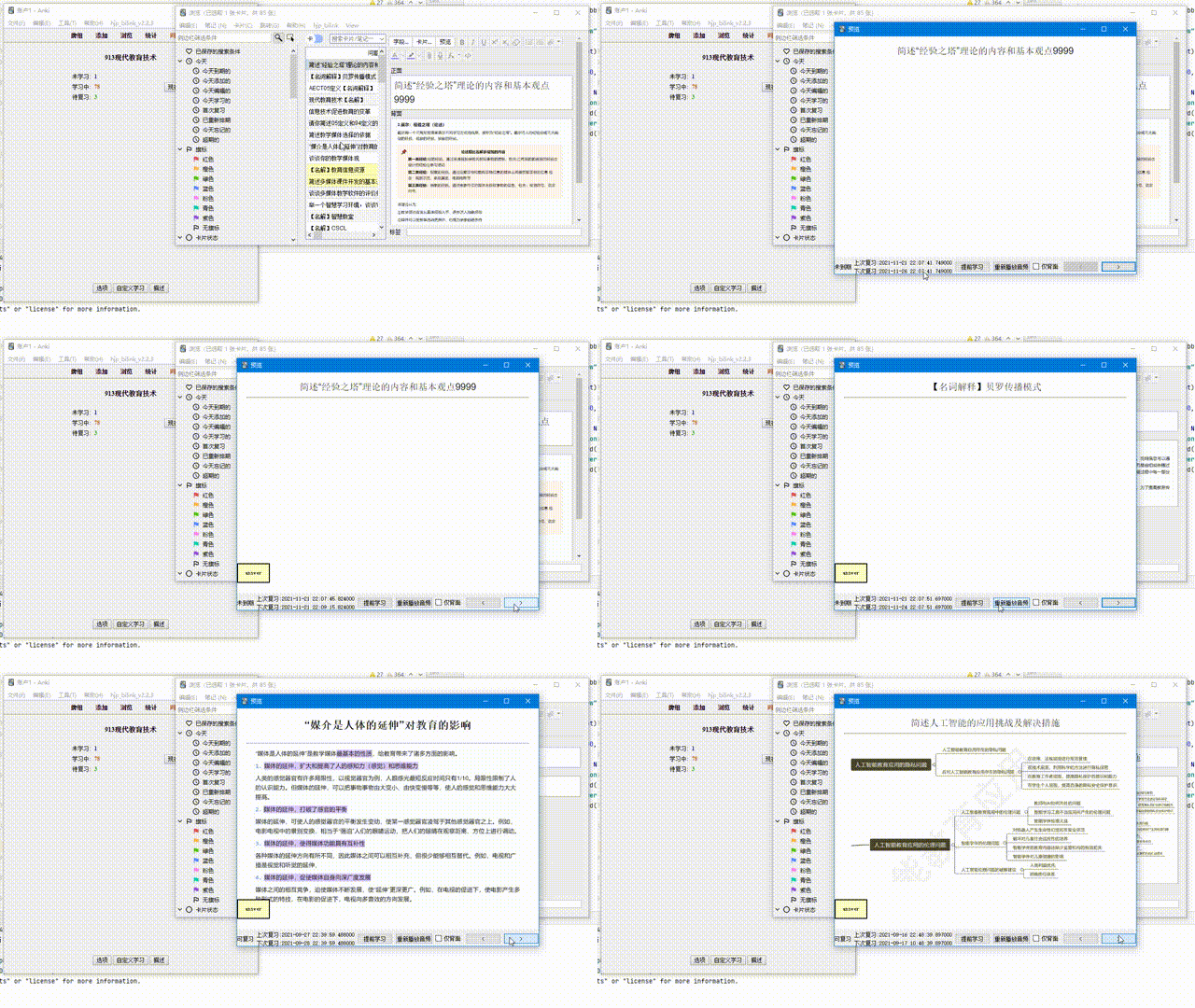
5 在预览中复习 review in browser Previewer
 6 链接标题同步卡片 sync the link description with card content
还有一些性能改进 some performances improvement
翻译还未完全覆盖 translation still not completely covered
 新功能:自定义URL协议(目前仅支持windows平台)
具体实现:
从其他软件打开anki卡片,
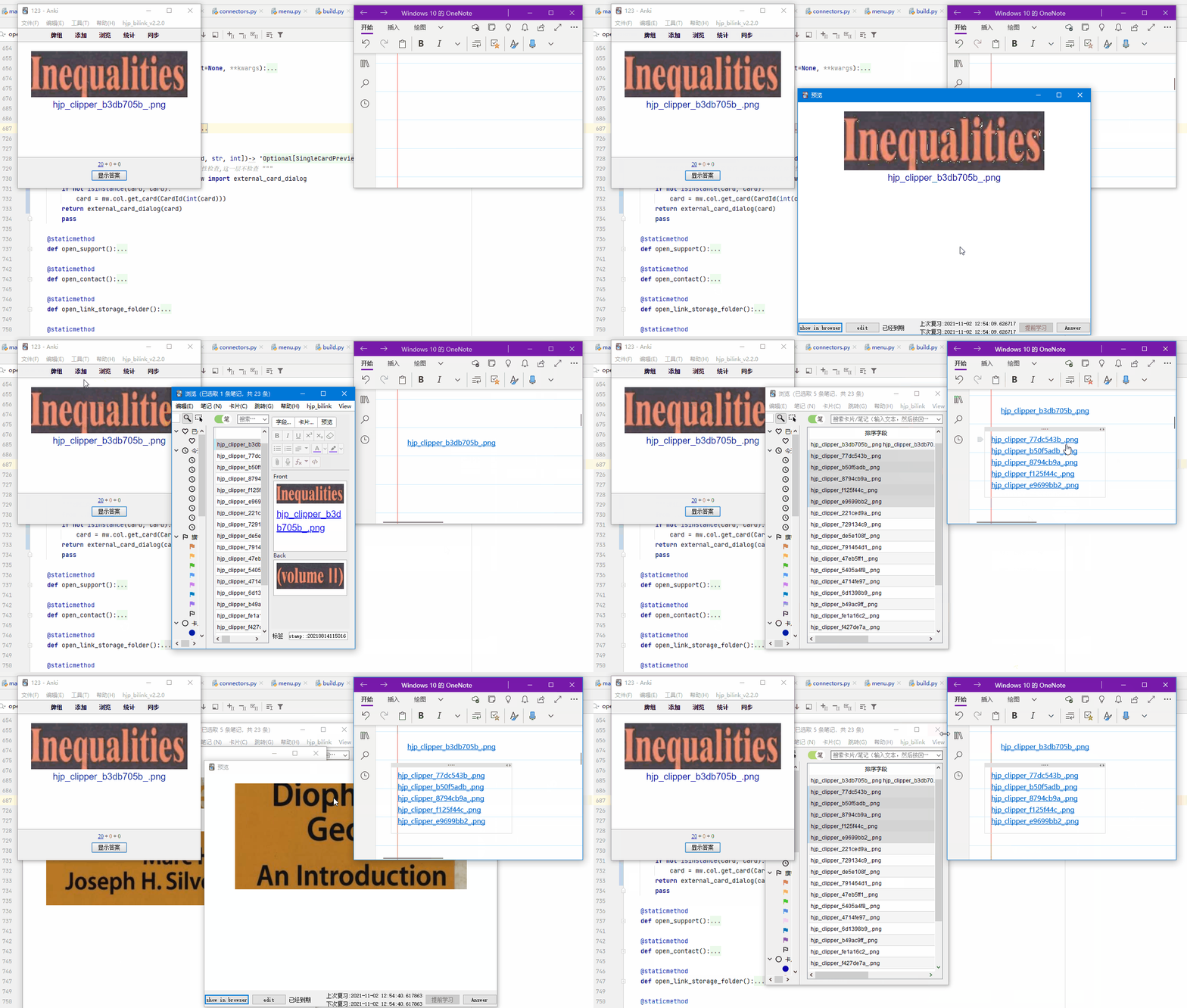
从其他软件打开anki搜索
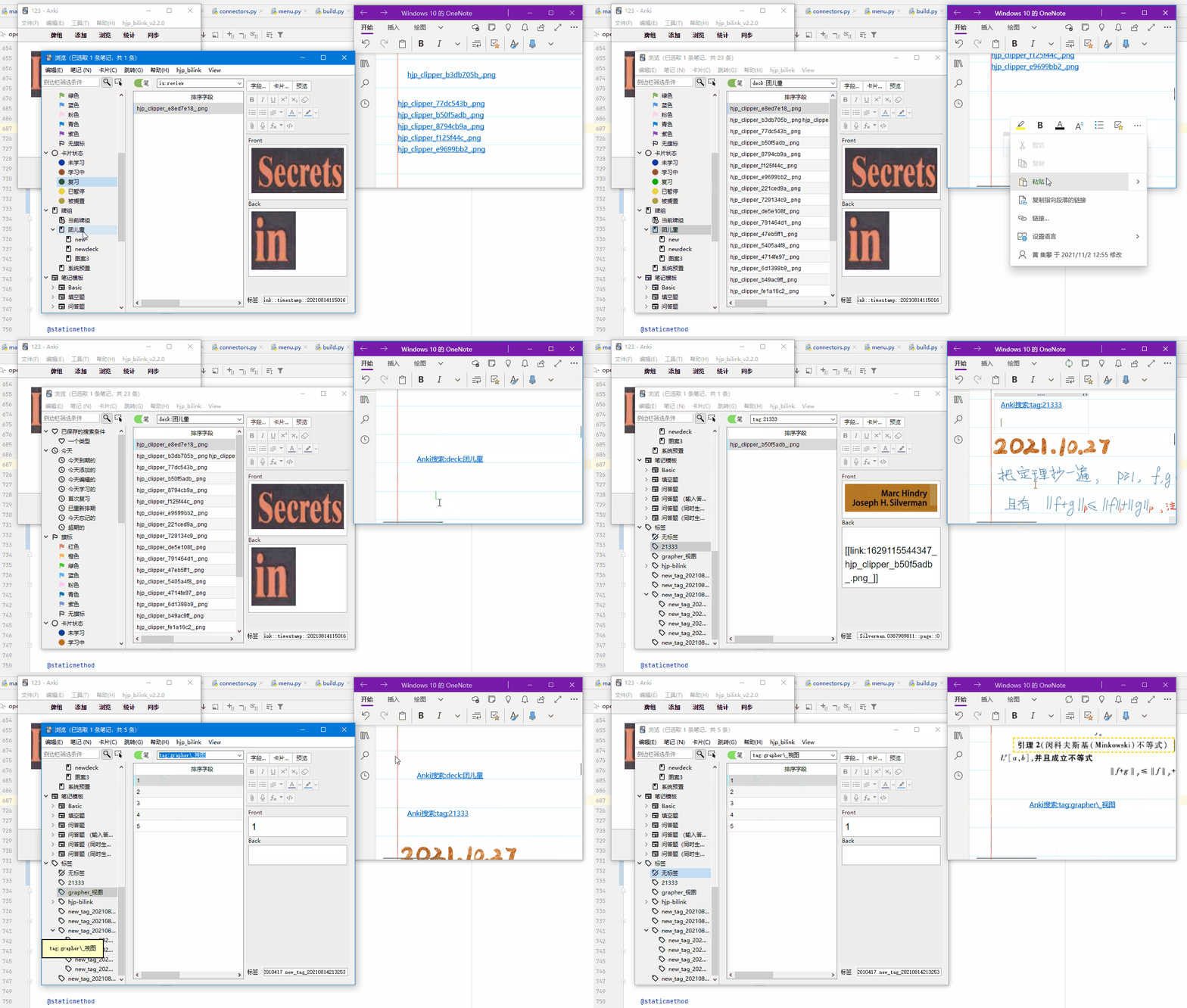
注意:首次启动anki需要管理员身份运行, 否则无法注册URL协议
 大更新,
支持很多新功能, 主要功能有:
PDF 批量自动裁剪转为卡片
卡片链接图谱
额外窗口直接回顾
Big update,
Support a number of new features, the main features are:
PDF batch automatically clipping into cards
Card link map
Directly review card in the extra card window
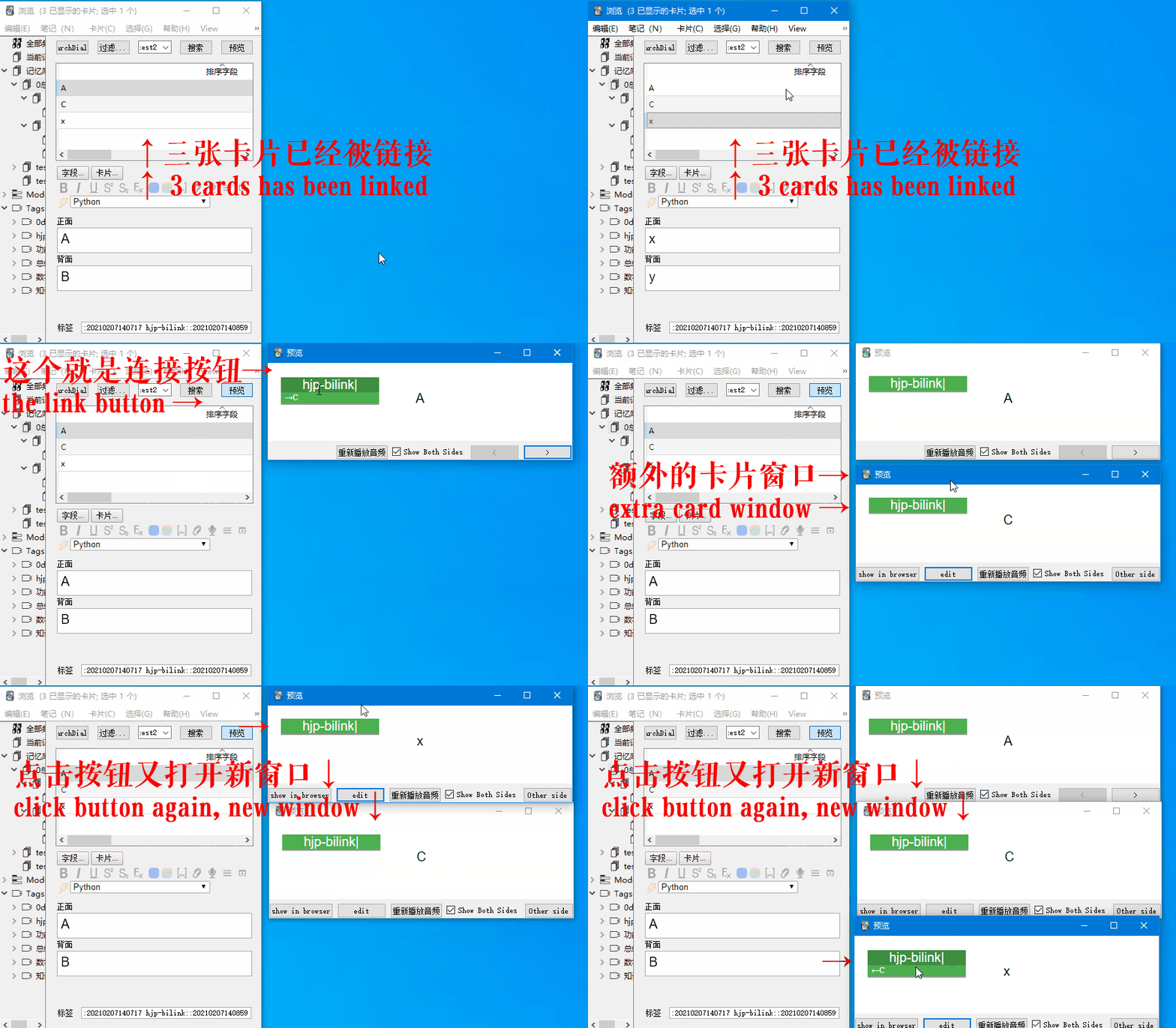
link graph/map
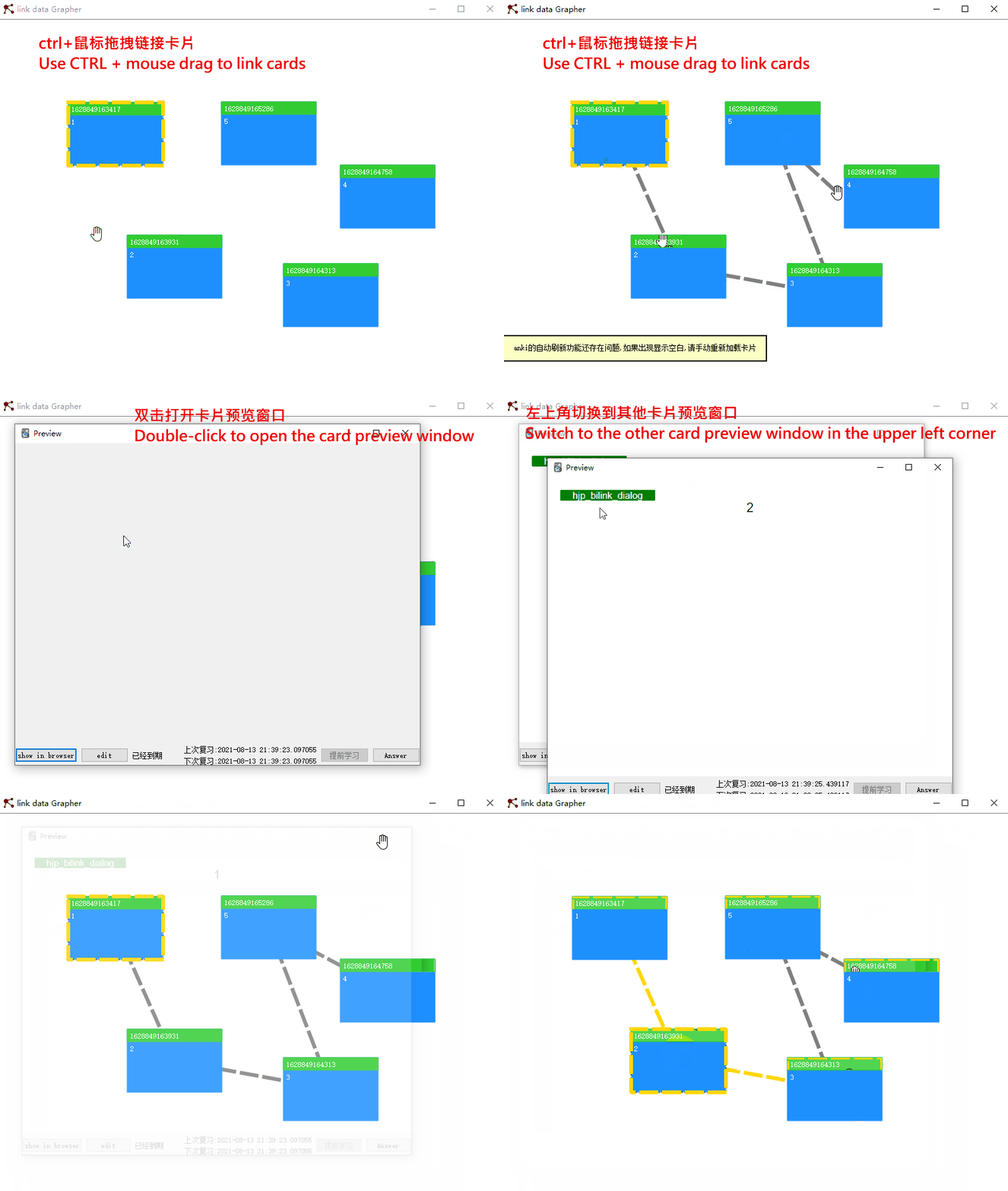
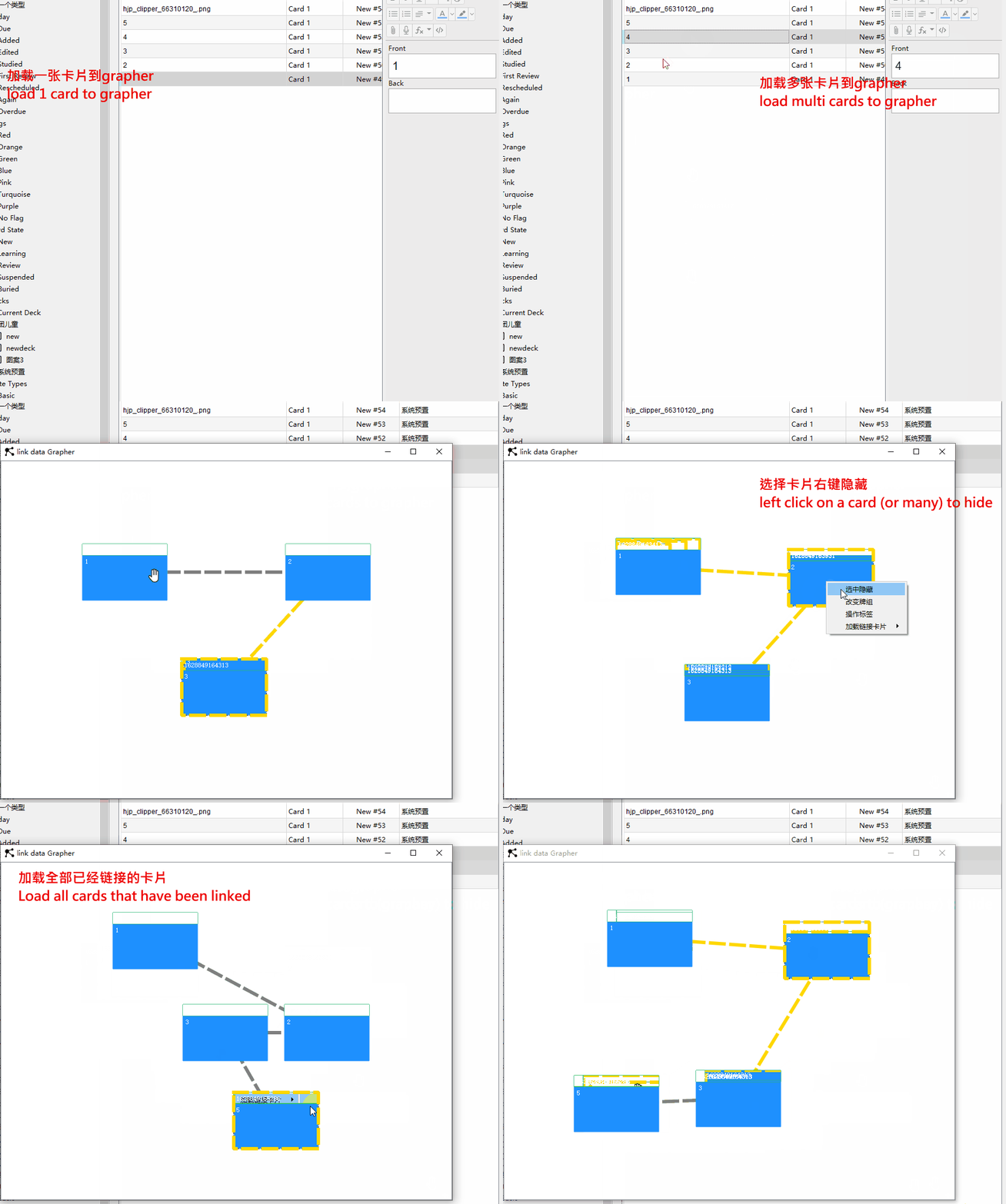

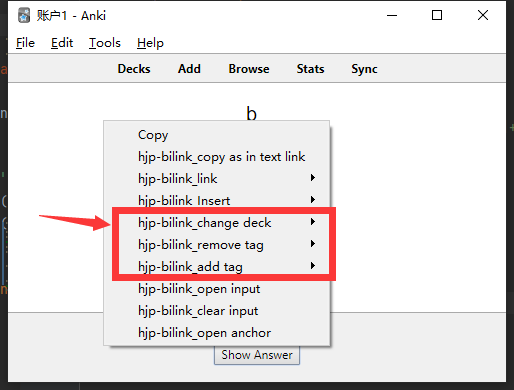

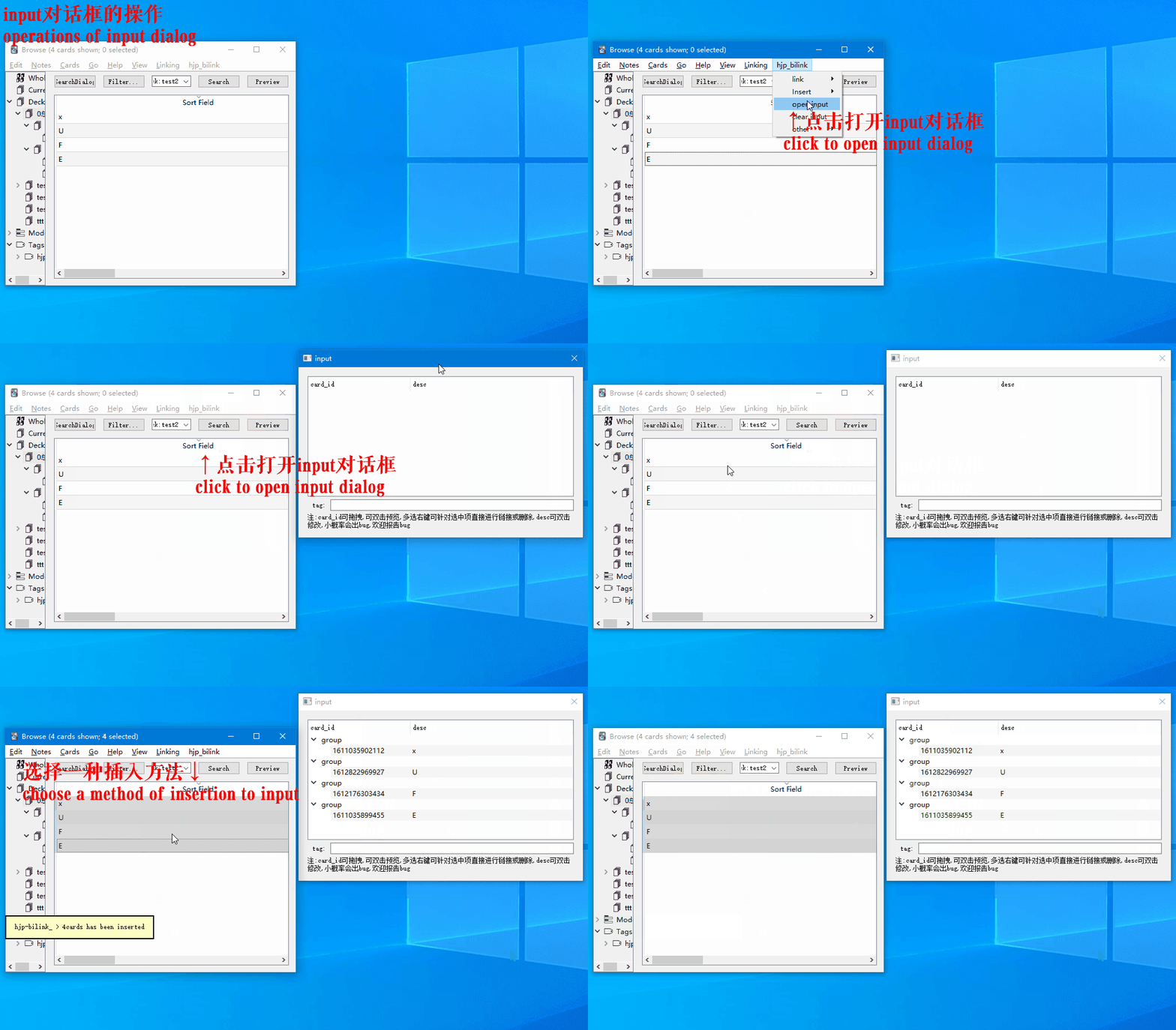
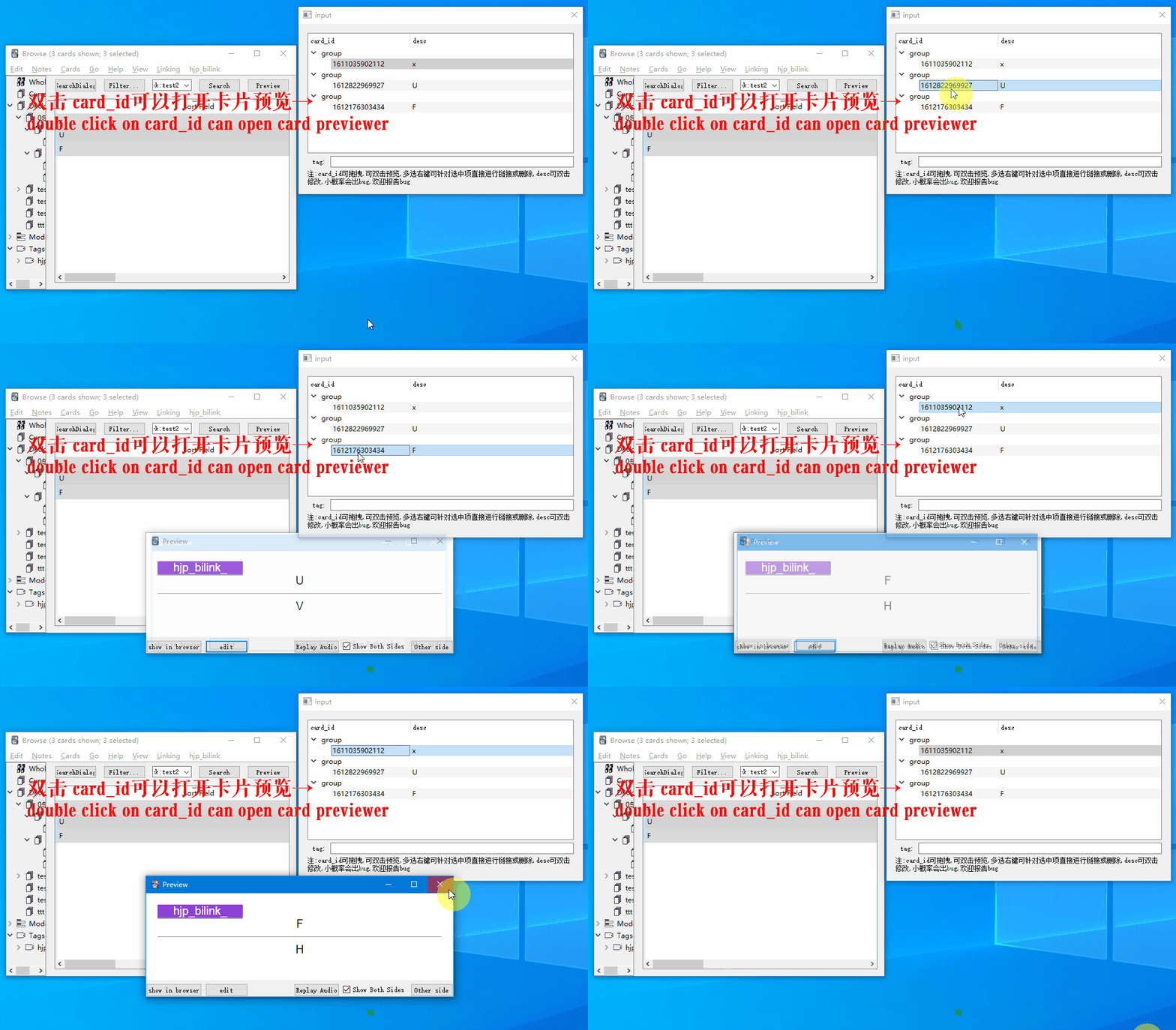
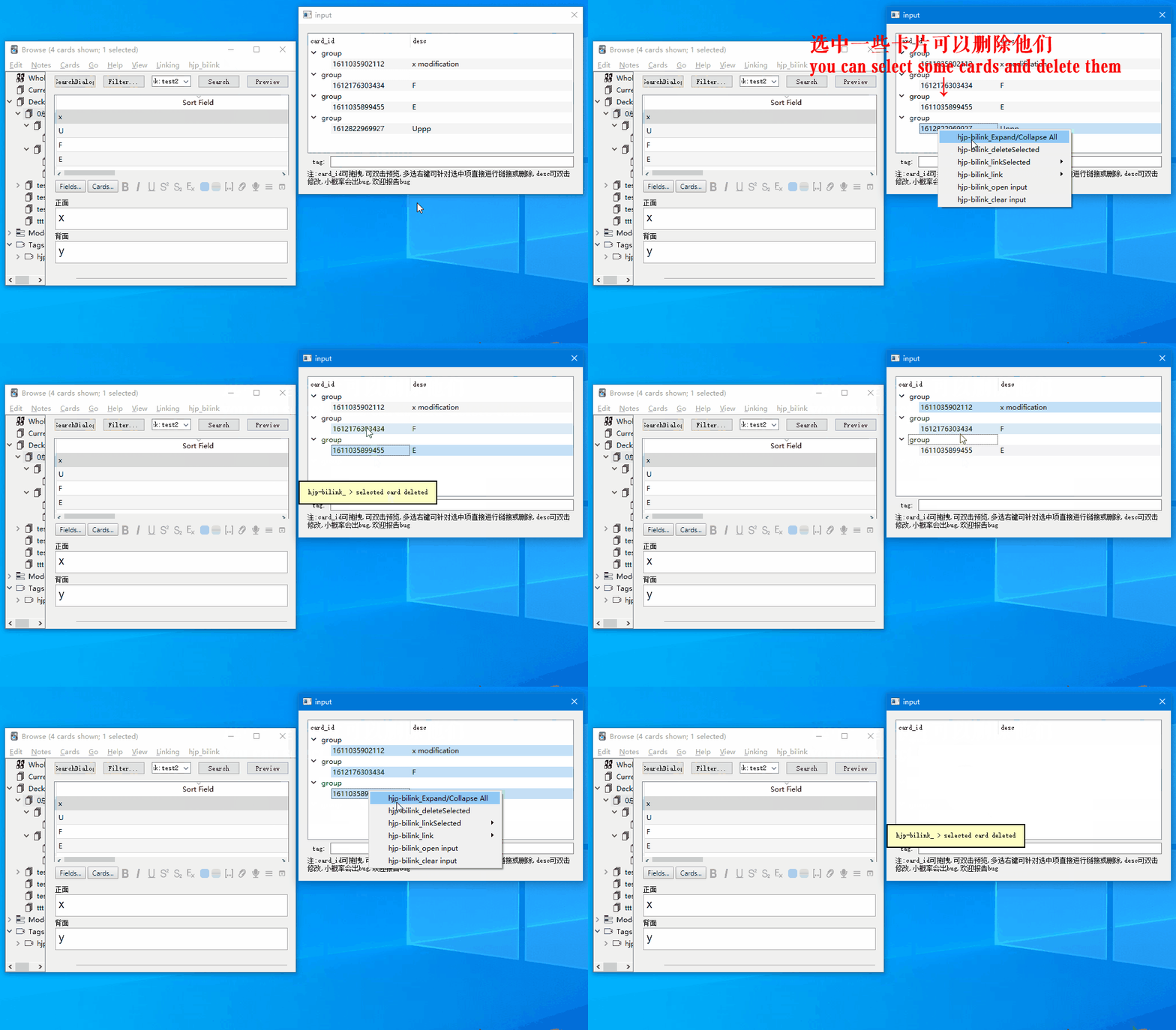
input对话框的操作(operations in input dialog)
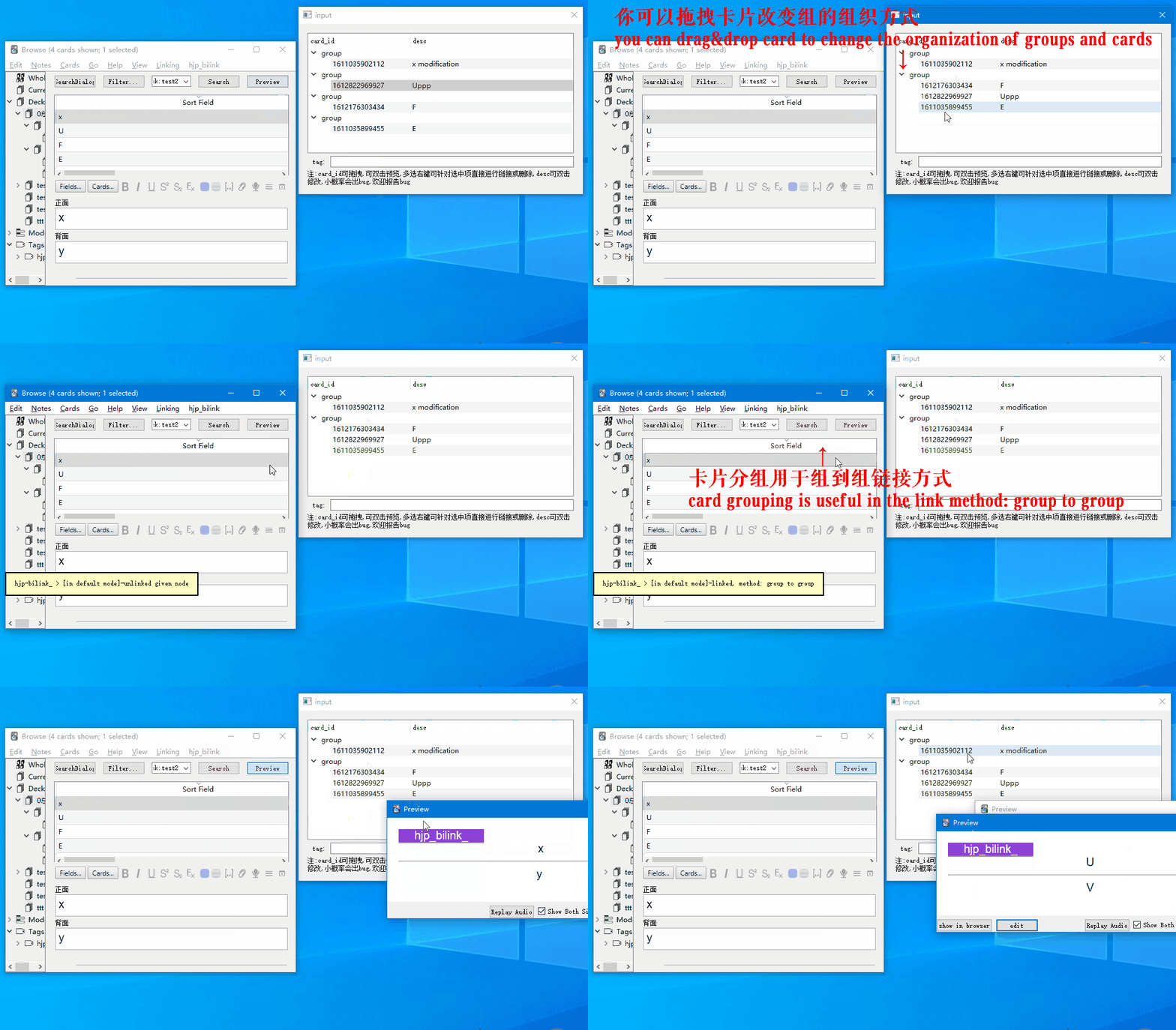
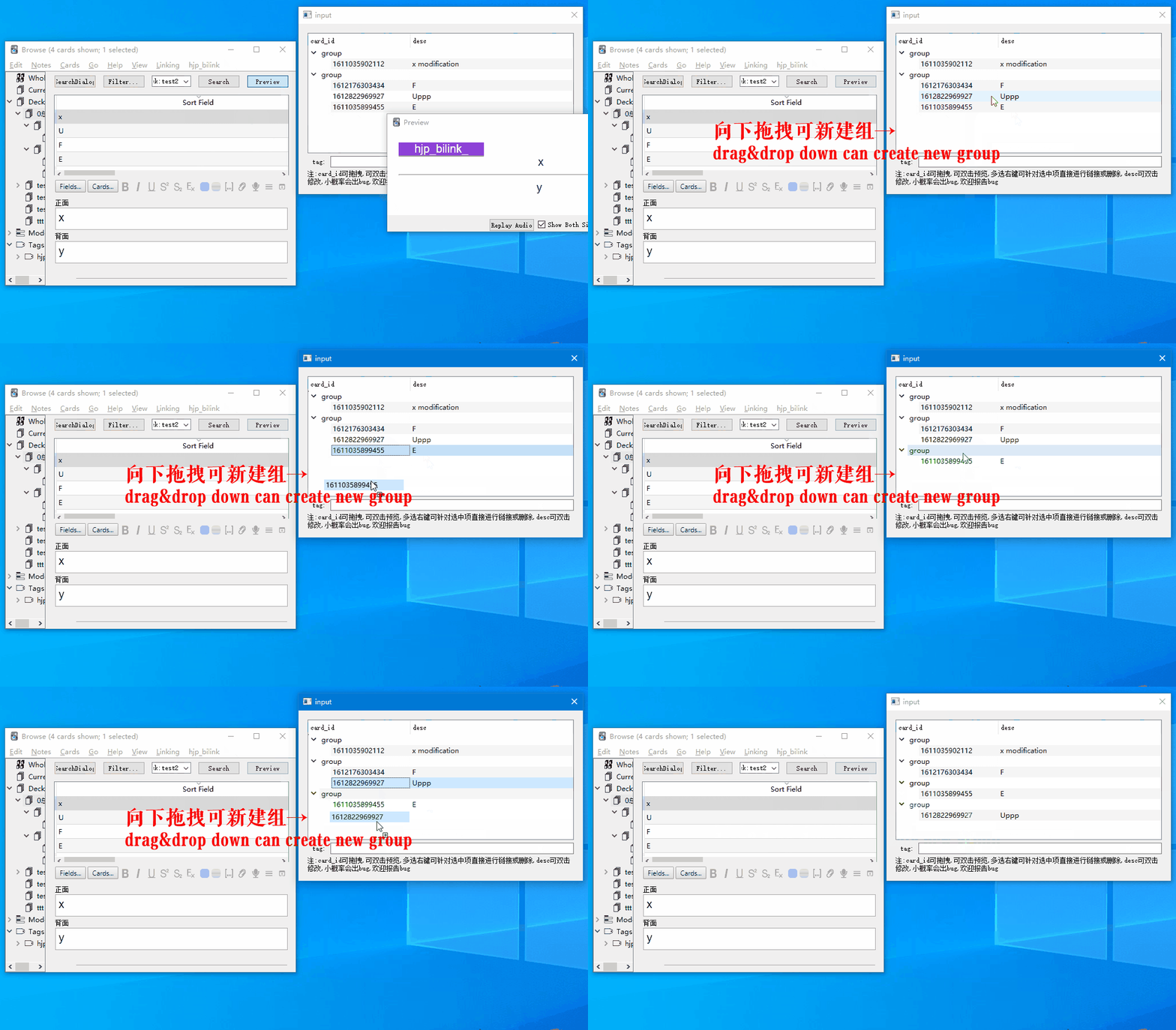
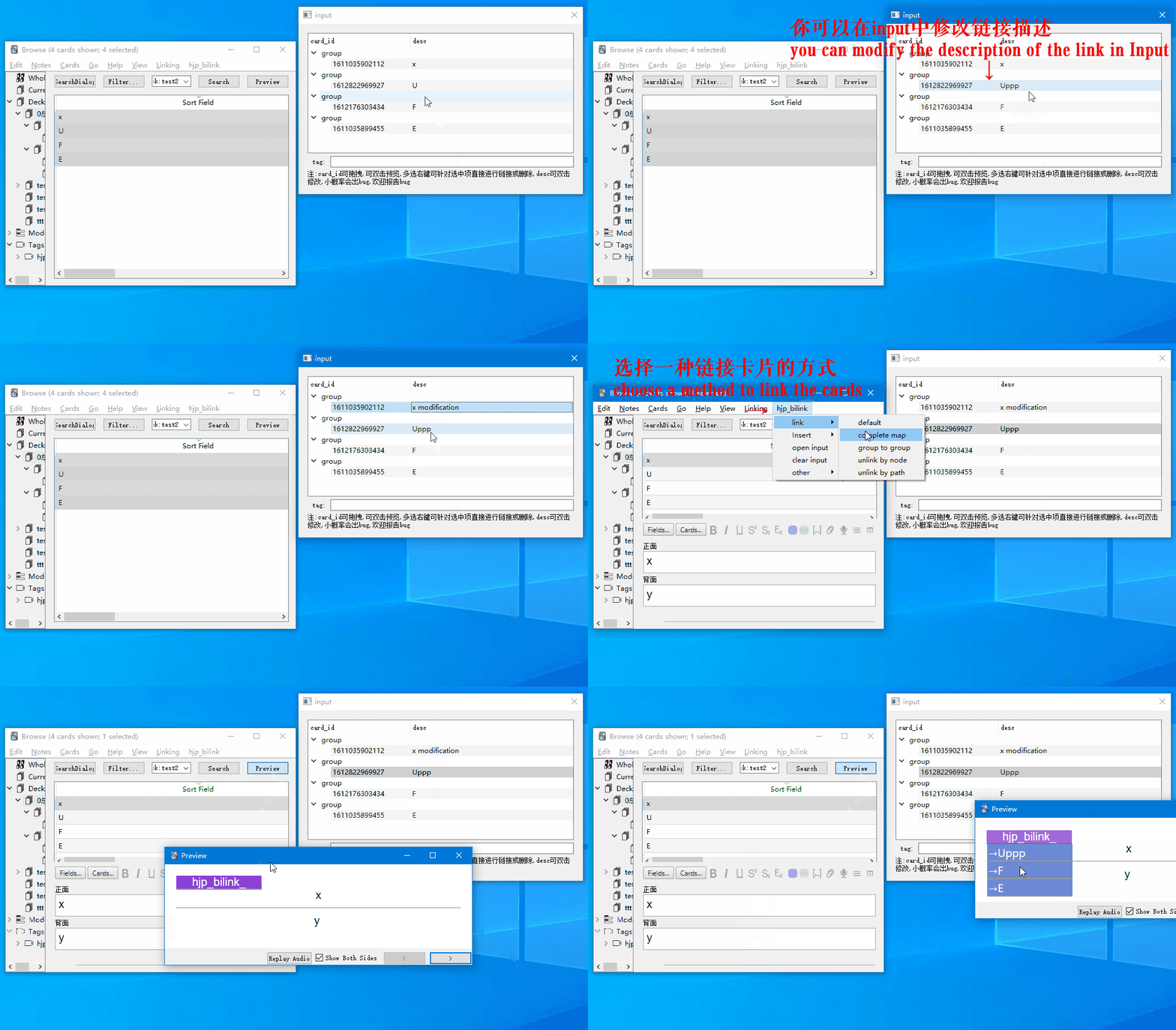
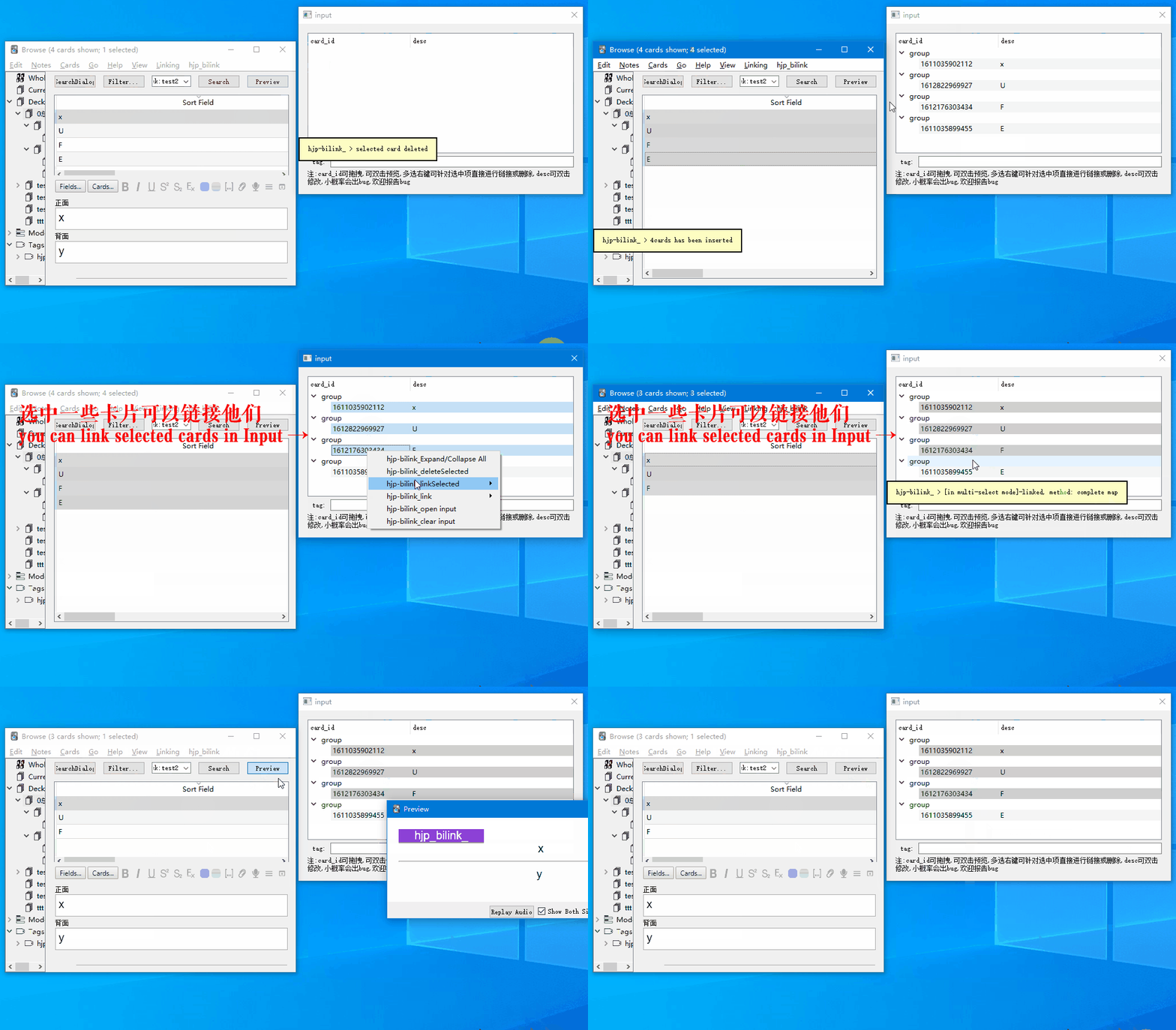
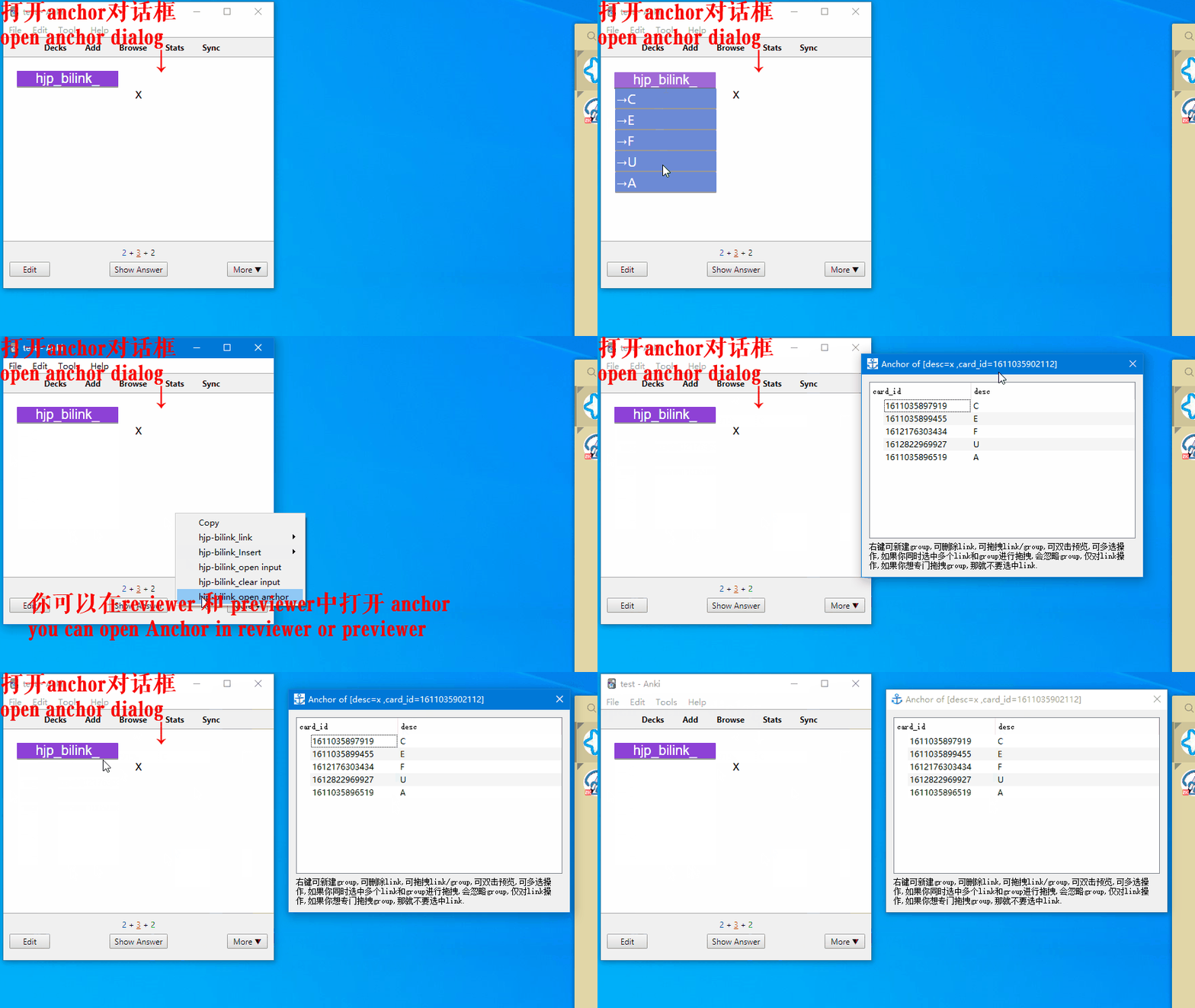
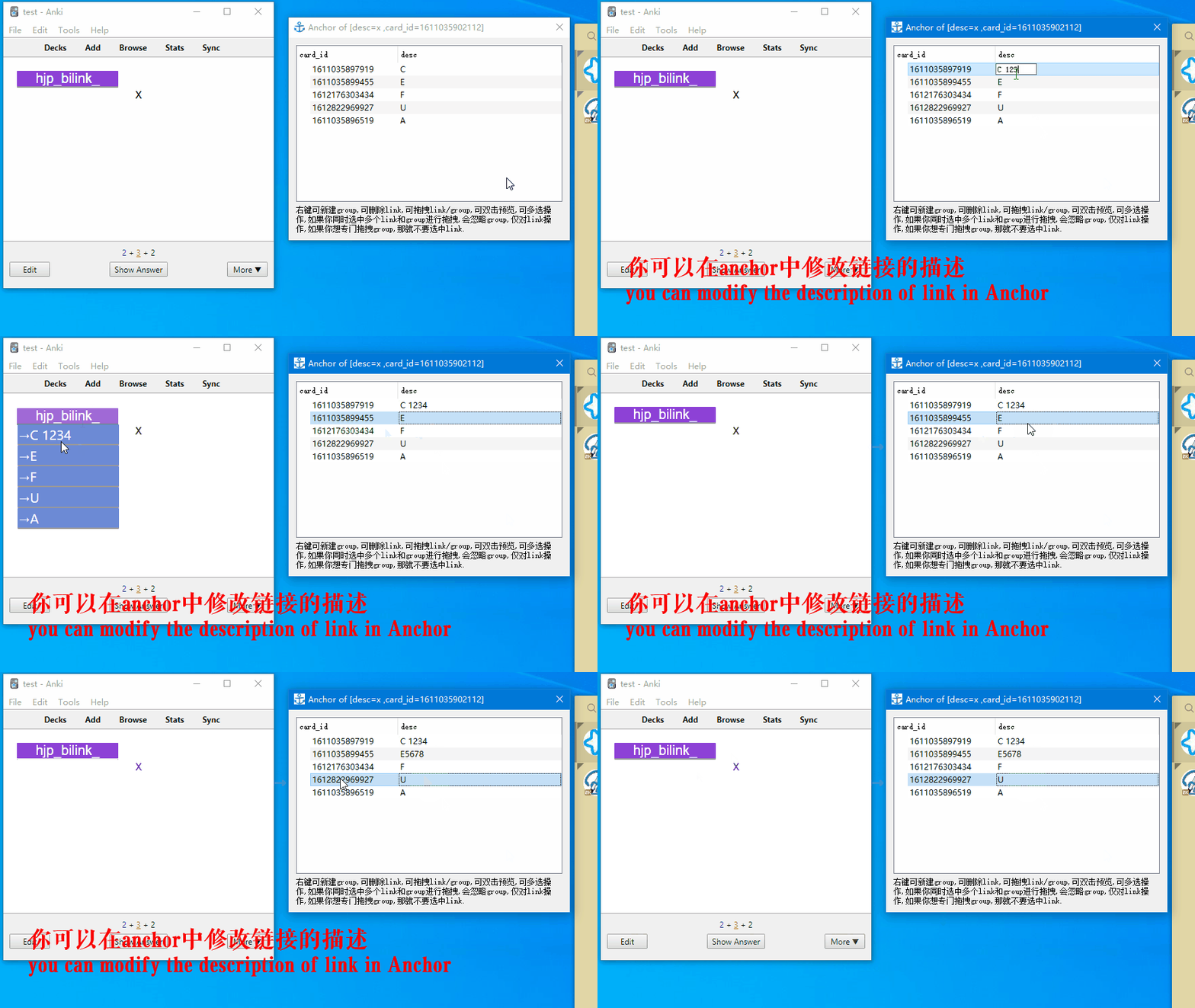
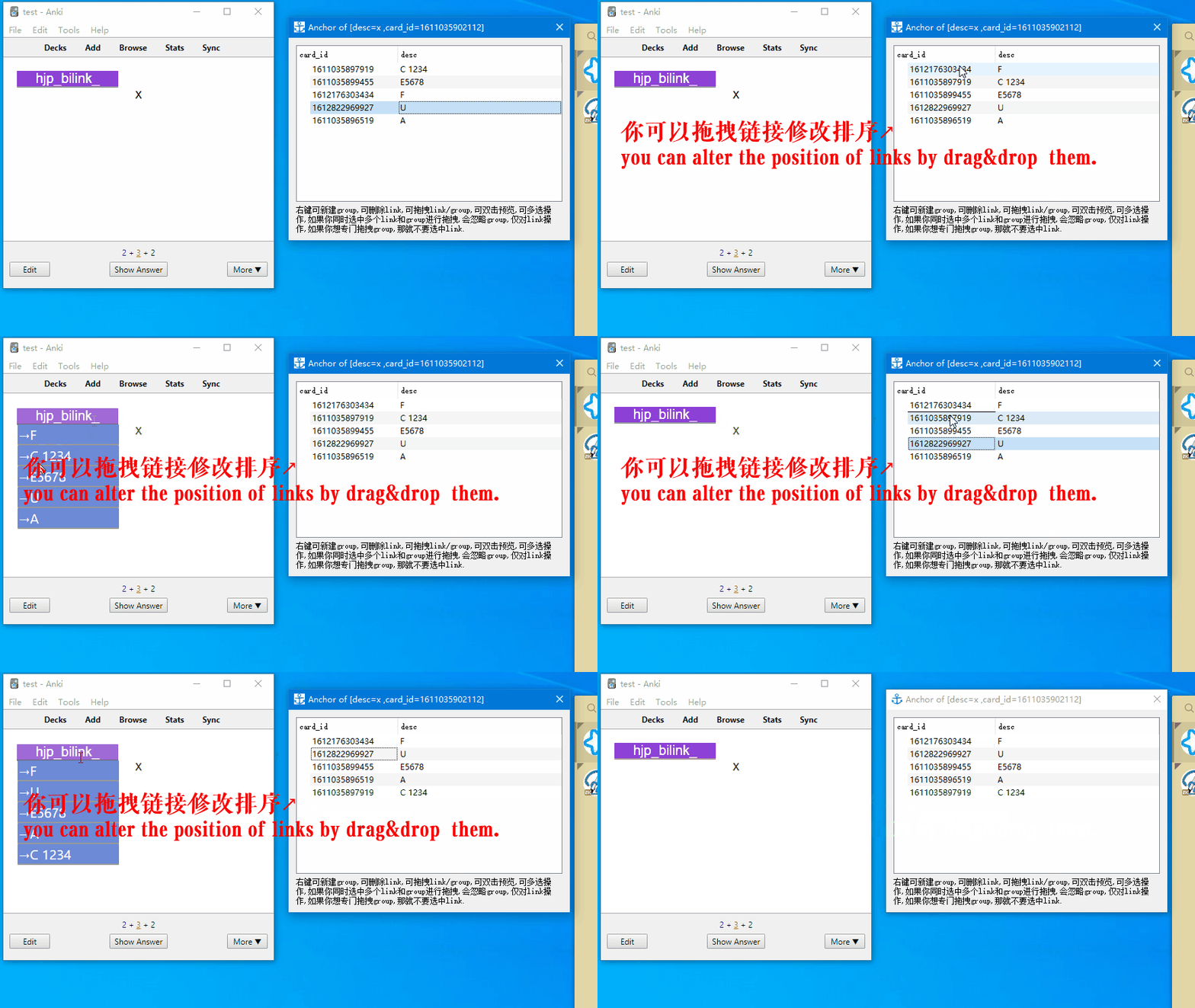
anchor 对话框的操作(operations in anchor dialog)
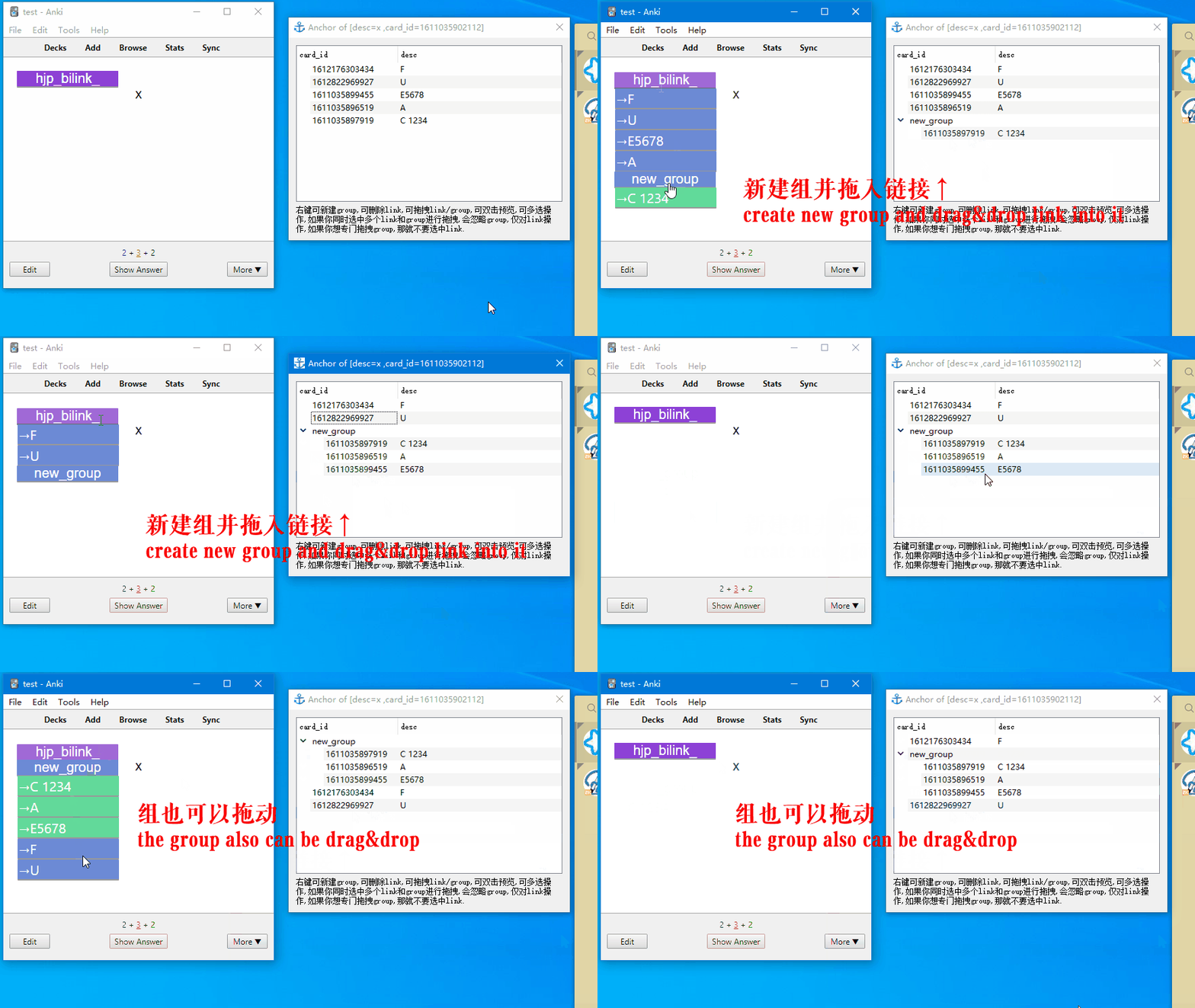
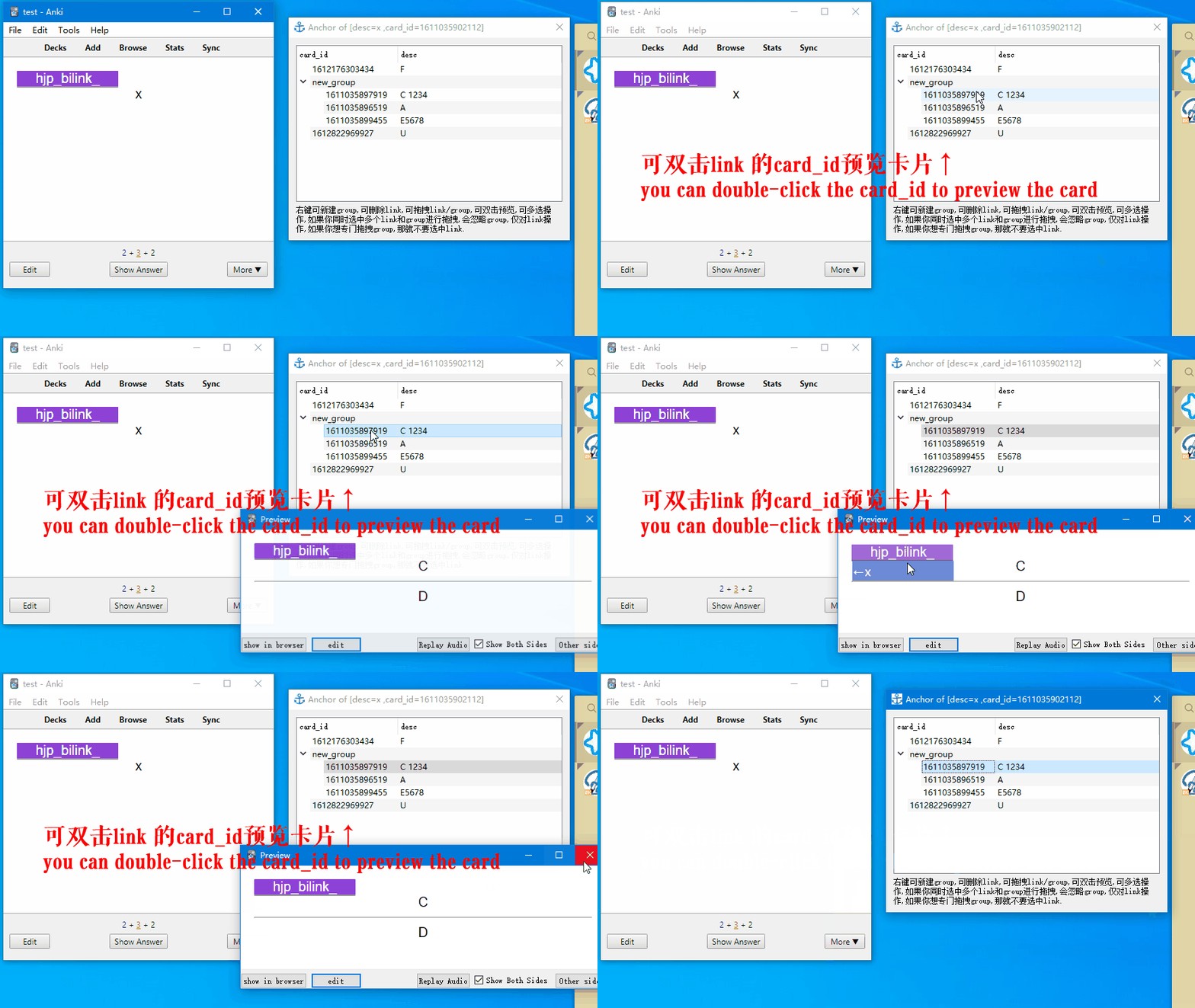
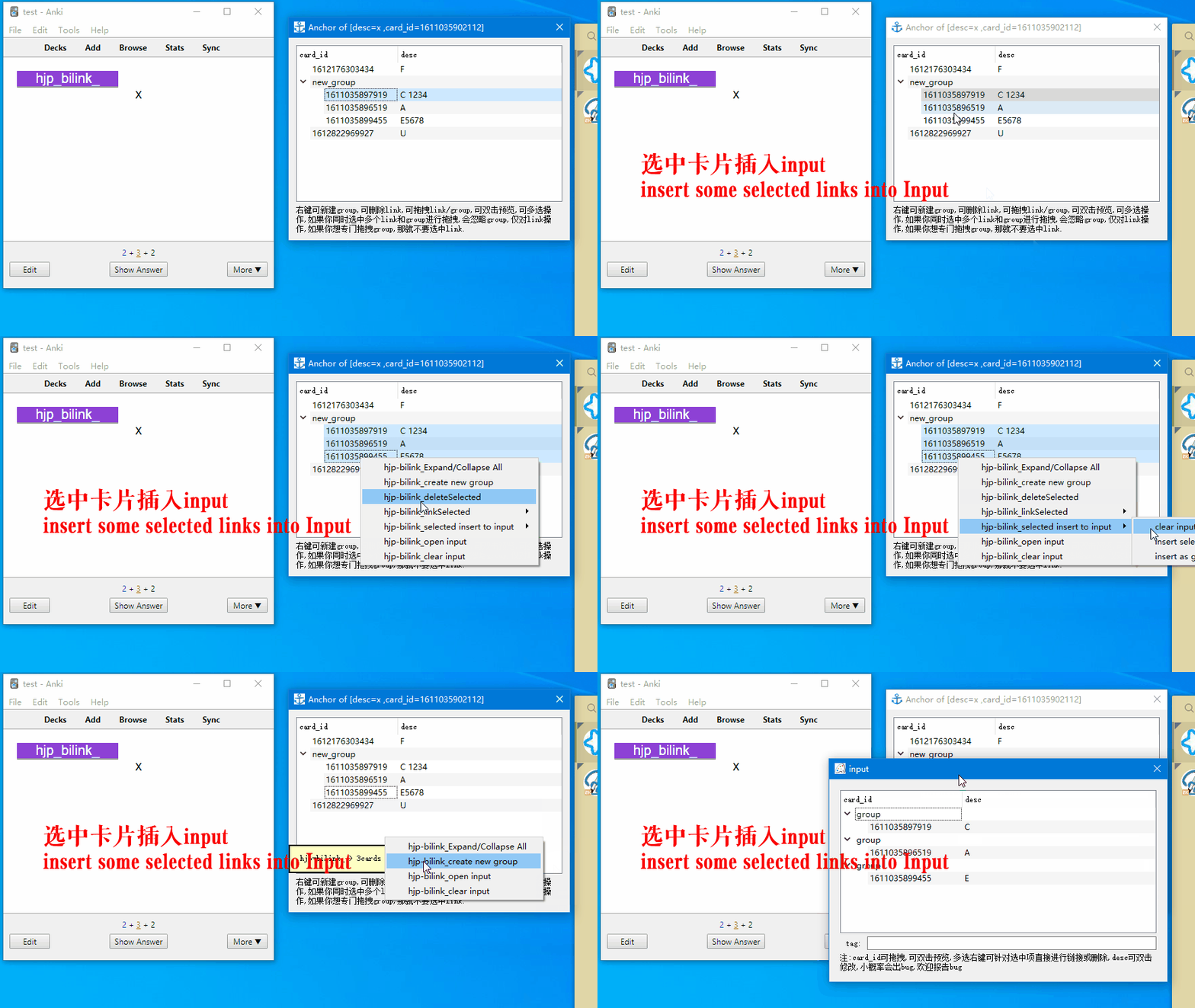
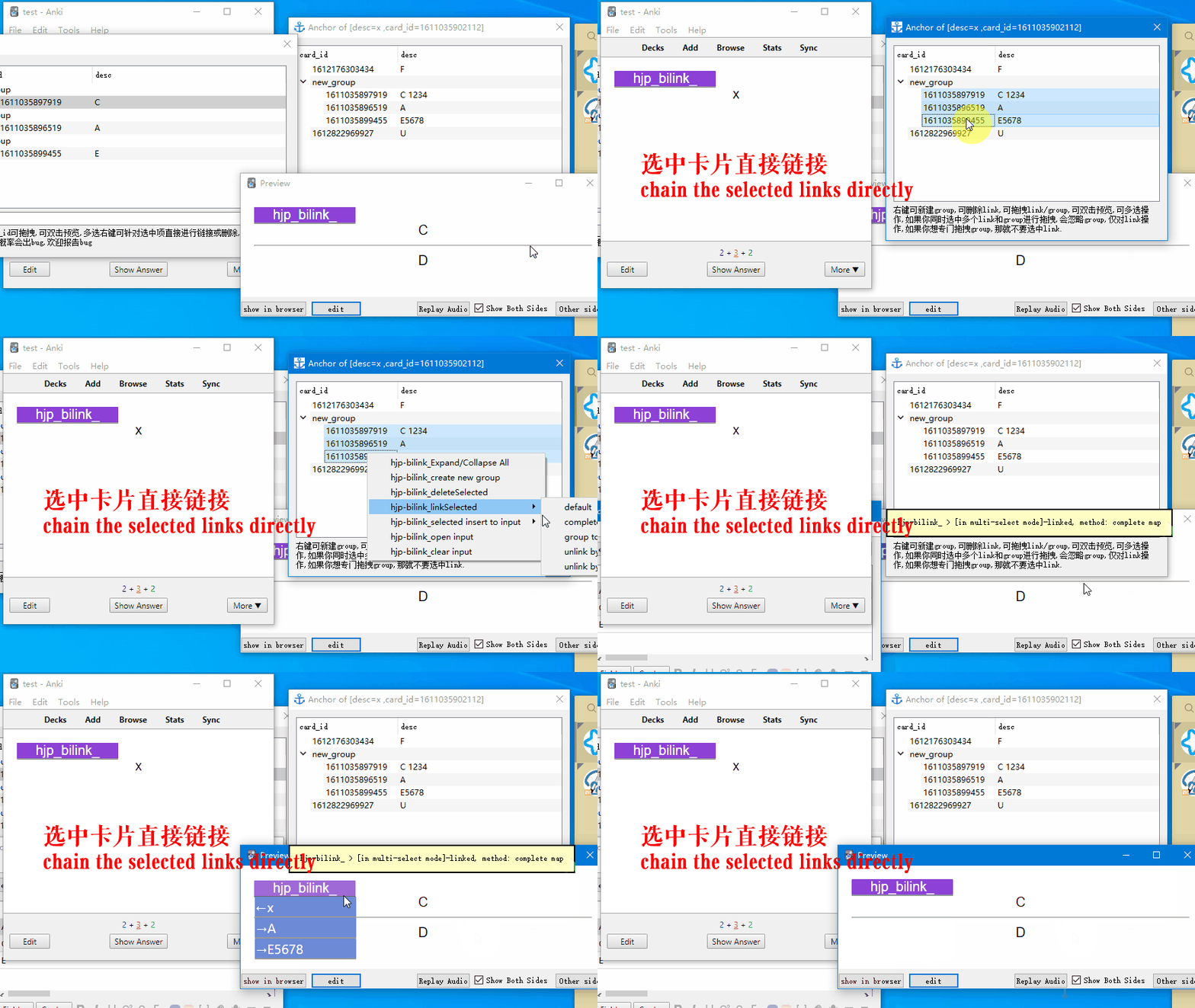
The HJP-BILINK's principle of linking card:
extract card info(id, describe) → restore them to a file named input → choose a link method → to execute linking
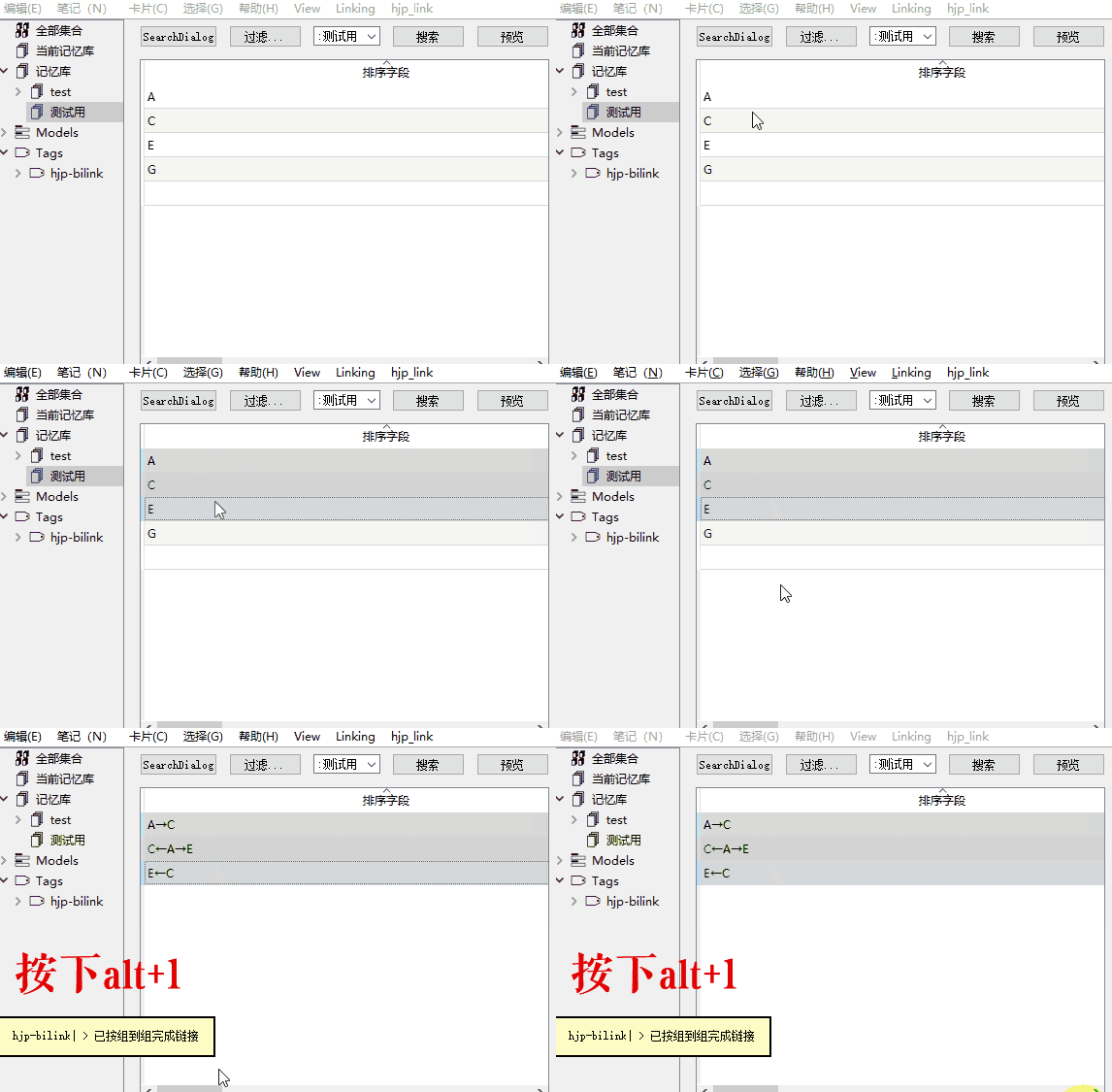
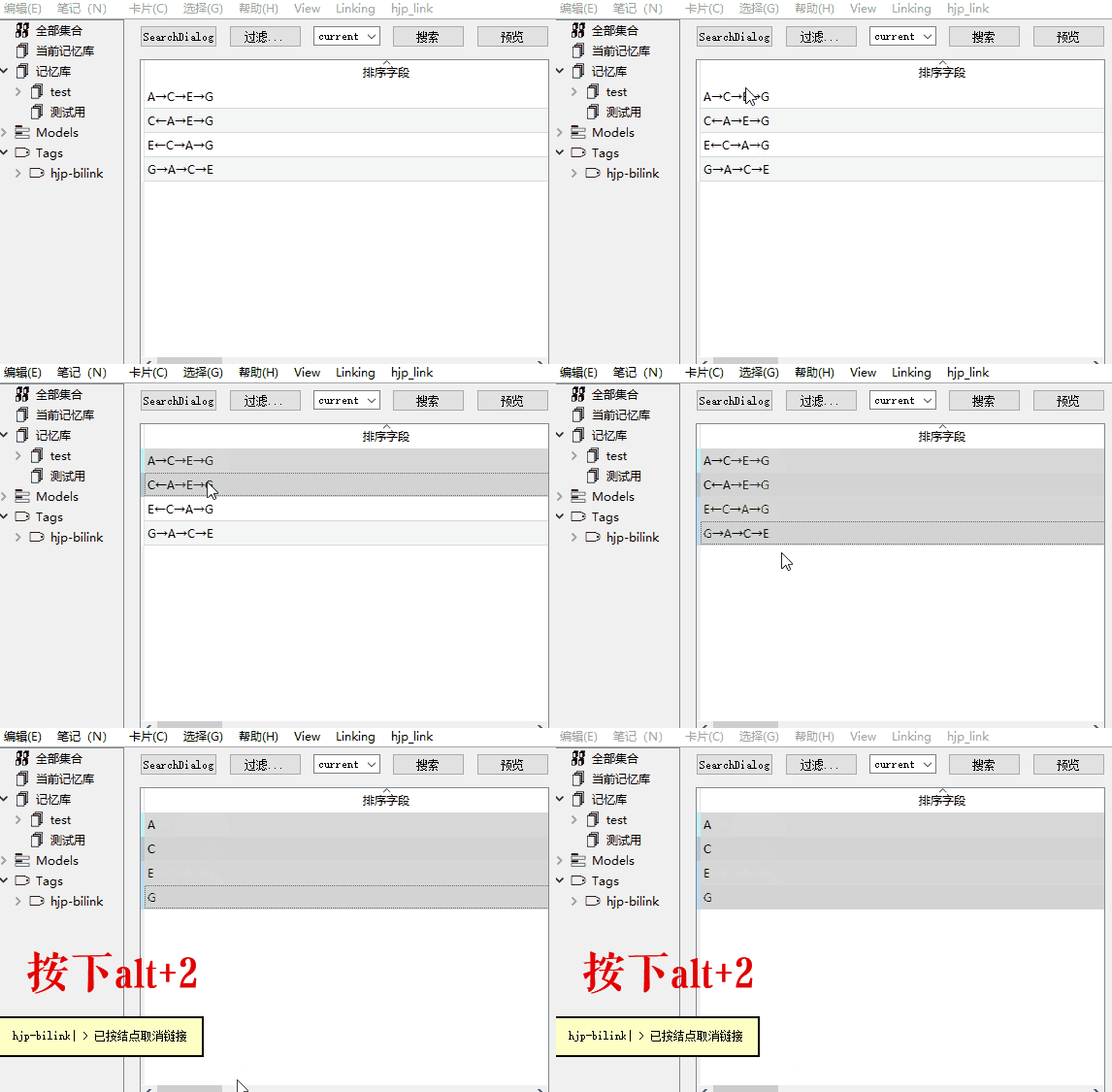
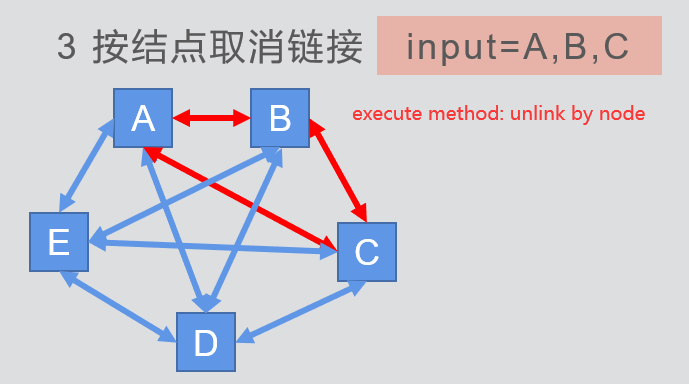
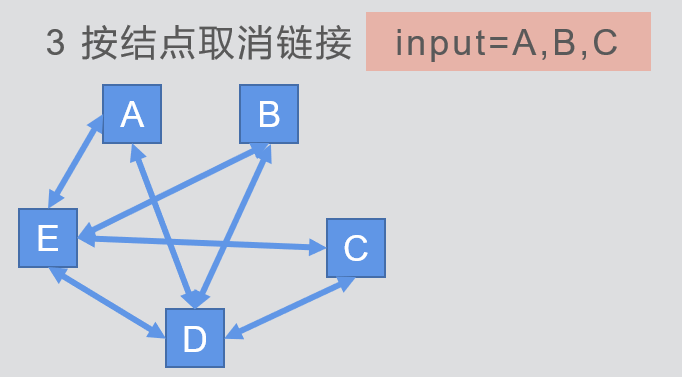
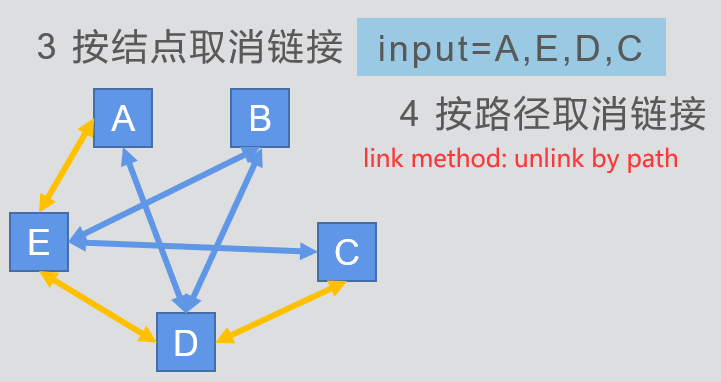
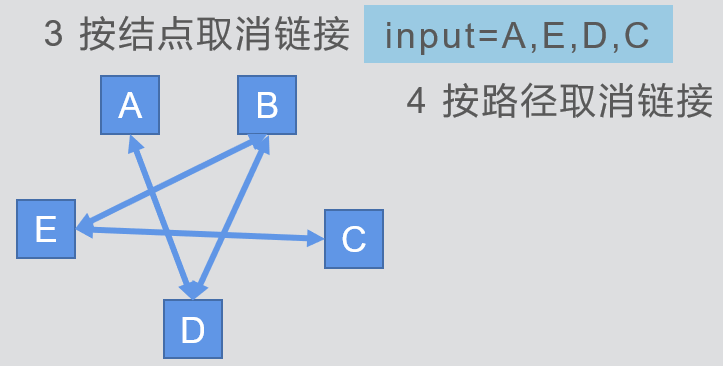
 we now have 4 linking methods: complete map link, group to group link, unlink by node, unlink by path.
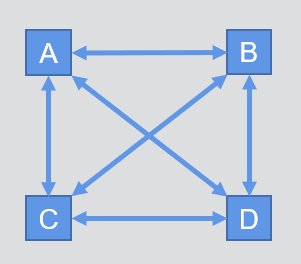
example1:
input=A,B,C,D, then execute the complete map method, we get the link relation of:
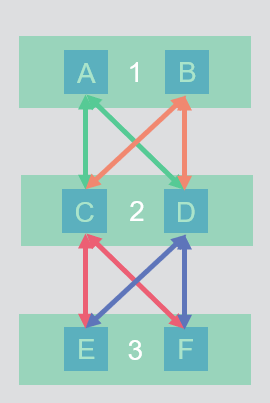
 example2:
input=(A,B),(C,D),(E,F),then execute the group to group method, we get the link relation of:
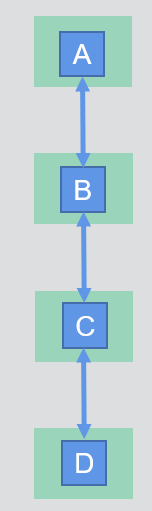
 example3:
input=(A),(B),(C),(D),then execute the group to group method, we get the link relation of:
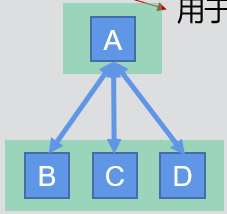
 input=(A),(B,C,D),then execute the group to group method, we get the link relation of:
link cards using shortcuts( V0.9has removed)