Batch Label Cards

AnkiWeb addon 1642439285

Generates separate Anki notes from one labelled diagram screenshot, with optional answer keys and per-structure answers, plus previewing and batch tagging for easy suspension or deletion.
AI-generated summary; may contain mistakes.

card-creation

Open on AnkiWeb Find alternatives

AnkiWeb

Votes
0 (πŸ‘ 0 Β· πŸ‘Ž 0)
Updated
2026-08-15
Anki versions
2.1.1~
License
Not found (this does not mean that the addon has no license)
Virus scan
No ClamAV match A match does not prove malware. No match does not prove that the code is safe.
Languages
Python, JSON
Description language
en

Maintenance

active

  • Last update or commit: 2026-08-15 (78 days before the snapshot).

GitHub

No GitHub repository linked.

Will it work on my Anki?

Version branches
Min AnkiMax AnkiUpdated
2.1.1+2026-08-15
History across monthly snapshots

Loading…

Similar addons

Drag Drop

Creates interactive drag-and-drop flashcards where you label images or sort items into categories, with instant feedback, shuffling, theme and layout options, across Anki Desktop, AnkiDroid and AnkiMobile.

card-creationappearancecard-templatesquizmobile-compatible

3 votes 44% approval πŸ‘ 3 Β· πŸ‘Ž 0 ⭐ 1 Anki 25.07~ Updated 2026-10-02
Auto Image Occlusion

Automatically detects text regions in images using Tesseract OCR and creates configurable, merged image occlusion shapes with one click.

card-creationshortcutsimage-occlusion

5 votes 57% approval πŸ‘ 5 Β· πŸ‘Ž 0 ⭐ 9 Anki 26.08.1~ Updated 2026-09-09
PixelFairy AI - for Anki (windows only)

Integrates Google Gemini AI into Anki's editor to generate questions, answers, and flashcards from text, selected paragraphs, or images using customizable prompts and keyboard shortcuts.

card-creationaishortcuts

4 votes 15% approval πŸ‘ 2 Β· πŸ‘Ž 2 ⭐ 2 Anki 25.02~ Updated 2025-05-15
AI-Hints and Options

Generates AI hints and multiple-choice options for flashcards during review, with multi-provider fallback, batch generation, inline editing, undo, and mobile support.

aischedulingreview-flowquizmobile-compatible

4 votes 30% approval πŸ‘ 3 Β· πŸ‘Ž 1 ⭐ 2 Anki 26.05~ Updated 2026-10-31

Description

Batch-create Anki cards from one labelled diagram.

Screenshots
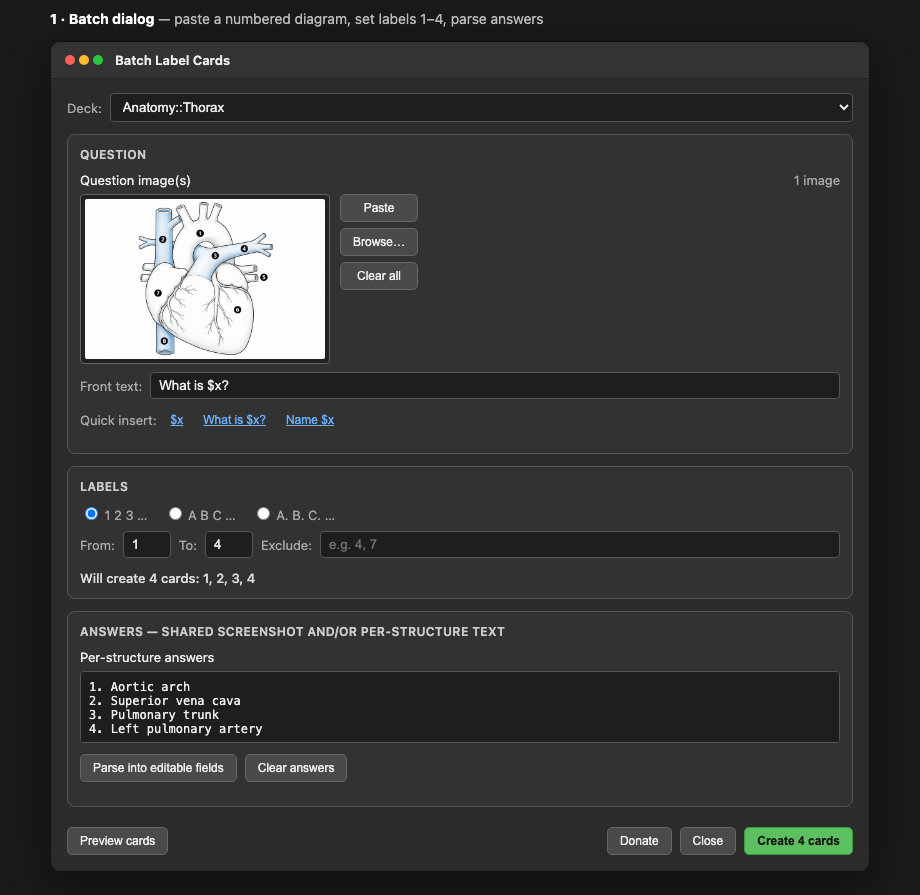
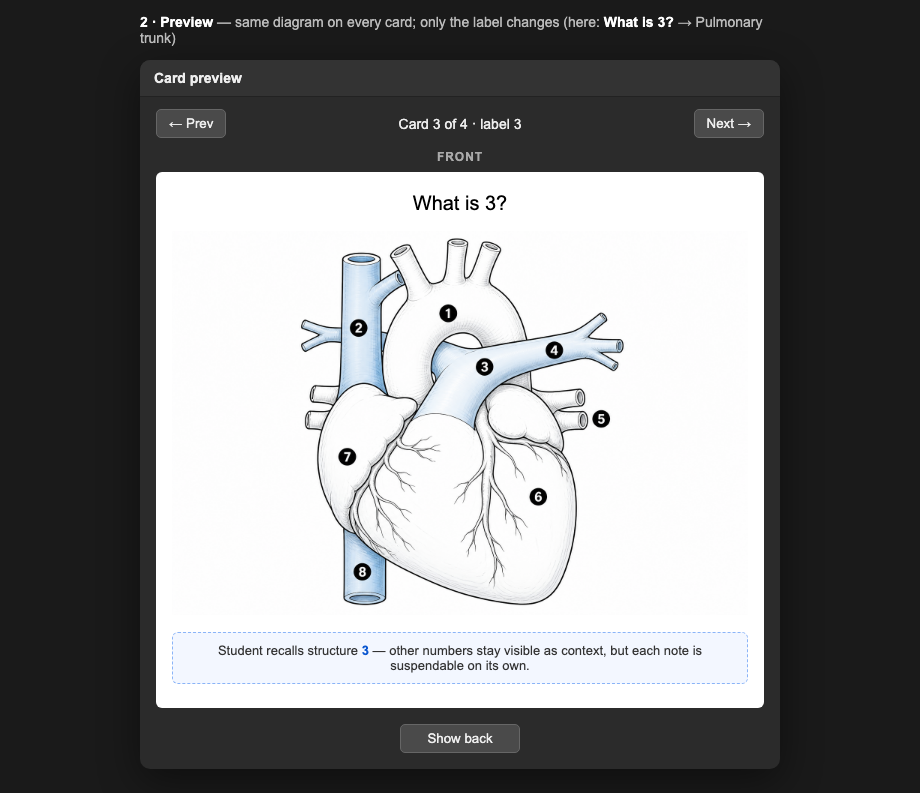
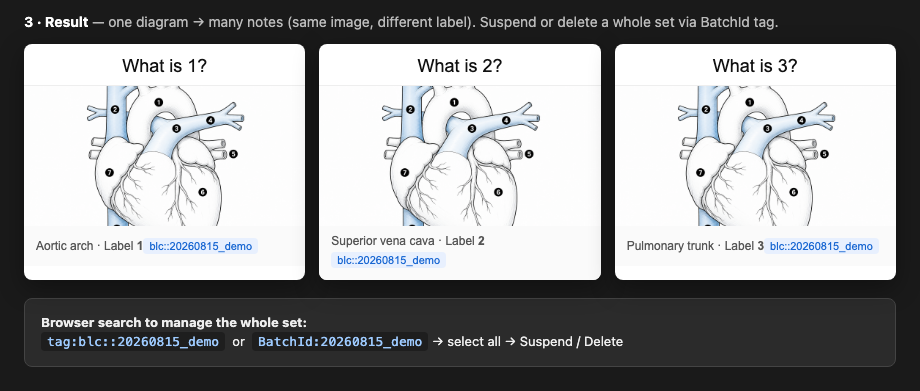
Paste a numbered/lettered anatomy screenshot once, then generate a separate note for each structure (1, 2, 3… or A, B, C…). Suspend or delete what you already know β€” each structure is its own card.

Features

  • Paste (or browse) one or more question screenshots
  • Optional shared answer-key screenshot(s) on every card
  • Optional per-structure answers β€” paste a list, parse, then edit
  • Front text template with $x (e.g. Name $x, What is $x?)
  • Label styles: 1 2 3 Β· A B C Β· A. B. C. β€” with exclude list
  • Preview cards before creating
  • Each batch gets a hidden BatchId + tag so you can find/suspend/delete the whole set in the Browser

How to use

  1. Open from the editor toolbar Labels button, or Tools β†’ Batch Label Cards…
  2. Paste your diagram screenshot(s)
  3. Set label range (e.g. 1–12) and optional excludes
  4. Optionally paste answers / answer-key image(s)
  5. Preview β†’ Create

After creating, search in the Browser with the tag shown in the success dialog, e.g. tag:blc::20260815_105400_ab12cd

Support development

I’m an independent developer building this in my spare time. If Batch Label Cards saves you time making anatomy cards, a small tip on Ko-fi helps a lot β€” even a coffee keeps the project going! Thank you.

https://ko-fi.com/poor_hardworking_guy

Support on Ko-fi