See what the NBME actually asked about the card you are reviewing, with citations, right under the answer.
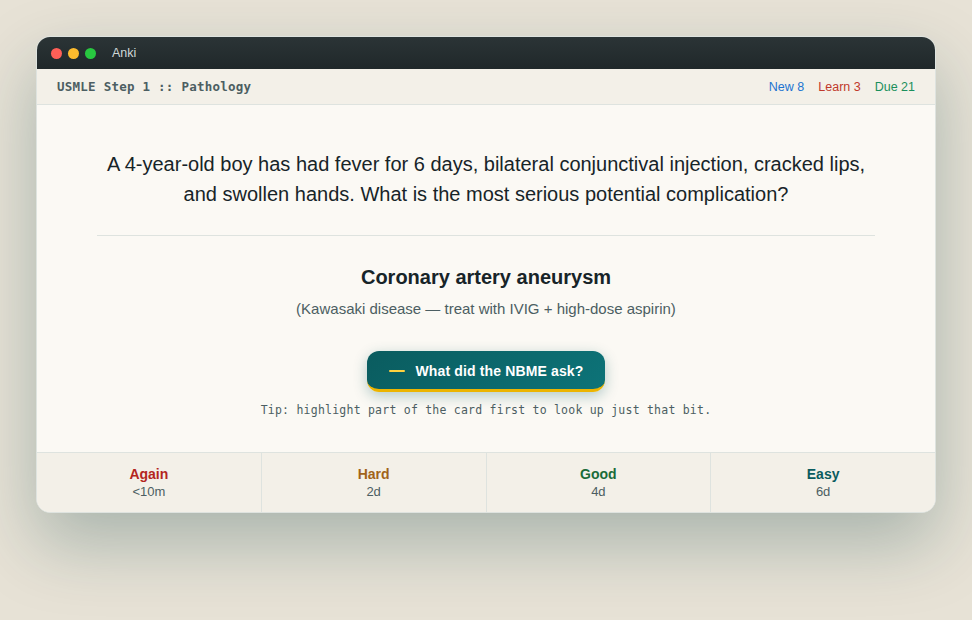
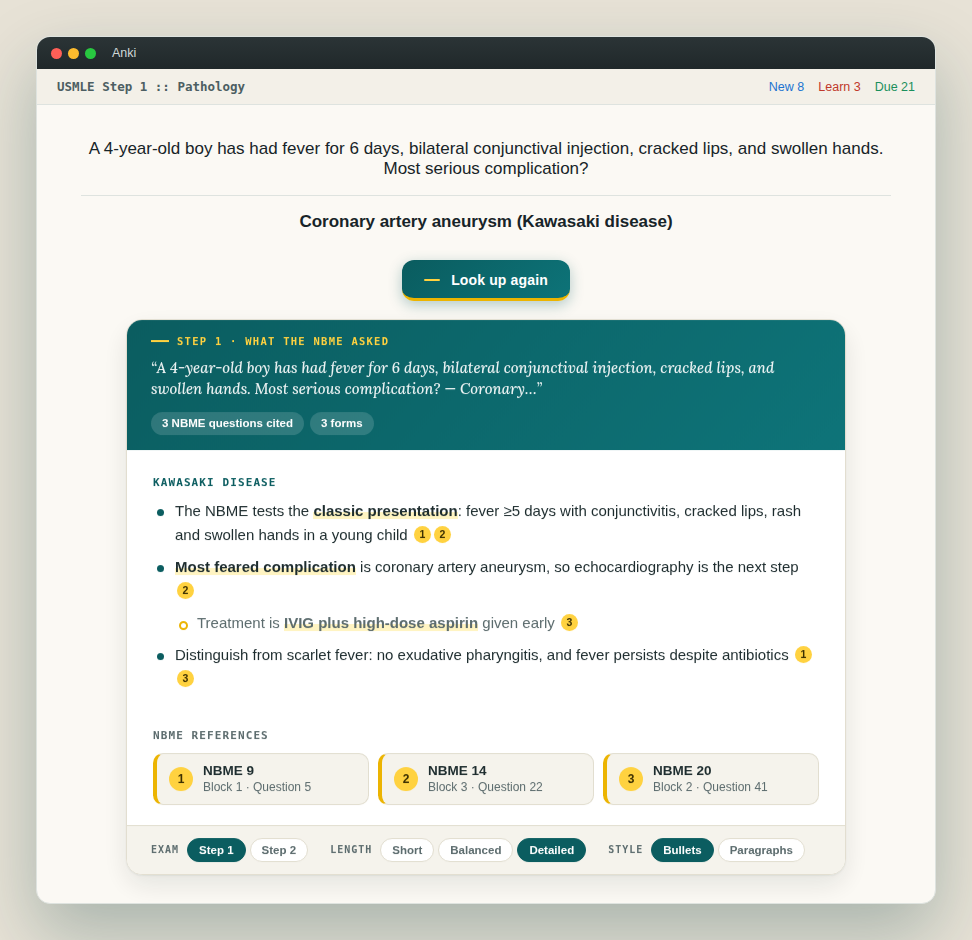
OnlyHighYield turns your Anki reviews into NBME practice. Reveal a card, press What did the NBME ask?, and a short summary appears under the answer, built only from real NBME and CMS form questions, with every fact linked back to the exact form, block and question it came from.
Features
- NBME-cited summaries. Bullet points with the key facts in bold, each with a numbered badge. Tap a badge to see the NBME form, block and question it came from.
- Works with any deck. AnKing, your own cards or anything else. It reads the front and back of the card on screen.
- Look up just part of a card. Highlight some text before pressing the button and only that selection is looked up. Useful when a card covers more than one topic.
- Your choice of format. Switch between Step 1 and Step 2, Short, Balanced or Detailed, and Bullets or Paragraphs from the bar under the result. Your choice is remembered.
- References on or off. Hide the citations and reference list with one switch if you just want the summary.
- Search any topic. Tools > OnlyHighYield > Look up a topic opens a window where you can type any topic and copy the summary.
- Keyboard shortcut. Press Ctrl+Shift+H (Cmd+Shift+H on Mac) while the answer is showing. There is also a right-click option during review.
- Stays out of the way. The button only appears on the answer side, does nothing until you press it, and the lookup runs in the background so Anki never freezes. It follows Anki's light and dark theme.
Getting started
- Install the add-on and restart Anki.
- Go to Tools > OnlyHighYield > Sign in and log in with your OnlyHighYield account (create one free at onlyhighyield.com). You only need to do this once.
- Review a card, reveal the answer and press What did the NBME ask? A summary usually takes 10 to 30 seconds.
An OnlyHighYield account is required. Lookups in the add-on share the same allowance as the website; see onlyhighyield.com for details.
Settings
Open Tools > Add-ons > OnlyHighYield > Config to change them:
show_review_button: set to false to hide the button. The shortcut and menu still work.shortcut: change the keyboard shortcut (restart Anki after changing).response_mode and response_style: default length and format.show_references: show or hide citations by default.
Support
Questions, bugs or suggestions: use the Give feedback button on onlyhighyield.com.
OnlyHighYield is an independent study tool and is not affiliated with or endorsed by the NBME or USMLE.