Memorize Bible verses and passages with Anki. Enter the reference and paste the text – the add-on creates all the cards for you.
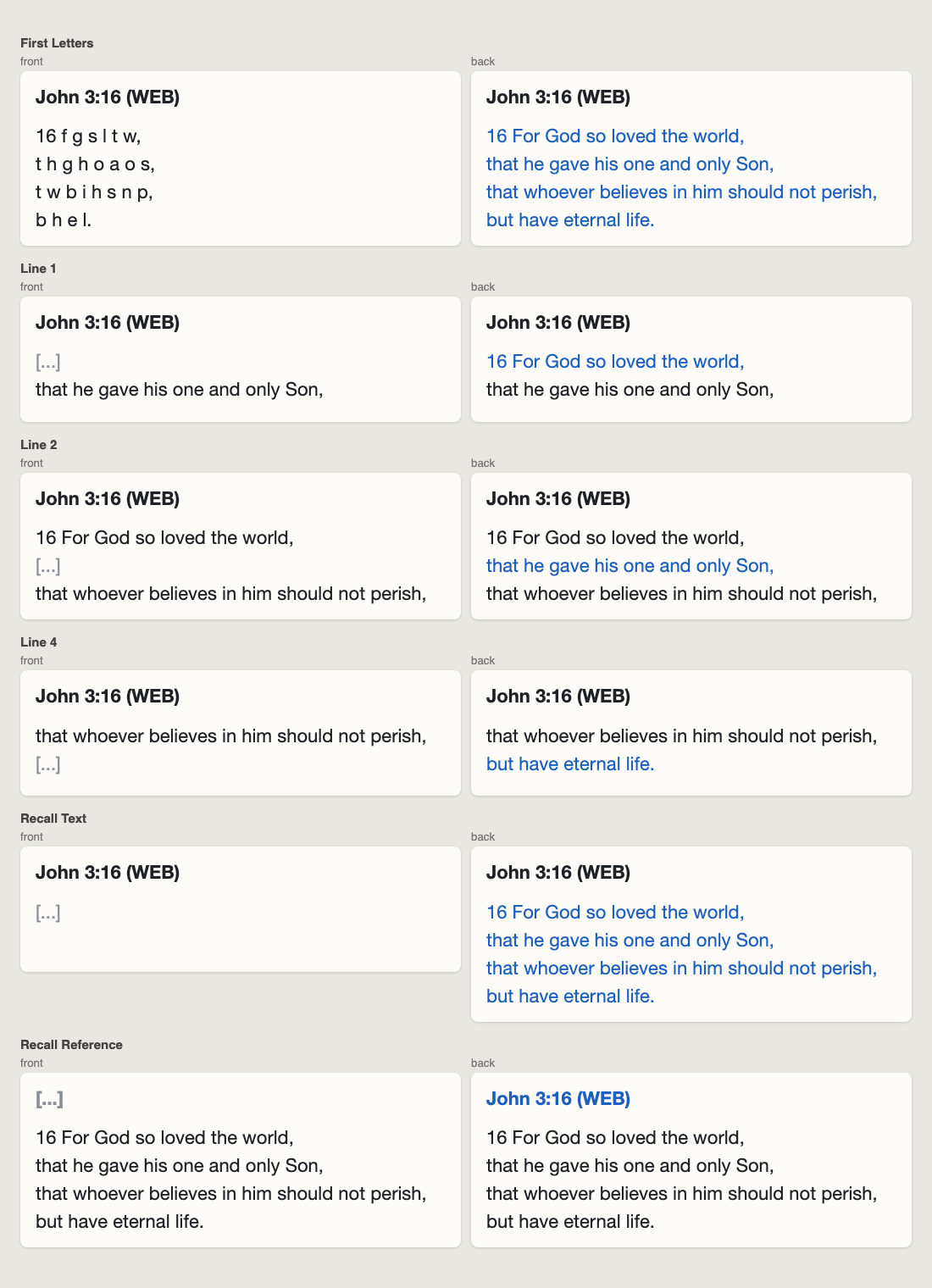
Card types
| Card | Front | Back |
|---|---|---|
| First Letters | reference + only the first letter of every word, e.g. 16 f g s l t w, | full text |
| Line 1, 2, 3… | reference + the line before + [...] + the line after | the missing line highlighted |
| Recall Text | reference + [...] | full text |
| Recall Reference | [...] + text | reference |
The first line only shows the line after it, the last line only the line before it. A text with a single line gets no line cards.
How to use
- Open Add and choose the note type Bible Verse (created automatically when you open your profile).
- Fill in Reference (e.g.
John 3:16) and paste the Text. Want the translation on the card? Put it in the reference: John 3:16 (NIV).
- Click Add.
Lines: if you add line breaks yourself, every line becomes a card line. If you paste one running text, it is split after , ; : . ! ?. Verse numbers are kept, and passages with several verses work too (up to 30 line cards per note).
Editing: change the text and the cards are updated when you leave the field. If a text gets shorter, run Tools → Bible Verse Memorizer: Update All Verses to remove empty line cards (can be undone). This action is also useful after editing notes on your phone.
Mobile: studying on AnkiMobile and AnkiDroid works normally. Add and edit verses on the desktop, where the add-on runs.
Settings
hide_generated_fields (default true) – hides the fields the add-on fills in itself (Formatted, FirstLetters, Line1–30) in the editor.
Notes
- The add-on contains no Bible text; you paste the translation of your choice.
- Tested with Anki 25.02 and 26.09.
- Source code, bug reports and suggestions: GitHub
- License: MIT
