Cloze Dropdown is an interactive Anki cloze deletion add-on that
turns normal cloze cards into multiple-choice dropdown quizzes.
Instead of typing the missing word or phrase, select the correct answer from a
dropdown menu. Create cloze cards normally, then use interactive answer
choices for faster and more active review.
Cloze Dropdown cards work on Anki Desktop, AnkiMobile, AnkiDroid, and AnkiWeb.
Cloze Dropdown is useful for language learning, grammar, vocabulary,
active recall, self-testing, medical terminology, science, history,
definitions, and exam preparation.
Quick Preview
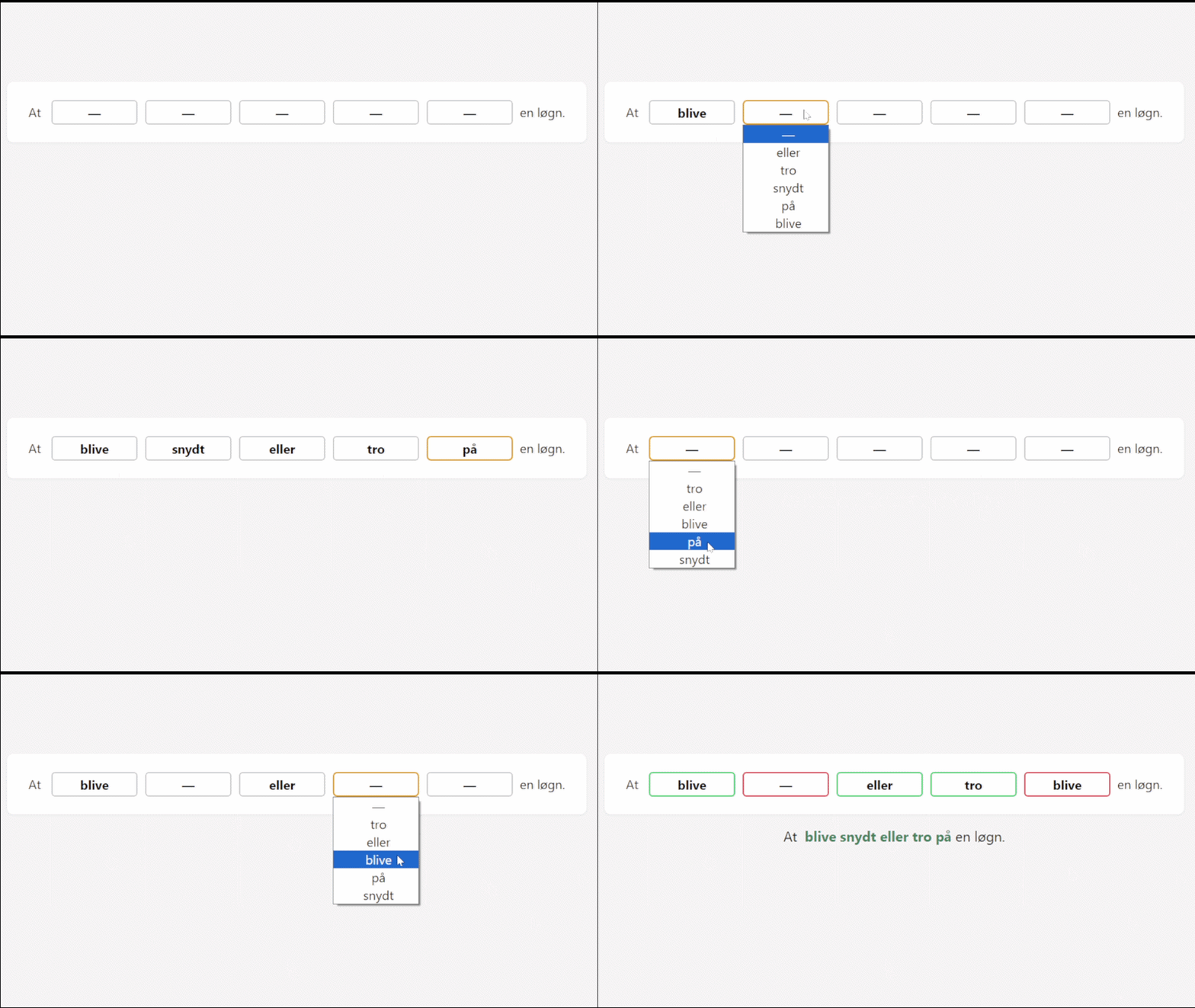
Turn Anki cloze cards into interactive dropdown quizzes
Features
- Interactive Anki cloze deletion cards
- Multiple-choice dropdown answers
- Up to 9 answer choices per blank
- Alphabetical or randomized answer order
- Automatic answer shuffling
- Correct and incorrect answer feedback
- Green and red border feedback
- Original text colours remain unchanged
- Optional automatic card flip
- Keyboard shortcuts: 1–9, Space, and Enter
- Horizontal and vertical alignment options
- Optional white content container
- Custom dropdown and answer colours
- Light Mode and Dark Mode support
- Lightweight and simple setup
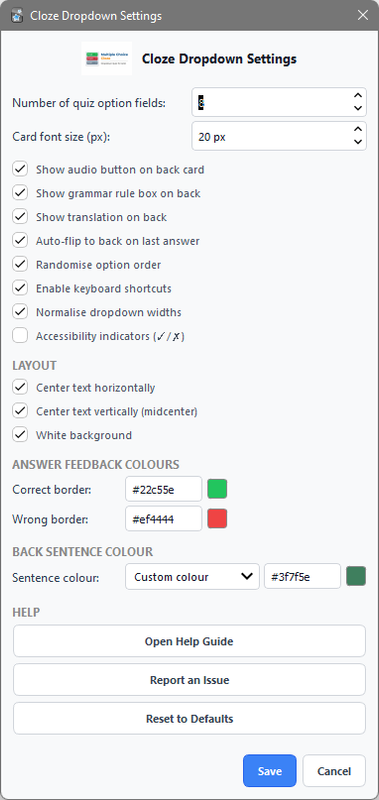
Clean and Customizable
Customize the appearance and behaviour of your interactive cloze cards to
match your normal Anki setup.
Interactive dropdown with answer feedback
Customize the layout and appearance
Good For
- Language learning
- Grammar practice
- Grammar exercises
- Vocabulary learning
- Word and phrase recall
- Medical terminology
- Science and engineering
- History and facts
- Definitions and terminology
- Multiple-choice quizzes
- Active recall
- Self-testing
- Exam preparation
How to Use
- Create a Cloze Dropdown card in Anki.
- Review the card normally.
- Select an answer from each dropdown.
- Continue through the cloze blanks.
- Flip the card manually or enable Auto Flip.
- Use keyboard shortcuts for faster review.
Keyboard Shortcuts
- 1–9 — Select an answer choice
- Space — Select the first available option
- Enter — Flip the card
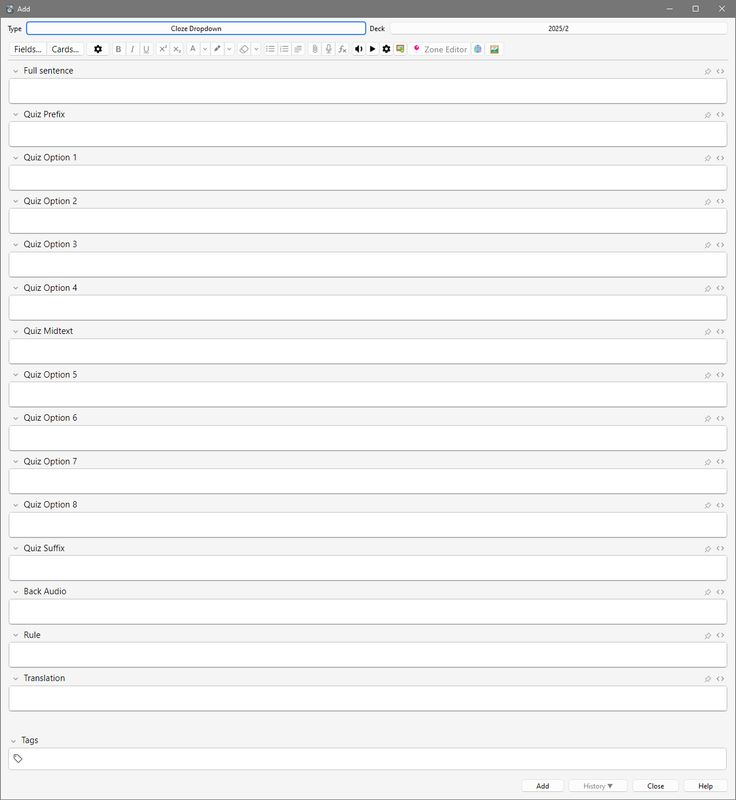
Settings
Open Tools → Cloze Dropdown Settings to customize your cards.
- Dropdown alignment
- Horizontal and vertical centering
- White content container
- Correct and incorrect border colours
- Highlighted-word colour
- Alphabetical or randomized answer order
- Auto Flip behaviour
Simple by Design
Cloze Dropdown keeps the familiar Anki cloze deletion workflow while
adding an interactive multiple-choice dropdown.
It is designed for users who want a simple way to make cloze review more
interactive without turning their cards into a complicated quiz system.
Support
If you find a bug, have a feature request, or have an idea for improving
Cloze Dropdown, feel free to report it on GitHub.
Report an issue or suggest a feature on GitHub
Related Add-ons
FocusFlow
— study sessions, focus tools, and progress tracking.
Grammar Trainer
— interactive grammar and fill-in-the-blank exercises.
Multiple Choice Dropdown
— interactive multiple-choice dropdown cards.
Mouse Buttons as Review Shortcuts
— use mouse buttons and scrolling as Anki review shortcuts.