Minimalistic Typing Panel adds a clean, floating typing panel,
scratchpad, and text workspace to Anki. Type notes, write answers,
think through problems, brainstorm ideas, or practice active recall directly
during card review without leaving Anki.
The floating panel gives you a simple place to type while studying.
It is especially useful when you want to write an answer before revealing the
solution, take temporary notes, work through a problem, or keep your thoughts
in one place during a review session.
Designed for students who prefer typing over handwriting, Minimalistic Typing
Panel provides a distraction-free and customizable workspace that stays
available while reviewing flashcards.
I originally created this add-on for my own daily study sessions because I
wanted one simple place to type answers before revealing the card. After using
it every day, I decided to share it with the Anki community.
Quick Preview
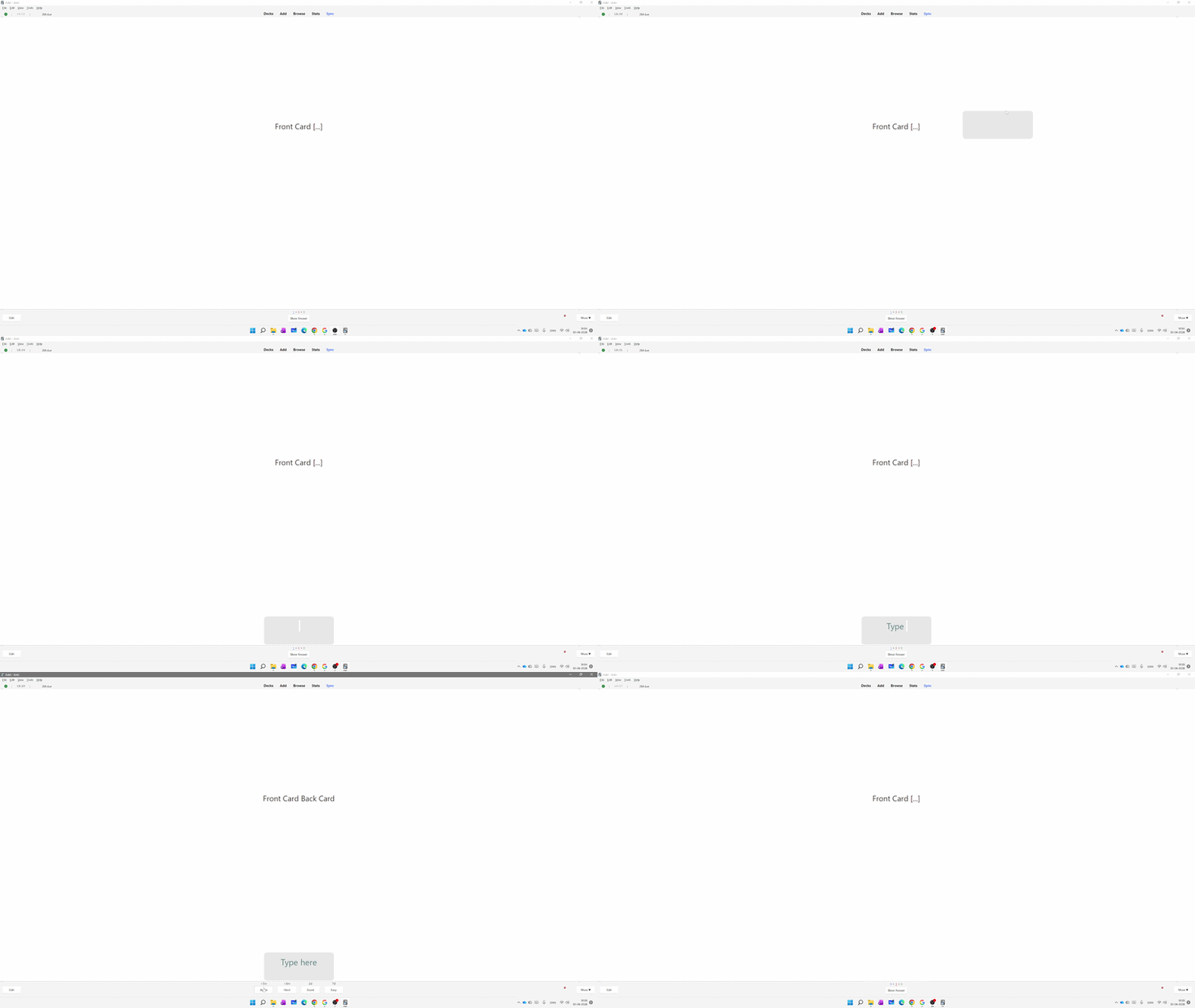
Type answers, notes, and ideas directly while reviewing Anki cards
Customize your workspace
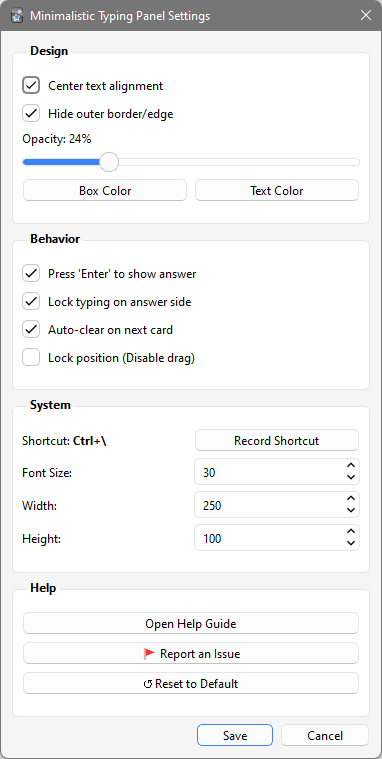
Change the appearance of the typing panel to match your study style, including
font size, transparency, colours, alignment, and position.
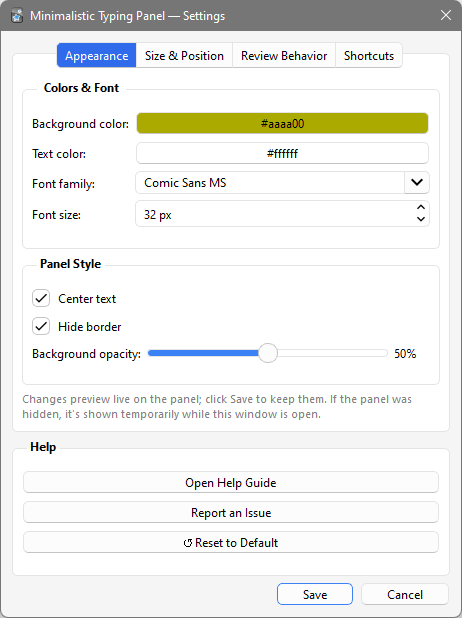
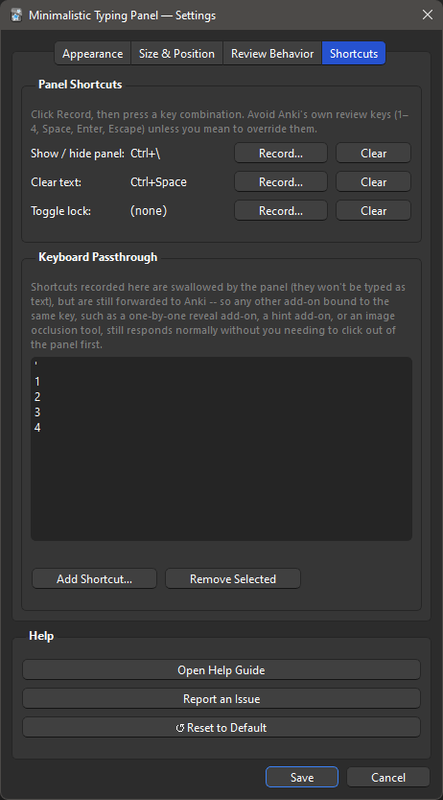
Customize appearance, opacity, colours, shortcuts, and behaviour
Features
- Floating typing panel for Anki review
- Simple scratchpad and temporary text workspace
- Type answers before revealing the card
- Write notes directly during review
- Useful for active recall and self-testing
- Distraction-free writing area
- Transparent and glassmorphic design
- Automatic text clearing when moving to the next card
- Optional typing lock on the answer side
- Forward Anki keyboard shortcuts while the panel is active
- Custom keyboard shortcut to show or hide the panel
- Move the panel anywhere on the screen
- Lock the panel position
- Custom font size, colours, and opacity
- Optional center text alignment
- Works with Light and Dark mode
- Lightweight and easy to use
Perfect for
- Language learning
- Typing answers before revealing the solution
- Active recall practice
- Self-testing and answer practice
- Math calculations and problem solving
- Writing quick notes
- Brainstorming ideas
- Exam and test preparation
- Temporary notes during flashcard review
- Students who prefer typing instead of handwriting
How to use
- Press your toggle shortcut (default: Ctrl+\) to open the panel.
- Type your answer, notes, calculations, or ideas.
- Press Enter to reveal the answer if enabled in Settings.
- Use Anki grading shortcuts such as 1–4 or Space without leaving the panel.
- Move to the next card and continue studying.
Settings
Open Tools → Minimalistic Typing Panel Settings to customize the panel.
- Change font size
- Adjust panel opacity and transparency
- Choose custom background and text colours
- Enable center text alignment
- Lock the panel position
- Choose typing behaviour on the answer side
- Record your own keyboard shortcut
Report an issue or suggest a feature on GitHub
This add-on is part of my own daily study workflow and continues to develop
through real study sessions. If you use it in a different way or discover an
idea that could make it better, I would be happy to hear it.
Related Add-ons
A companion add-on for:
FocusFlow.
A companion add-on for:
Focus Mode Suite.