Sequential Cloze

AnkiWeb addon 2131608019

Reveals cloze deletions progressively one at a time or with adjustable surrounding context for ordered information, using keyboard, click, and mouse controls.
AI-generated summary; may contain mistakes.

review-flowshortcutsappearancecard-templatesclozemobile-compatible

Open on AnkiWeb GitHub Find alternatives

AnkiWeb

Votes
0 (πŸ‘ 0 Β· πŸ‘Ž 0)
Updated
2026-09-24
Anki versions
25.07.1~
License
MIT (from the license file in the package)
Virus scan
No ClamAV match A match does not prove malware. No match does not prove that the code is safe.
Languages
Python, JavaScript, CSS, JSON
Description language
en

Maintenance

active

  • Last update or commit: 2026-09-24 (38 days before the snapshot).
  • Commits in the last year: 28.
  • Issues: 0 open, 0 closed.
  • Pull requests: 0 open, 0 merged.

Will it work on my Anki?

Version branches
Min AnkiMax AnkiUpdated
23.1025.072026-06-16
25.07.1+2026-09-24
History across monthly snapshots

Loading…

Similar addons

Ascending cloze reviews

Reorders due cloze cards in ascending cloze ordinal order by adjusting their due dates, so reviews follow note sequence; creates backups and is intended for the v3 scheduler.

schedulingreview-flowcloze

2 votes 34% approval πŸ‘ 2 Β· πŸ‘Ž 0 Anki 2.1.66~ Updated 2023-02-21
Minimalistic Typing Panel

Adds a customizable floating typing panel and scratchpad for Anki review, letting users type answers or notes before revealing cards, with auto-clear and shortcut forwarding.

review-flowshortcutsappearancequiz

1 votes 21% approval πŸ‘ 1 Β· πŸ‘Ž 0 ⭐ 0 Anki 25.07.1~ Updated 2026-09-07

Description

Sequential Cloze is an Anki add-on for reviewing cloze deletion cards one step at a time. It lets you reveal Anki cloze cards progressively instead of showing all hidden information at once.

Sequential Cloze provides two ways to study:

  • Sequential Reveal β€” reveal hidden cloze deletions one by one.
  • Sequential Context β€” review ordered cloze items while keeping nearby information visible as context.

This makes Sequential Cloze useful for active recall, step-by-step learning, large cloze cards, ordered information, and information-heavy study material.

The card functionality works without requiring the desktop add-on during review. Once your cards are set up, they can be reviewed across Anki Desktop, AnkiMobile, AnkiDroid, and AnkiWeb.

Quick Demo
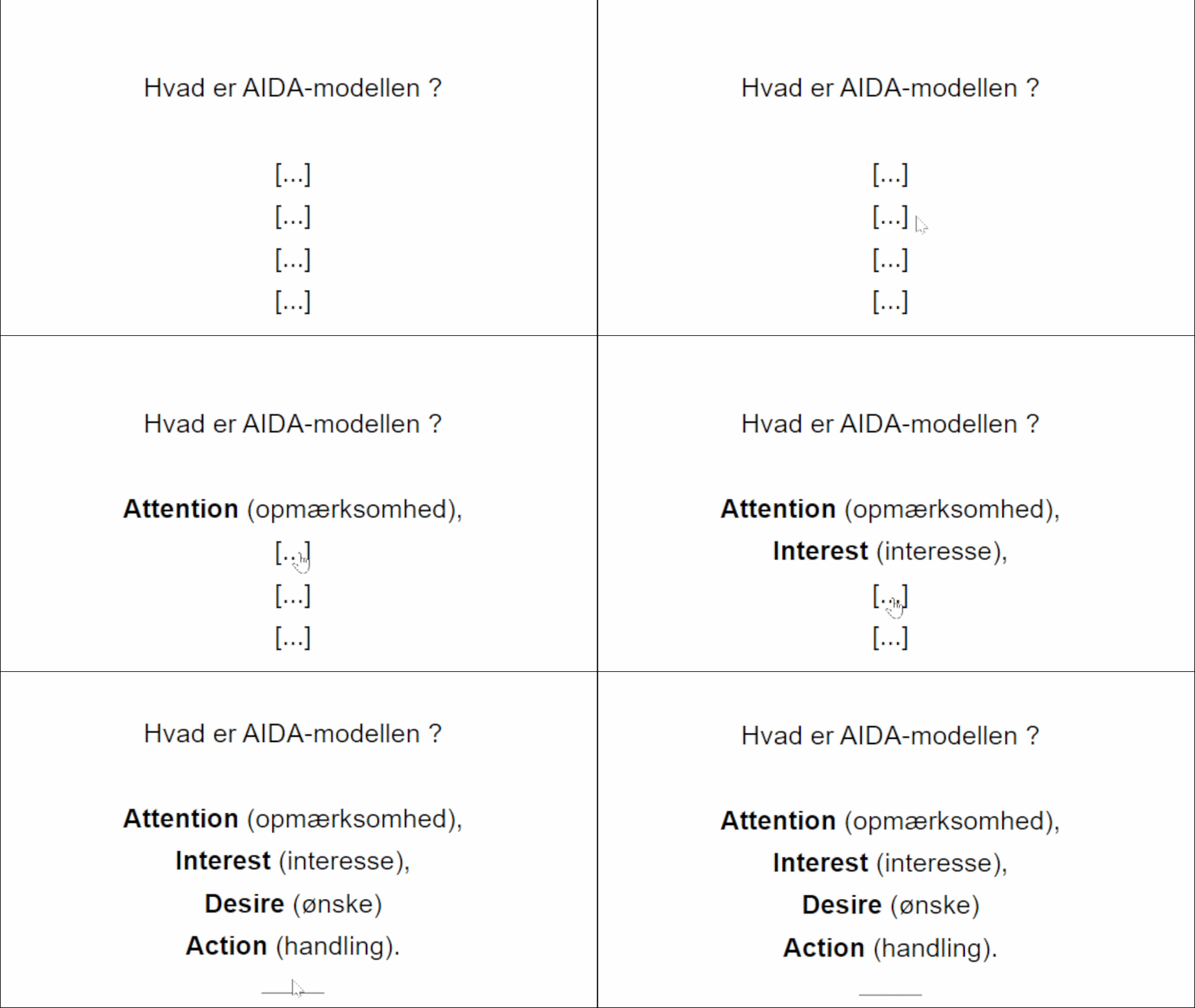
Reveal cloze information step by step instead of seeing everything at once

Sequential Reveal β€” One Cloze at a Time

Sequential Reveal lets you reveal hidden cloze segments individually. Instead of revealing the entire answer at once, you reveal the next cloze when you are ready.

This creates a simple one-cloze-at-a-time review experience that can be useful for large or complex cloze deletion cards.
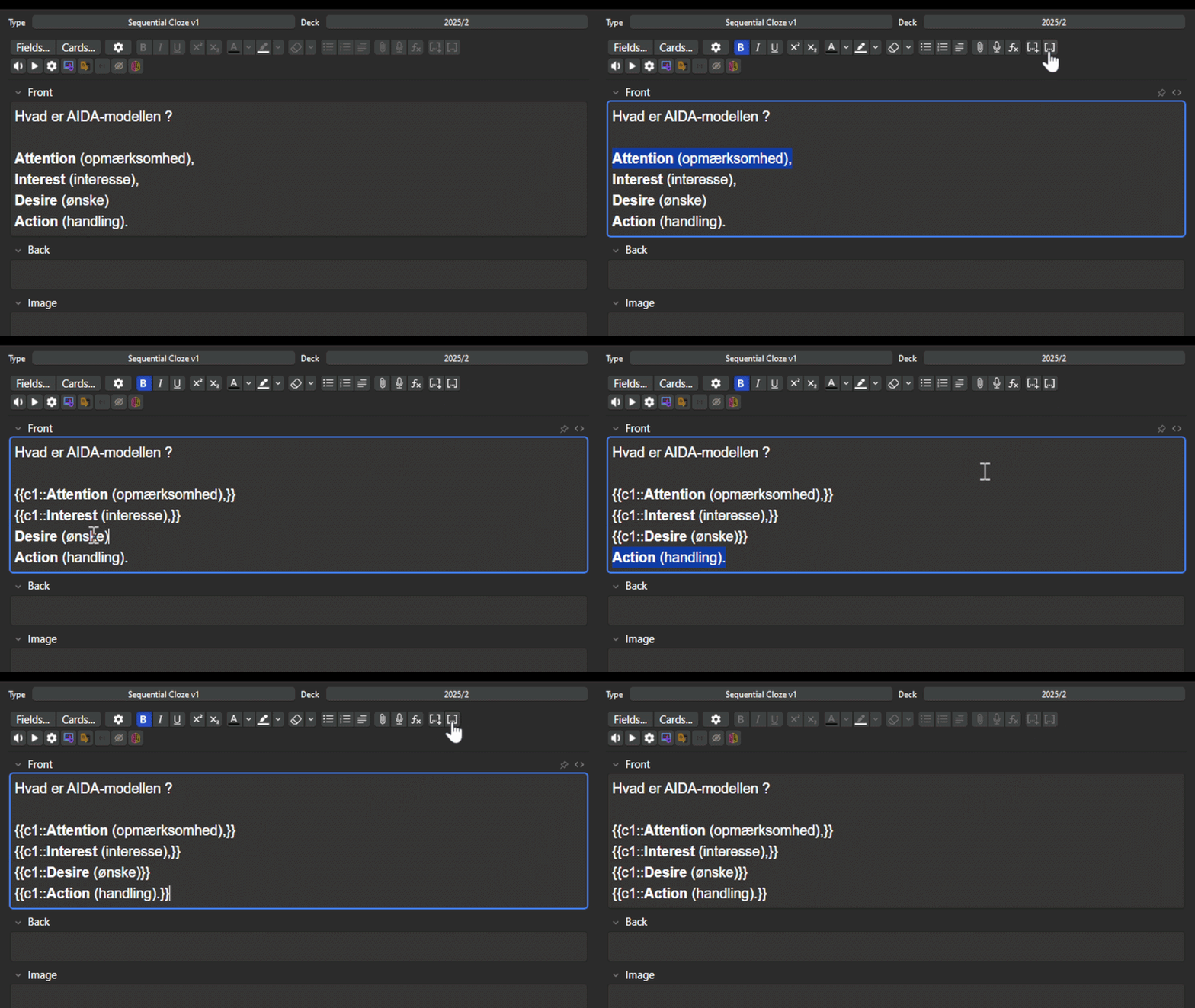
Reveal and review each cloze progressively

  • Reveal clozes one by one
  • Click individual cloze segments to reveal or hide them
  • Press Space or Enter to reveal the next cloze
  • Press Shift + Space to reveal all clozes
  • Use the mouse wheel to reveal the next cloze
  • Flip the card normally when the reveal sequence is complete

Sequential Context β€” Cloze Review with Context

Sequential Context is designed for ordered information such as lists, sequences, steps, procedures, or numbered items.

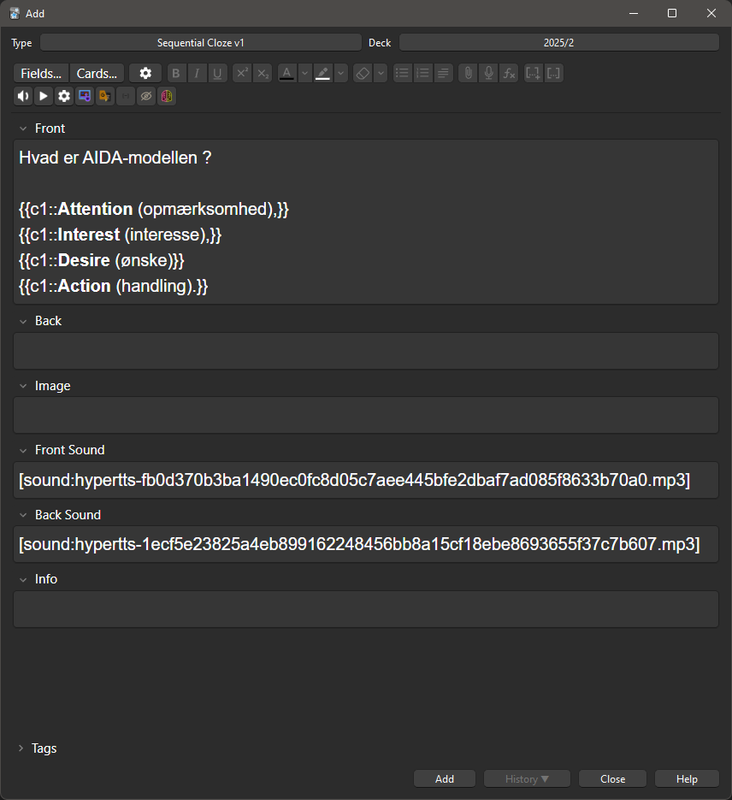
Using clozes such as {{c1::}}, {{c2::}}, {{c3::}}, and so on, you can review one item while keeping nearby items visible. This provides additional context around the cloze currently being tested.
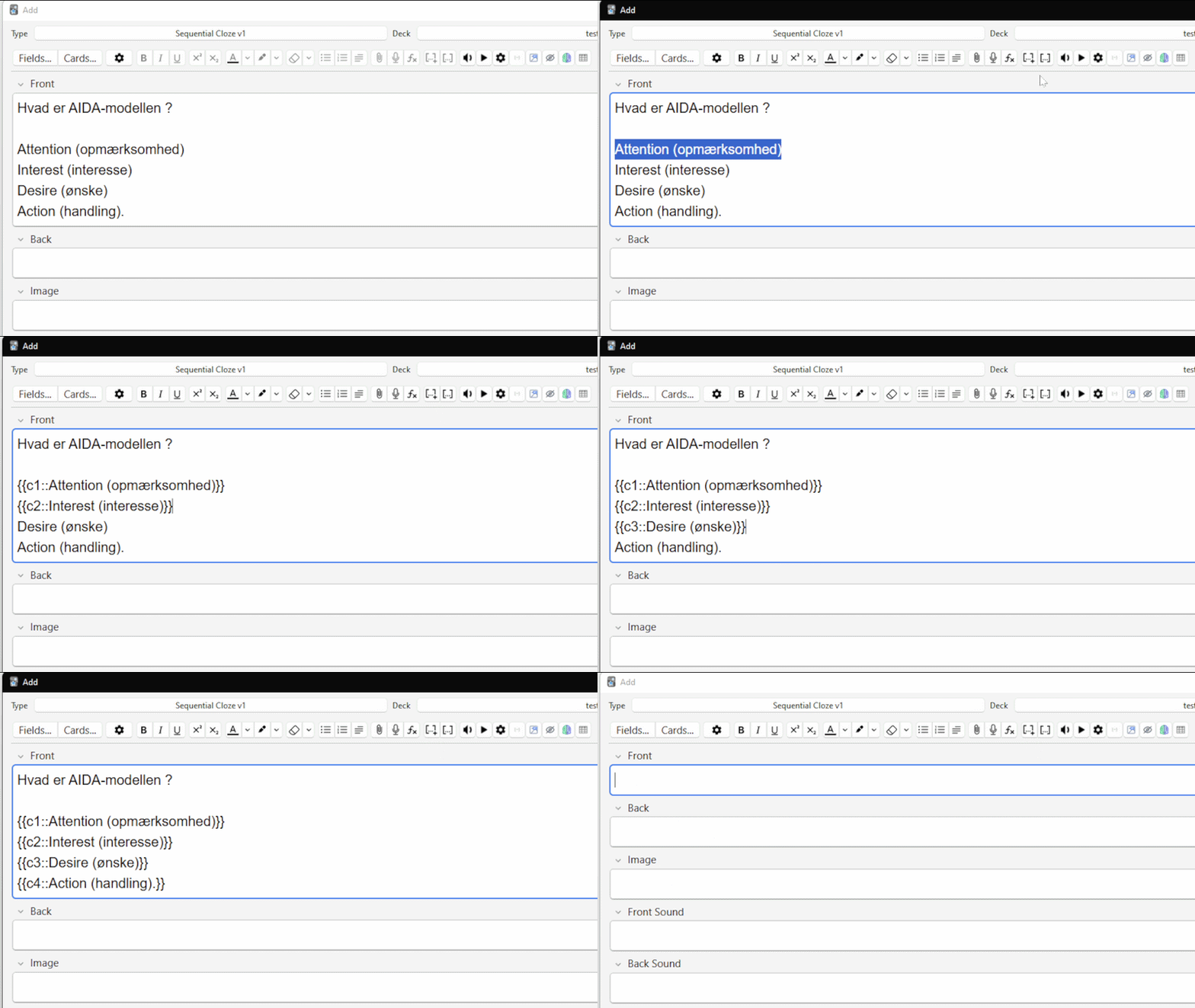
Review one cloze while keeping nearby items visible for context

Control How Much Context You See

Sequential Context lets you control how much information remains visible around the item you are currently reviewing. Choose a smaller or larger context window depending on the material.
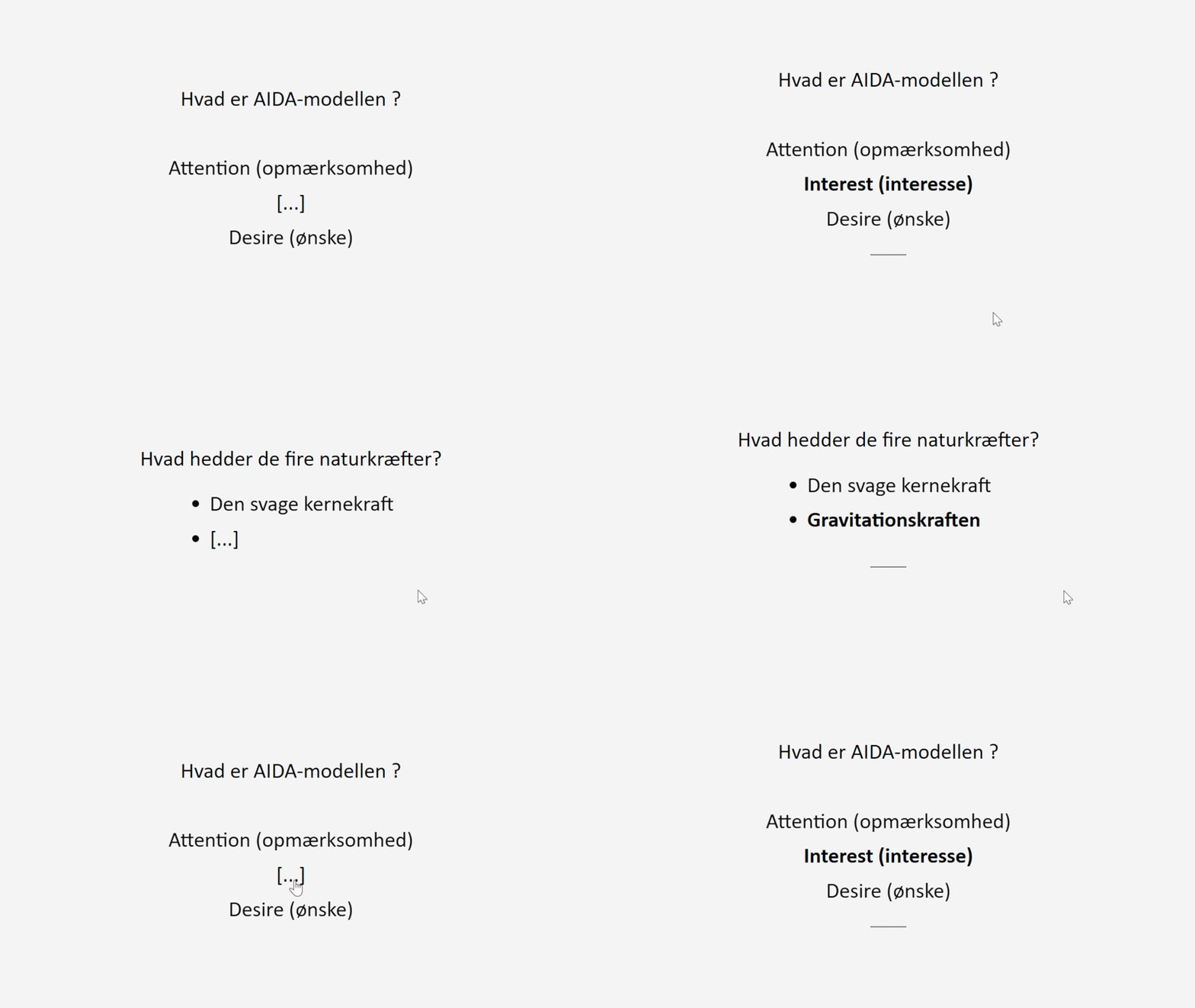
Adjust the context window to show the surrounding information you need

  • Context Before β€” show previous items on the front
  • Context After β€” show following items on the front
  • Back Context Before / After β€” control context shown on the back
  • Mask Subsequent Items β€” hide future items outside the selected context window

Focus on the Information You Are Studying

Both review modes are designed to reduce visual clutter on large Anki cloze cards. Instead of revealing or displaying everything at once, you can focus on the information currently being tested.
A clean layout for reviewing information-heavy cloze cards

Optional Card Content

Sequential Cloze also supports additional card content that can be shown when needed.

  • Visible Image β€” always show an image
  • Image β€” reveal or hide an image with the Image button or G
  • Info β€” reveal or hide additional information with the Info button or H
  • Front Audio / Back Audio β€” audio controls in the control bar
  • Explanation β€” show an explanation on the back of the card

Features

  • Sequential cloze review
  • Sequential cloze reveal
  • Sequential context review
  • One-cloze-at-a-time learning
  • Progressive information reveal
  • Context before and after selected items
  • Adjustable context window
  • Optional masking of subsequent items
  • Click-to-reveal clozes
  • Keyboard shortcuts
  • Mouse wheel reveal
  • Reveal all clozes option
  • Custom reveal speed
  • Custom reveal behaviour
  • Animation and transition controls
  • Custom highlighting and visibility options
  • Centered and focused layouts
  • Custom font family and font size
  • Optional bold cloze text
  • Light and Dark Mode support
  • Optional images, information, audio, and explanations

Good For

  • Large and information-heavy cloze cards
  • Step-by-step learning
  • Active recall practice
  • Sequential cloze review
  • Ordered lists and sequences
  • Language learning
  • Vocabulary and grammar
  • History and science
  • Medicine and anatomy
  • Complex topics
  • Reducing visual distractions
  • Focused Anki study sessions

How to Use

Choose the review mode that fits the type of material you are studying.

  • Use Sequential Reveal to reveal cloze deletions one by one.
  • Use Sequential Context for ordered information where nearby items provide useful context.
  • Press Space or Enter to reveal the next cloze.
  • Click a cloze to reveal or hide it when click-to-reveal is enabled.
  • Press Shift + Space to reveal all clozes.
  • Use the mouse wheel to reveal the next cloze.
  • Press G to toggle the Image.
  • Press H to toggle Info.
  • Change shortcuts and mouse bindings in Settings β†’ Reveal Controls.

Settings

Customize how Sequential Cloze looks and behaves to match your study preferences.

  • General β€” layout, font family, font size, and bold cloze text
  • Reveal Controls β€” reveal speed, click-to-reveal, shortcuts, and mouse controls
  • Compatibility β€” optional custom cloze colors
  • Sequential Context β€” enable the mode and configure context options

Works Across Anki

The interactive card functionality is built with HTML, CSS, and JavaScript, so it does not depend on the Python add-on running during review.

You can create or configure your cards on Anki Desktop and continue studying them on AnkiMobile, AnkiDroid, and AnkiWeb.

Made for Different Study Styles

Sequential Cloze keeps the learning process simple: reveal one part, focus on it, and continue.

Whether you want to reveal a large cloze card gradually or study an ordered sequence with surrounding context, the goal is to keep the information manageable and focus on what you are currently learning.

If you use Sequential Cloze in a different way or have an idea that could make it more useful, feel free to share it.

Report an issue or suggest an idea on GitHub


Related Add-ons

A companion add-on for: FocusFlow.

A companion add-on for: Drag Drop.

A companion add-on for: Mouse Buttons as Review Shortcuts.

README

Sequential Cloze

A focused Anki add-on for reviewing cloze cards step by step.

Sequential Cloze provides two ways to work with cloze deletions:

  • Sequential Reveal β€” reveal hidden cloze parts one by one.
  • Sequential Context β€” review ordered cloze items while keeping nearby information visible as context.

The goal is simple: reduce visual clutter and let you focus on the information you are currently studying.


Review Modes

Sequential Reveal

Reveal hidden cloze segments progressively instead of showing everything at once.

For example:

The capital of France is {{c1::Paris}}.
The capital of Germany is {{c2::Berlin}}.
The capital of Italy is {{c3::Rome}}.

Instead of revealing all answers together, Sequential Reveal lets you move through them one at a time.

Controls:

Space / Enter β€” reveal the next cloze
Click β€” reveal or hide an individual cloze
Shift + Space β€” reveal all clozes
Mouse wheel down β€” reveal the next cloze
When all clozes are revealed, continue normally and flip the card
Sequential Context

Sequential Context is designed for ordered information such as:

Lists
Sequences
Steps in a process
Numbered information
Ordered study material

It uses numbered clozes such as:

{{c1::First item}}
{{c2::Second item}}
{{c3::Third item}}
{{c4::Fourth item}}

You can review one item while keeping nearby items visible.

This provides context without revealing the entire sequence.

Context Options

Sequential Context lets you control how much surrounding information is shown.

Context Before β€” show previous items on the front
Context After β€” show following items on the front
Back Context Before / After β€” control context shown on the back
Mask Subsequent Items β€” hide future items outside the selected context window
Optional Card Content

Sequential Cloze also supports additional content that can be revealed when needed.

Field	Purpose
Visible Image	Image that is always visible
Image	Image that can be toggled during review
Info	Additional information that can be toggled
Front Audio	Audio control on the front
Back Audio	Audio control on the back
Explanation	Additional explanation shown on the back
Default Shortcuts
G β€” toggle Image
H β€” toggle Info

Shortcuts and mouse bindings can be changed in:

Settings β†’ Reveal Controls

Features
Sequential cloze reveal
Sequential context review
One-by-one cloze learning
Progressive information reveal
Context before and after selected items
Adjustable context window
Optional masking of subsequent items
Click-to-reveal clozes
Keyboard shortcuts
Mouse wheel reveal
Reveal-all option
Configurable reveal speed
Custom reveal behaviour
Animation and transition controls
Custom highlighting and visibility options
Centered and focused layouts
Custom font family and font size
Optional bold cloze text
Light and Dark mode support
Optional images, information, audio, and explanations
Settings
General

Configure the general appearance of your cards.

Layout
Font family
Font size
Bold cloze text
Reveal Controls

Configure how Sequential Reveal behaves.

Reveal speed
Click-to-reveal
Keyboard shortcuts
Mouse bindings
Compatibility

Optional custom cloze color settings for compatibility with different card styles.

Sequential Context

Configure the context-based review mode.

Enable or disable Sequential Context
Context before
Context after
Back context before
Back context after
Mask subsequent items
Works Across Anki

The interactive card functionality is built with standard:

HTML
CSS
JavaScript

The Python add-on is used for setup and configuration, but it is not required to run the interactive card functionality during review.

Once the cards are configured, they can be reviewed on:

Anki Desktop
AnkiMobile
AnkiDroid
AnkiWeb

This makes it possible to configure your cards on desktop and continue studying on other devices.

Good For

Sequential Cloze can be useful for:

Large cloze cards
Information-heavy cards
Active recall
Step-by-step learning
Ordered lists and sequences
Language learning
Vocabulary
Grammar
History
Science
Medicine
Anatomy
Complex topics
Reducing visual distractions
Focused study sessions
Installation
From AnkiWeb

Install Sequential Cloze from AnkiWeb:

Sequential Cloze – AnkiWeb

From GitHub

Clone or download this repository and install the add-on in your Anki add-ons directory.

Restart Anki after installation if required.

How It Works

Sequential Cloze uses Anki card templates together with HTML, CSS, and JavaScript to provide the interactive review experience.

The desktop Python component handles configuration and setup.

The interactive review logic runs inside the card itself, which is why the configured cards can continue to work on supported Anki clients without the desktop Python add-on running during review.

Compatibility

Designed for Anki Desktop and card review across:

Windows
macOS
Linux
AnkiMobile
AnkiDroid
AnkiWeb

The interactive card functionality is based on standard web technologies rather than requiring Python during review.

Feedback and Issues

Found a bug, compatibility problem, or have an idea for improving Sequential Cloze?

Please open an issue:

GitHub Issues

When reporting a problem, please include:

Anki version
Operating system
Anki client/device
Steps to reproduce the problem
Relevant card/template information
Screenshots or recordings when useful
Related Add-ons
FocusFlow β€” study activity, focus, and progress tracking
Cloze Dropdown β€” interactive dropdown choices for cloze cards
Mouse Buttons as Review Shortcuts β€” use mouse buttons as Anki review shortcuts
License

MIT License

Copyright (c) 2026 Adel Aitah