Focus Mode Suite is a lightweight focus mode and distraction-free study add-on for Anki.
It creates a cleaner Anki review interface by hiding menus, toolbars, buttons, the status bar,
and other interface elements you do not need while studying.
Use Focus Mode Suite to create a more minimal Anki interface, reduce visual distractions,
and give your flashcards more screen space during review.
Press the keyboard shortcut (default: F11) to cycle between
Normal Mode, Standard Focus Mode, and Ultra Focus Mode.
Quick Overview
Focus Mode Suite gives you three levels of Anki interface visibility, so you can choose how
minimal you want your review screen to be.
- Normal Mode — the standard Anki interface
- Standard Focus Mode — hides unnecessary interface elements
- Ultra Focus Mode — provides the most minimal review interface and hides the card header
Normal Mode
Normal Mode keeps the standard Anki interface visible, including menus, toolbars, the status
bar, and other interface elements.
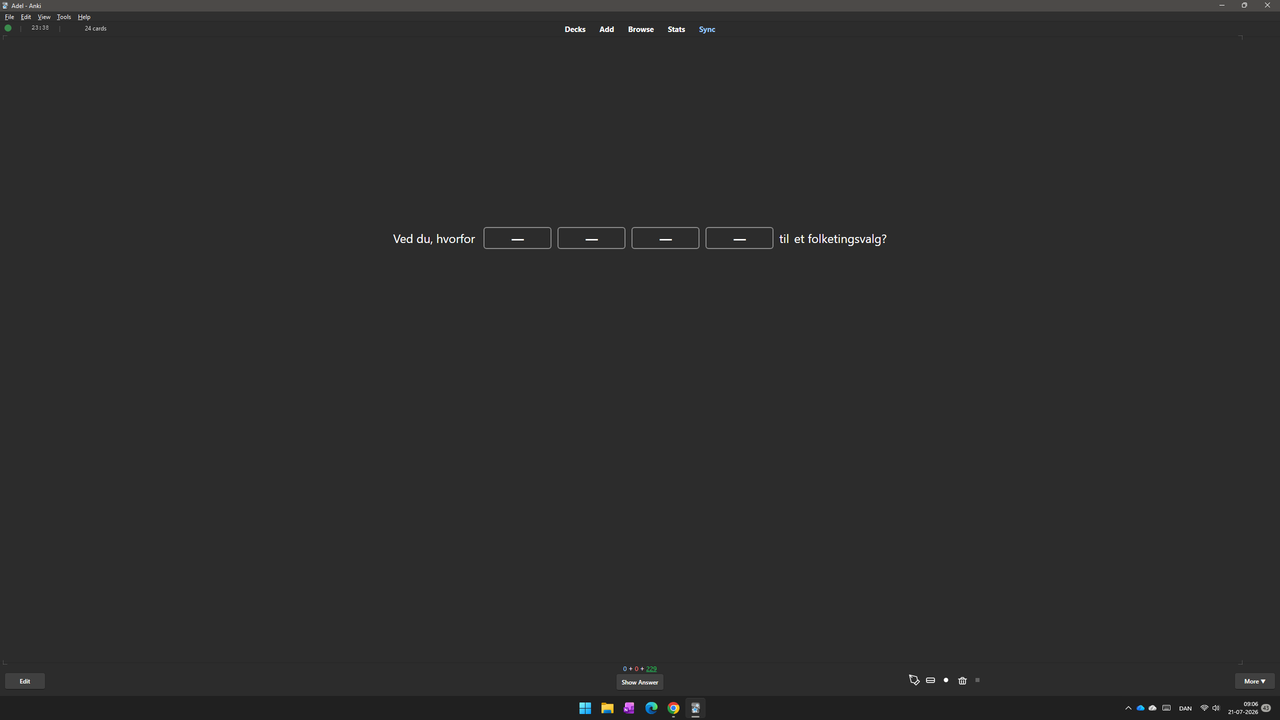
Normal Anki review interface
Standard Focus Mode
Standard Focus Mode creates a cleaner Anki review interface by hiding unnecessary menus,
toolbars, buttons, and other interface elements while keeping the normal card experience.
This mode gives your flashcards more screen space without changing the card itself.
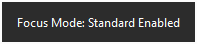
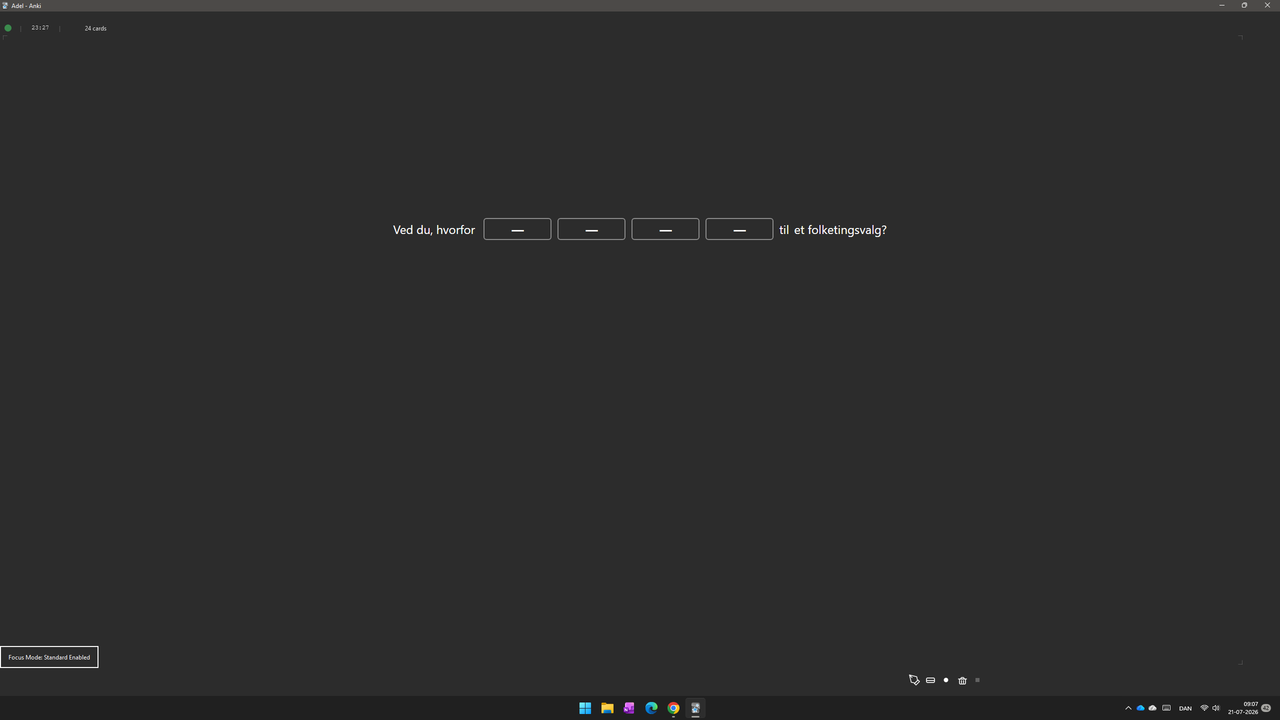
Before and after using Standard Focus Mode
Ultra Focus Mode
Ultra Focus Mode provides the most minimal and distraction-free Anki review experience.
It hides additional interface elements, including the card header, so the flashcard can use
more of the available screen space.

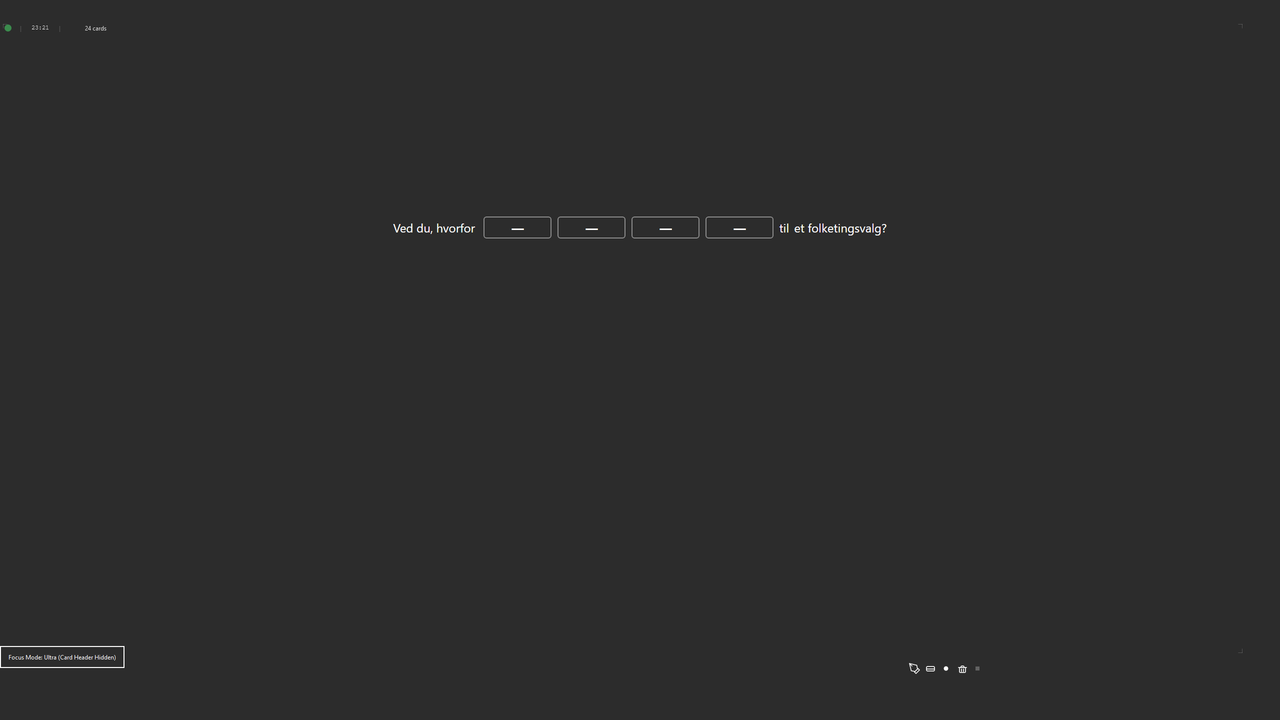
Before and after using Ultra Focus Mode
Simple Keyboard Control
Focus Mode Suite is designed to be quick to use during reviews. Press the configured keyboard
shortcut to cycle through the available focus modes.
The default shortcut is F11, and it can be changed in the settings.
Features
- Focus mode for Anki
- Distraction-free Anki review
- Three modes: Normal, Standard Focus, and Ultra Focus
- Hide Anki menus and toolbars
- Hide buttons and status bar
- Cleaner and more minimal Anki interface
- Standard Focus Mode for reduced visual clutter
- Ultra Focus Mode for maximum screen space
- Hide the card header in Ultra Focus Mode
- Quickly cycle between modes with one keyboard shortcut
- Default shortcut: F11
- Customizable keyboard shortcut
- Restore the normal Anki interface at any time
- Automatically restores the interface when leaving review
- No restart required after changing settings
- Lightweight and fast
Useful For
- Distraction-free Anki studying
- Fullscreen Anki review
- Minimalist Anki setups
- Reducing visual clutter
- Maximizing flashcard screen space
- Laptops and smaller screens
- Long study sessions
- Focused flashcard review
How to Use
- Start reviewing your cards normally in Anki.
- Press F11 to activate Focus Mode.
- Press the shortcut again to cycle through the available modes.
- Choose Normal, Standard Focus, or Ultra Focus depending on how much interface you want visible.
- Leave the Reviewer to restore the normal Anki interface.
Settings
Focus Mode Suite includes simple settings for configuring the focus modes and choosing your
preferred keyboard shortcut.
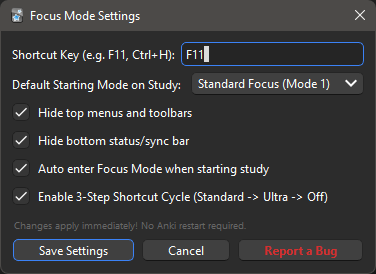
Configure the keyboard shortcut and focus mode behaviour
Why Focus Mode Suite?
Anki's review interface contains many controls that are useful for managing cards but are not
always needed while answering them.
Focus Mode Suite provides a simple way to hide those elements and keep your attention on the
flashcard and the review task.
The add-on is designed to stay lightweight and focused on one purpose:
making the Anki review interface cleaner and less distracting.
Support
If you find a bug, have a feature request, or have an idea for improving Focus Mode Suite,
feel free to share it.
Report an issue or suggest a feature on GitHub
Related Add-ons
FocusFlow
— Pomodoro timer, focus sessions, study activity, and progress tracking.
Minimalistic Typing Panel
— a lightweight scratchpad for typing during Anki reviews.
Minimalistic Drawing Panel
— draw and write directly during Anki reviews.
Mouse Buttons as Review Shortcuts
— use mouse buttons and scrolling as Anki review shortcuts.