Multiple Choice Dropdown

AnkiWeb addon 1607576074

Creates interactive multiple-choice dropdown cards in Anki with automatically shuffled answer choices, optional hints, and a one-click editor shortcut.
AI-generated summary; may contain mistakes.

card-creationshortcutscard-templatesquizmobile-compatible

Open on AnkiWeb GitHub Find alternatives

AnkiWeb

Votes
0 (πŸ‘ 0 Β· πŸ‘Ž 0)
Updated
2026-07-31
Anki versions
25.07.1~
License
MIT (from the license file in the package)
Virus scan
No ClamAV match A match does not prove malware. No match does not prove that the code is safe.
Languages
Python, JSON
Description language
en

Maintenance

active

  • Last update or commit: 2026-08-02 (91 days before the snapshot).
  • Commits in the last year: 9.
  • Issues: 0 open, 0 closed.
  • Pull requests: 0 open, 0 merged.

Will it work on my Anki?

Version branches
Min AnkiMax AnkiUpdated
23.1025.072026-07-22
25.07.1+2026-07-31
History across monthly snapshots

Loading…

Similar addons

Drag Drop

Creates interactive drag-and-drop flashcards where you label images or sort items into categories, with instant feedback, shuffling, theme and layout options, across Anki Desktop, AnkiDroid and AnkiMobile.

card-creationappearancecard-templatesquizmobile-compatible

3 votes 44% approval πŸ‘ 3 Β· πŸ‘Ž 0 ⭐ 1 Anki 25.07~ Updated 2026-10-02
Simple Multiple Choice by Denis

Converts Anki cards into interactive multiple-choice quizzes with up to five options, optional shuffling and explanations, colour-coded selected-answer feedback, image support, and customizable settings.

card-templatesquizmobile-compatible

31 votes 71% approval πŸ‘ 27 Β· πŸ‘Ž 4 Anki 25.02.4~ Updated 2026-09-29
Multiple Choice Note Type

Provides a multiple-choice note type with radio or checkbox answers, configurable shuffling, answer letters, text-to-speech, reference and explanation fields.

card-templatesquiz

27 votes 68% approval πŸ‘ 23 Β· πŸ‘Ž 4 ⭐ 4 Anki 2.1.1~ Updated 2025-02-26
Minimalistic Typing Panel

Adds a customizable floating typing panel and scratchpad for Anki review, letting users type answers or notes before revealing cards, with auto-clear and shortcut forwarding.

review-flowshortcutsappearancequiz

1 votes 21% approval πŸ‘ 1 Β· πŸ‘Ž 0 ⭐ 0 Anki 25.07.1~ Updated 2026-09-07

Description

Multiple Choice is a lightweight Anki add-on for multiple-choice questions (MCQ), interactive dropdown quizzes, and answer-choice cards.

Create a question with a correct answer and distractors, then select the answer from an interactive dropdown during review. Answer choices are automatically shuffled.

Simple and lightweight: Multiple Choice provides interactive dropdown cards with a straightforward setup.

Quick Preview
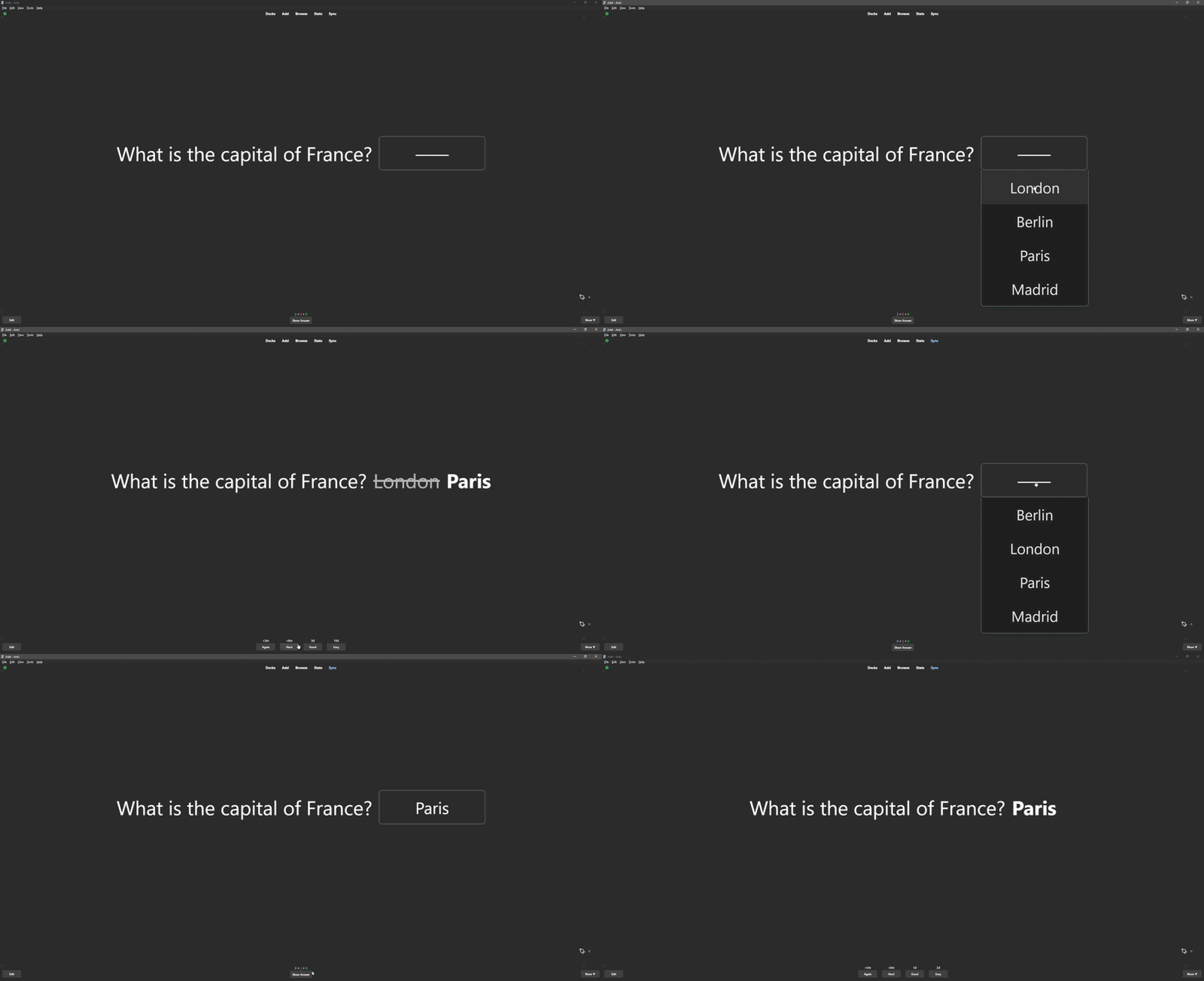
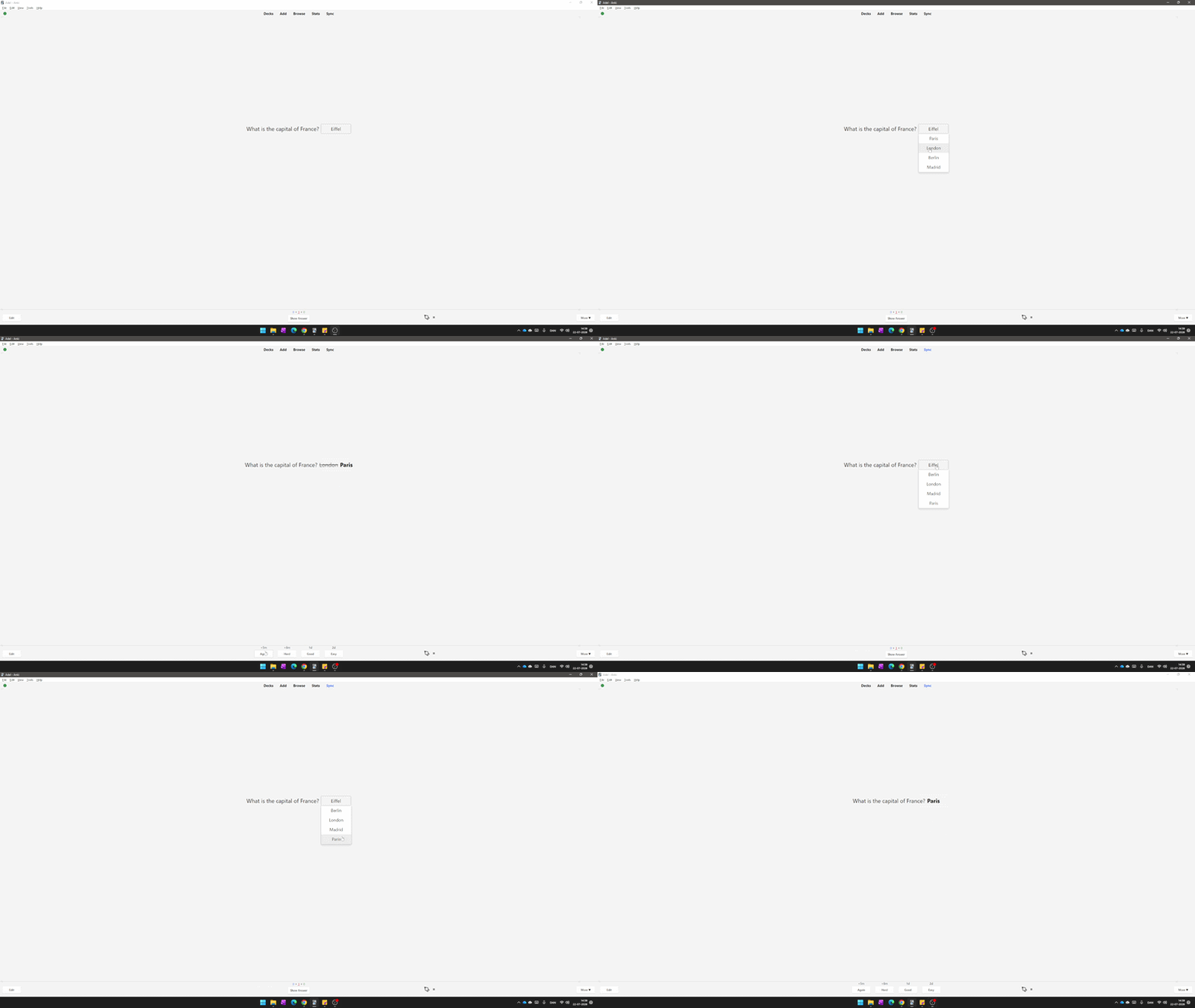
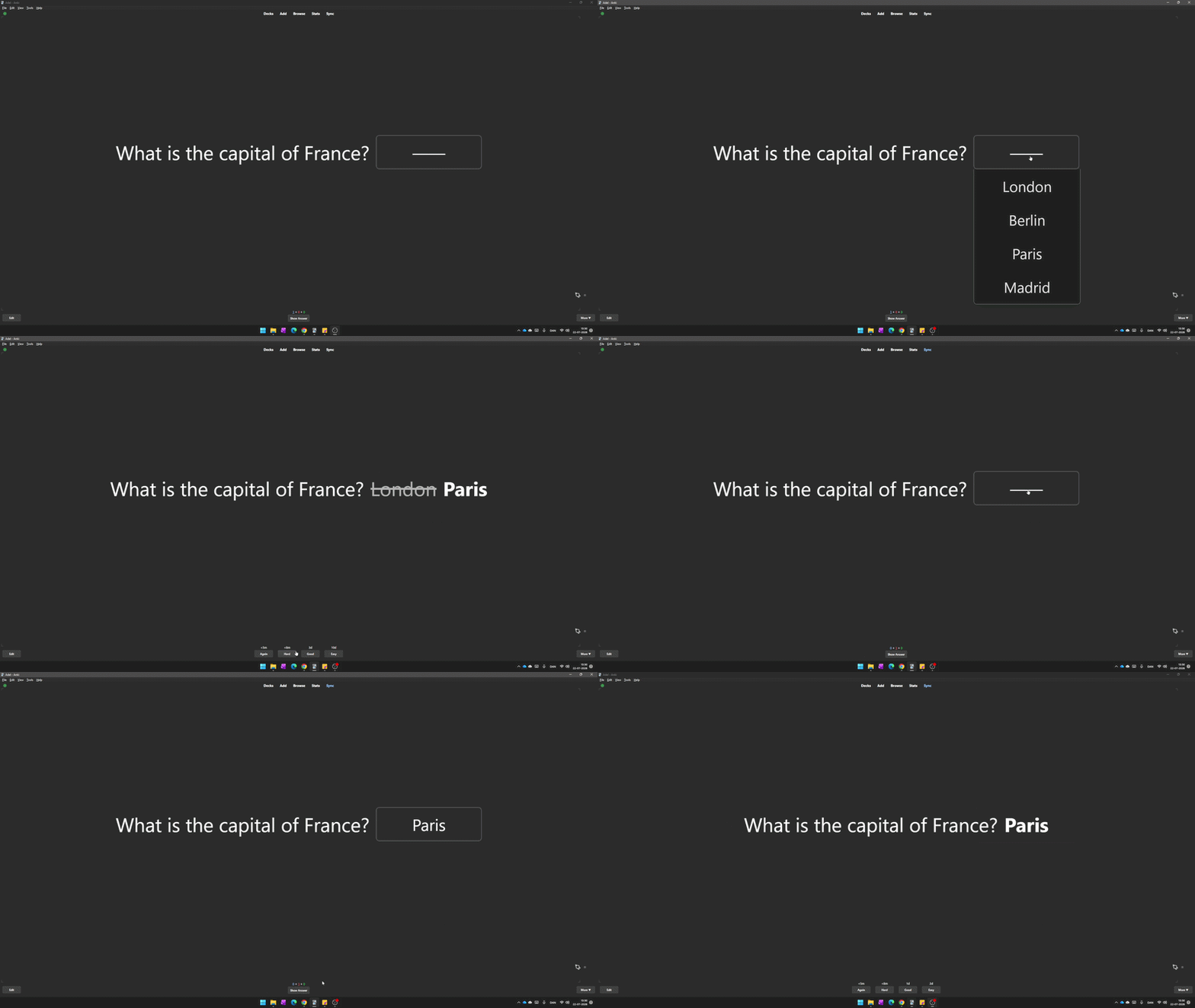
Interactive multiple-choice dropdown
Shuffled answer choices

Features

  • Multiple-choice questions (MCQ)
  • Interactive dropdown answers
  • Correct answers and distractors
  • Unlimited distractors
  • Automatic answer shuffling
  • Optional hints and placeholders
  • Cloze-style questions
  • Guided-answer exercises
  • One-click editor button
  • Keyboard shortcut: Ctrl + M
  • Automatic note type setup
  • Light Mode and Dark Mode support

Example

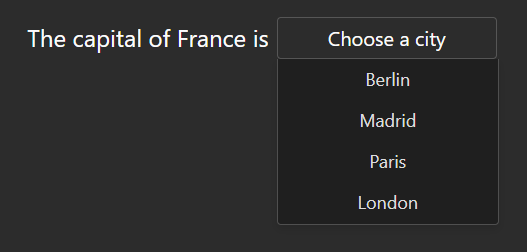
The capital of France is [[m::Paris::Choose a city]].
[[m1::London]]
[[m2::Berlin]]
[[m3::Madrid]]

The marked answer becomes a multiple-choice dropdown during review.
Good For

  • Multiple-choice quizzes
  • Exam preparation
  • Active recall
  • Self-testing
  • Language learning
  • Vocabulary practice
  • Grammar exercises
  • Definitions and terminology
  • Facts and general knowledge

Works Across Anki

Create cards on Anki Desktop and review them on Anki Desktop, AnkiMobile, AnkiDroid, and AnkiWeb.

Simple by Design

Multiple Choice focuses on simple multiple-choice and dropdown cards. It is designed to stay lightweight and easy to use.

Support

Found a bug or have a suggestion? Report it on GitHub:

Report an issue or suggest a feature

Simple MCQ cards for Anki. Lightweight and easy to use.


Related Add-ons

Cloze Dropdown β€” interactive dropdown cloze cards.

FocusFlow β€” study sessions, focus tools, and progress tracking.

Mouse Buttons as Review Shortcuts β€” use mouse buttons and scrolling as Anki review shortcuts.
README

Multiple Choice

Create interactive multiple-choice questions directly inside Anki using dropdown menus.

Instead of typing an answer, learners select it from a randomized list of choices, making reviews more engaging while staying fully integrated with Anki.

Preview

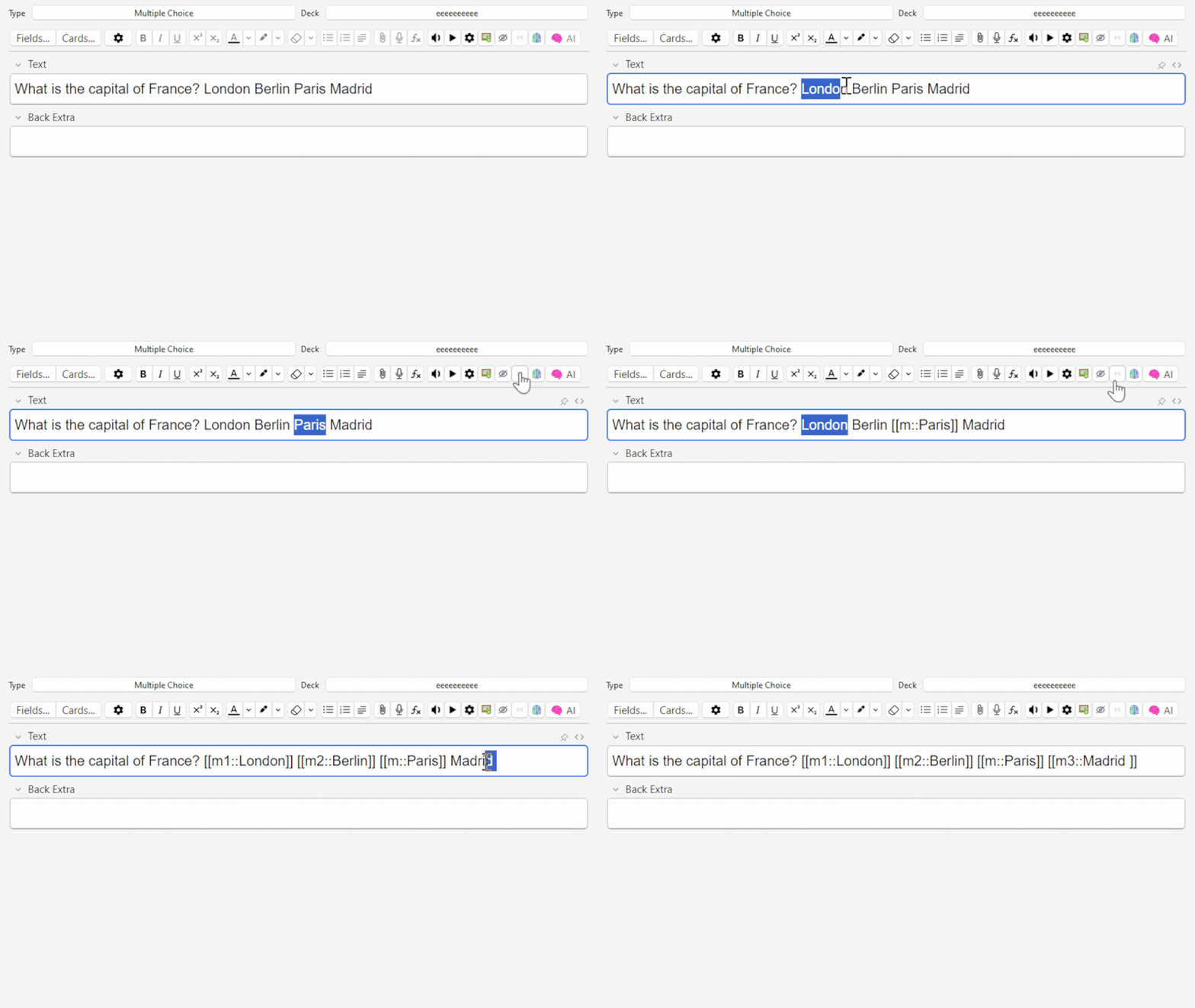
Create interactive multiple-choice questions directly inside your notes


Answer choices are automatically shuffled every time you review

Features

  • Interactive dropdown multiple-choice questions
  • Automatically shuffles answer choices every review
  • One-click editor button
  • Keyboard shortcut (Ctrl + M)
  • Optional hint / placeholder text
  • Unlimited incorrect answer choices
  • Dark Mode compatible
  • Lightweight and easy to use
  • Automatically creates the required note type

Example

Write:

What is the capital of France?

[[m1::London]]
[[m2::Berlin]]
[[m::Paris::Choose a city]]
[[m3::Madrid]]

During review, the answer becomes an interactive dropdown menu. The order of the answers is automatically randomized every time the card is shown.


Syntax

  • Correct answer: [[m::Paris]]
  • Incorrect answers: [[m1::London]] [[m2::Berlin]] [[m3::Madrid]]
    (You can add as many incorrect answers as you like)
  • Optional hint: [[m::Paris::Choose a city]]

Before an answer is selected, the dropdown will display:

Choose a city

Creating Cards

  1. Create a Multiple Choice note.
  2. Type your question.
  3. Select the correct answer.
  4. Click the Multiple Choice button or press Ctrl + M.
  5. Add incorrect answer choices.
  6. Study normally.

During Review

  • The answer becomes a dropdown menu.
  • All choices are shuffled automatically.
  • Select an answer.
  • Press Show Answer.
  • The correct answer is displayed.
  • If an incorrect answer was chosen, your selection is shown alongside the correct answer.

Why I Built This

I wanted a simple way to create interactive multiple-choice questions directly inside Anki without using complicated templates or external tools.

The goal was to keep everything lightweight, easy to learn, and fully integrated into the normal Anki workflow.

License

MIT License

Suggestions

If you have ideas, suggestions, or discover a better workflow, I'd love to hear your feedback.