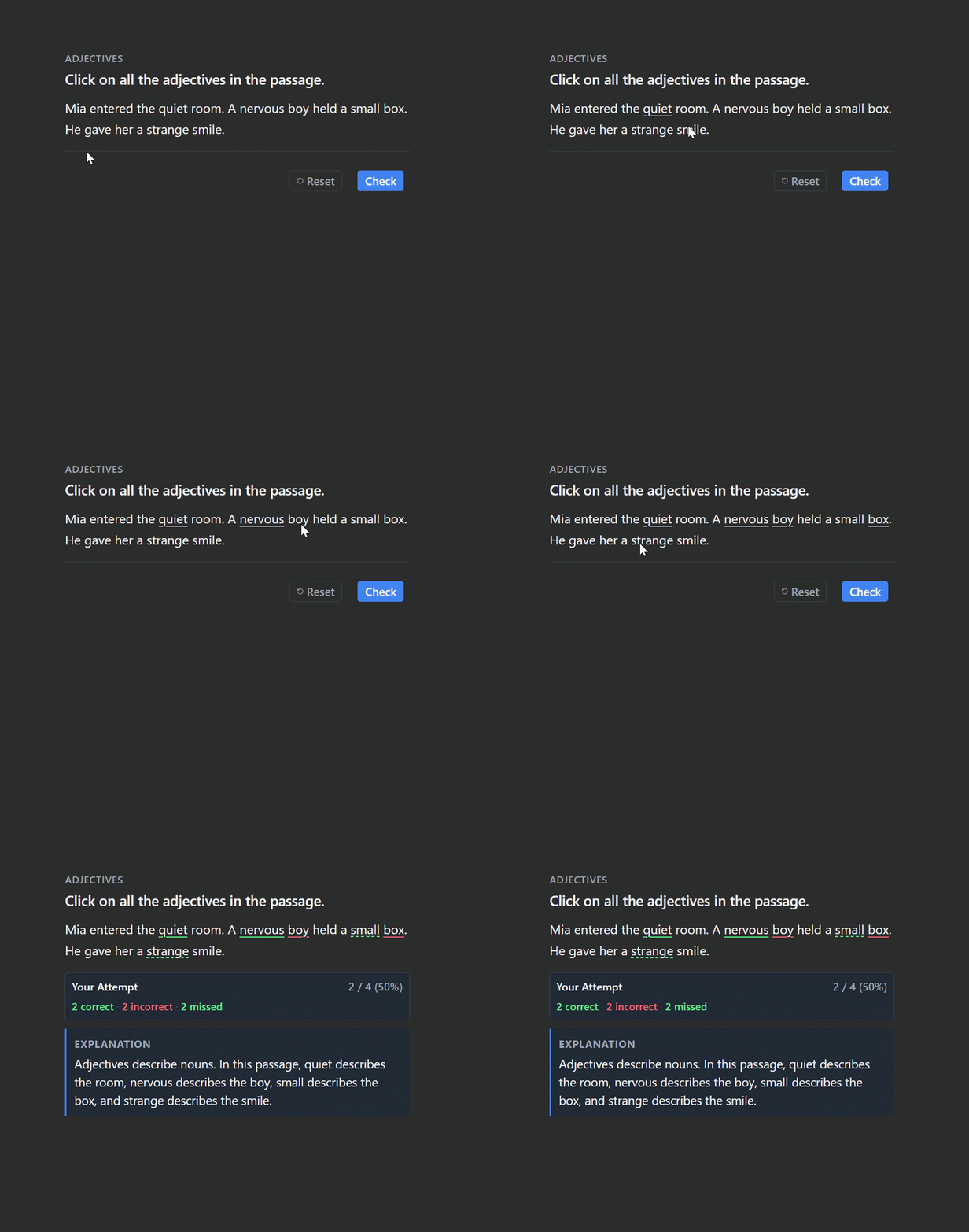
Click Words is a beta Anki add-on for interactive language learning, grammar practice, and vocabulary exercises. Turn text passages into click-the-word quizzes: select target words directly in the text and get instant feedback on your answers.
Features
- Practise adjectives, verbs, prepositions, pronouns, word forms, vocabulary, and grammar patterns in context.
- Choose word styles: Plain Text, Outline, or Pills.
- Track selections with a live counter.
- Add explanations, audio, and images.
- Customise fonts, font size, alignment, and feedback colours.
- Review cards on Anki Desktop, AnkiWeb, AnkiDroid, and AnkiMobile once the note type and templates are set up.
How to Use
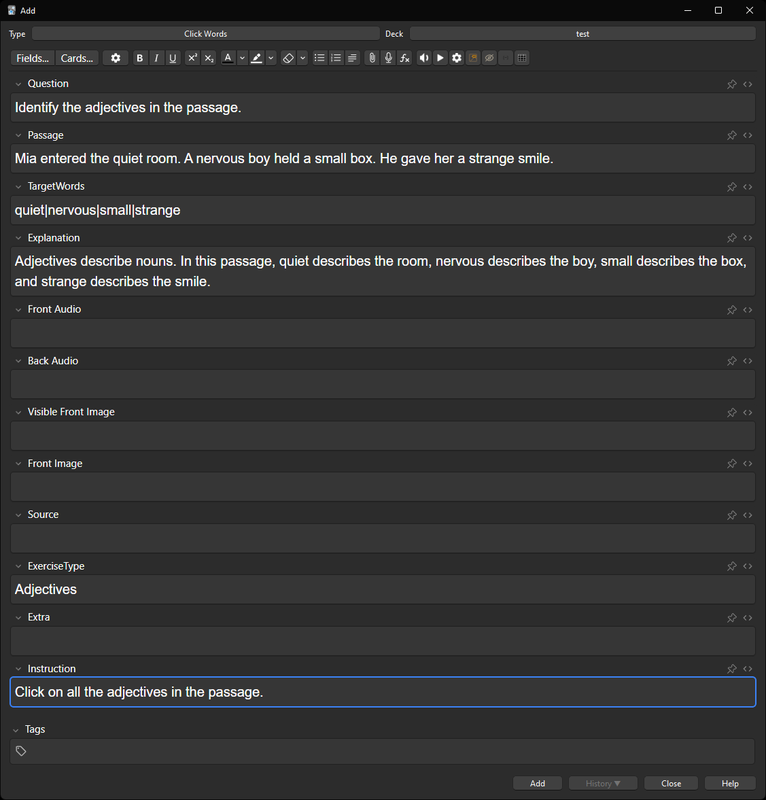
- Enter a question or instruction, such as “Click on all the adjectives.”
- Add a passage and enter the correct words in the
TargetWords field, separated by |.
- Review the card, click the target words, and press Check to see your results.
- Flip the card to review the answers and explanation.
Compatibility
Click Words uses HTML, CSS, and JavaScript in its card templates, so interactive reviews do not require Python on the reviewing device. The note type and templates must be set up first.
Beta Feedback
Click Words is currently in beta. Bug reports, compatibility feedback, and suggestions are welcome.
Report a bug or suggest an improvement on GitHub.
Related Add-ons
FocusFlow
— study sessions, focus tools, and progress tracking.
Grammar Trainer
— interactive grammar and fill-in-the-blank exercises.
Multiple Choice Dropdown
— interactive multiple-choice dropdown cards.
Mouse Buttons as Review Shortcuts
— use mouse buttons and scrolling as Anki review shortcuts.