Export Field and Tag Legend as Text
Larger or more specialized Anki collections often rely on custom fields to organize different kinds of content. As a collection develops, tacit conventions emerge about the meaning and use of those fields and tags. These conventions are essential collection-level metadata for interpreting the collection correctly, not least when notes are assessed with or generated by an LLM.
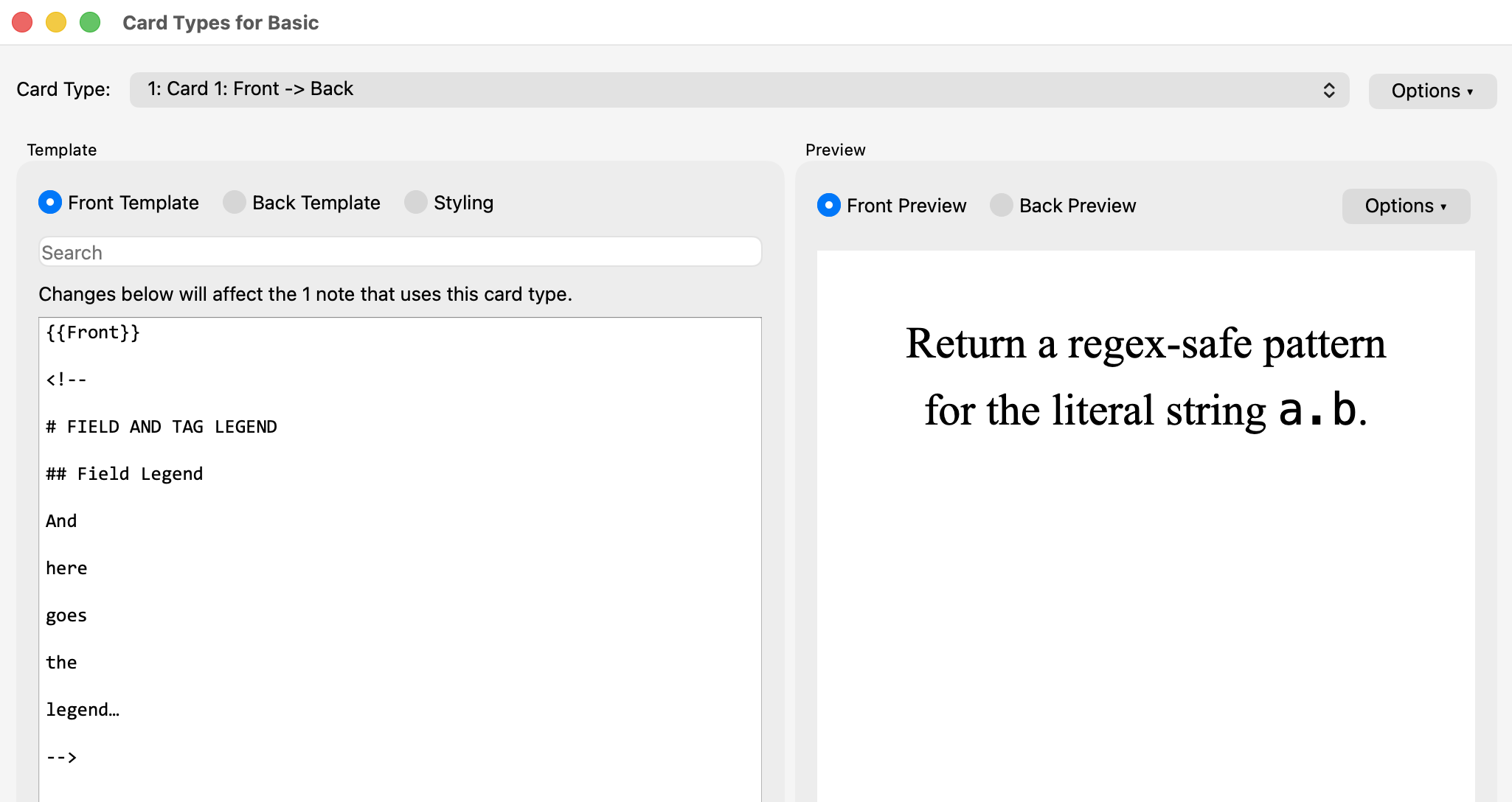
Ideally this documentation should reside within the collection itself rather than in an external file. One simple way to achieve this is to store a field and tag legend as an HTML comment in a card template: the text remains hidden during review but is easy to inspect or edit and stays with the collection. This add-on exports the complete legend as plain text with a single command, either to the clipboard or to a file.
Export Field and Tag Legend as Text complements Export Deck Guide as Text, Export Deck Tree as Text, Export Note Types as Text, and Export Tags as Text. Together, these five add-ons provide collection-level context. In the Browser, Selected Notes to Structured Text supplies the selected notes to which that context can be applied, whether for assessment or as exemplars for note generation.
Installation
Install Export Field and Tag Legend as Text from AnkiWeb using add-on code 1931887561.
Usage

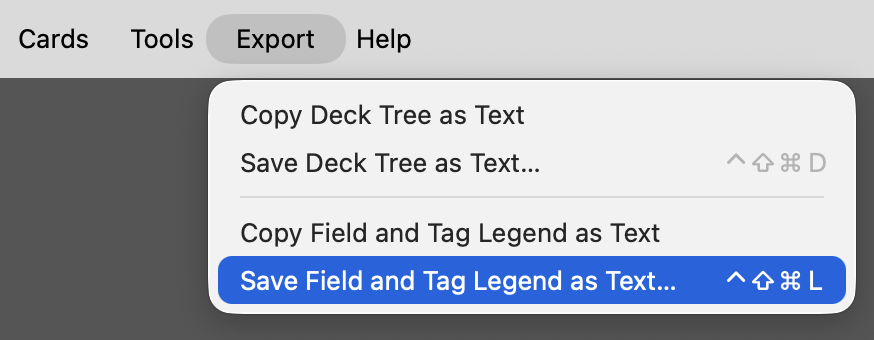
Choose either of the following menu items:
- Export → Copy Field and Tag Legend as Text
- Export → Save Field and Tag Legend as Text…
Both commands export the same legend: Copy Field and Tag Legend as Text places it on the clipboard; Save Field and Tag Legend as Text… writes it to a UTF-8 text file, by default named anki-field-tag-legend-YYYY-MM-DD.txt.
Configuration
The legend location, marker, and keyboard shortcuts can be changed in the add-on’s configuration dialog:
Tools → Add-ons → Export Field and Tag Legend as Text → Config
The default configuration is:
{
    "location": {
        "card_type": "Card 1",
        "note_type": "Basic"
    },
    "marker": "# FIELD AND TAG LEGEND",
    "shortcut_copy": "",
    "shortcut_save": "Meta+Ctrl+Shift+L"
}
Location
location.note_type and location.card_type specify the note type and card type whose front template contains the legend.
Marker
The legend must be stored in an HTML comment containing the configured marker:
<!--

# FIELD AND TAG LEGEND

[Legend goes here.]

-->
The marker must occur exactly once in the configured front template. The comment delimiters <!-- and --> and any leading or trailing whitespace are not included in the exported text.
For safety, if the configured note type or card type cannot be found, the marker is missing or occurs more than once, or the marker is not inside a complete HTML comment, the add-on reports the problem and exports nothing.
The add-on only reads the template; it does not modify the template or any other part of the collection.

Shortcuts
shortcut_save sets the shortcut for Save Field and Tag Legend as Text… The default shortcut is Meta+Ctrl+Shift+L (⌃⇧⌘L); set it to "" to disable it.
shortcut_copy sets the shortcut for Copy Field and Tag Legend as Text. It is disabled by default.
On macOS, Qt interprets Meta as Control (⌃), Ctrl as Command (⌘), Alt as Option (⌥), and Shift as Shift (⇧).
No restart is required.
Format
The exported text is the contents of the matching HTML comment. The <!-- and --> delimiters are omitted, leading and trailing whitespace is removed, and internal line breaks and spacing are preserved.
For example, the template comment:
<!--

# FIELD AND TAG LEGEND

## Field Legend

`NTS` — Notes

## Tag Legend

`#df` — Definition

-->
is exported as:
# FIELD AND TAG LEGEND

## Field Legend

`NTS` — Notes

## Tag Legend

`#df` — Definition
Compatibility
Tested with Anki 26.08 on macOS Tahoe 26. Windows and Linux have not yet been tested.
License
Licensed under the GNU AGPL v3 or later.